

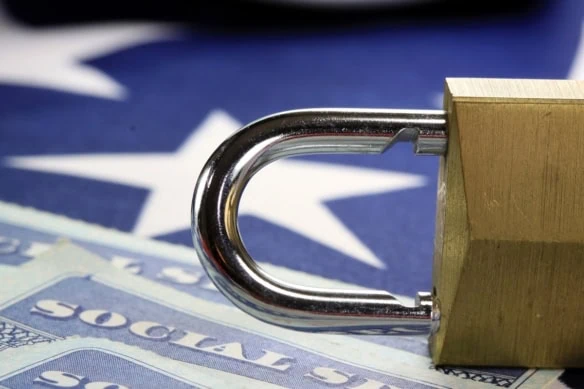
It’s likely there’s someone out there with your same eye color, or height, or weight, or eye color—heck, even your name. But there is one piece of identifying information that’s unique to you: your Social Security number (SSN).
You likely will have used your Social Security number many times already, and you’ll continue to use it throughout the course of your life. And that’s why, if a scammer gets a hold of your SSN, it could cause you a whirlwind of problems.
These fraudsters may attempt to take over your bank, credit card, or e-commerce accounts. Once they’ve gained access, they might change your login information and transfer themselves money or spend it directly from your accounts. Alternatively, they could try to sell your data to other criminals. And they could even try to apply for new accounts, apply for government benefits, or file a fraudulent tax return in hopes of receiving a large refund to keep for themselves.
The good news is that you can dramatically reduce the chances of your SSN being used without your permission—by locking it. Read on, and I’ll explain two strategies for locking your SSN, discuss why everybody may not want to, and outline how else you might keep your information safe.
Two Ways to Lock Your Social Security Number
Locking your SSN is free, easy, and could give you some peace of mind.
Here are a pair of options for how to lock your Social Security number.
Call the Social Security Administration

There is a certain comfort in talking to a real person to ensure a task is getting done properly.
One way to lock your Social Security number is to call the Social Security Administration (SSA) directly at 1-800-772-1213. If you’re deaf or hard of hearing, call 1-800-325-0778 (TTY).
The phone lines are open from 8 a.m. to 7 p.m. on weekdays. To reach a representative faster, consider calling early (before 10 a.m.) or later in the day. The SSA is less busy from Wednesday to Friday and later in the month. If you would prefer to leave a message, you can call outside of open hours and use the automated services.
Free interpreter services are available upon request.
Use ‘Self Lock’ Through a myE-Verify Account
The more tech-savvy among us who are looking for a more immediate route can lock their numbers by themselves online.
To do this, you’ll need to create a myE-Verify account. Through that account, you can “Self Lock.”
The good news? This stops scammers from using your SSN to authorize employment. The bad news? It also prevents employers from confirming your work eligibility if you are currently on the job hunt.
Fortunately, you can easily unlock your SSN if needed.
Related: 5 Social Security Moves Every High-Net-Worth Individual Should Know
Are There Any Reasons Not to Lock Your SSN?

As I just mentioned, you might have to unlock your Social Security number if you need to allow a new employer to verify your work eligibility.
Additionally, you may need to unlock it to receive government benefits.
Banks and credit card companies use your SSN to check your credit score and having your number locked could impede them and get your application rejected.
And for some people, frequently locking and unlocking their number may feel like a hassle.
I should also point out that locking your Social Security number won’t prevent all forms of identity theft—just forms related to employment and collecting government benefits.
Related: How Much Do People Get From Social Security? The Average Monthly Payment by Age
How Else Can I Keep My Information Safe?

Here are a few things you can do to further secure your personally identifiable information:
- Don’t share your SSN over the phone or through a text message if you can’t 100% confirm who you’re talking to.
- If you aren’t applying for any loans right now, freeze your credit report, which stops people from using your Social Security number to open credit accounts in your name. To effectively freeze your credit report, you need to freeze your credit individually with each of the three major credit bureaus.
- Consider opening your personal My Social Security account at https://www.ssa.gov/myaccount/, as it ensures nobody else can try to make one in your name.
- Regularly check your financial accounts and credit reports for any errors or suspicious activity.
Related: What Are Spousal Benefits? [And How Do They Work?]
- “Can I retire yet?” Stop guessing. Start planning.
- Subscribe to Retire With Riley: a FREE weekly retirement planning newsletter.
- Riley Adams, CPA, is a financial advisor who can help you turn retirement dreams into reality.
- Written by Riley Adams, CPA, a fiduciary financial advisor
- Edited by Kyle Woodley, Editor-in-Chief of YATI Media, LLC, former Senior Investing Editor, Kiplinger.com and Managing Editor, InvestorPlace
- Free retirement planning information
- Covers a broad range of topics with expert insights, data, and details
- Weekly, digestible email written in accessible language