
Budgeting apps empower people to bring order to their financial worlds with merely a few clicks of a mouse or taps of a smartphone. And they’ve been doing so for years—the world of budgeting apps has matured and evolved to the point where slick dashboards and AI-powered insights are expected to be not cutting-edge extras, but baseline expectations.
Still, not all budgeting apps are built the same. And the right fit depends as much on your habits and account balances as it does your technological preferences.
Some apps focus on strict, envelope-style budgeting, while others take a hands-off approach that simply tracks and categorizes spending. A few shine at setting goals and long-term planning; others at providing real-time alerts and cash-flow visibility. Add in difference in pricing, security, and the ability to synchronize with bank accounts and credit cards, and choosing the best budgeting app for you can feel like … well, yet another financial decision you don’t have time to labor through.
Let us help. Today, we’ll show you some of the best budgeting apps we’ve reviewed. Whether you’re trying to rein in overspending, plan for a big purchase, or just understand where your money goes each month, our review will break down what each app does well—and where it falls short—so you can find the one that will help you create (and stick to) your budget.
The Best Budgeting Apps—Our Top Picks
|
Best Paid Budgeting App

|
Best Free Budgeting App

|
Cost-Effective Budgeting App

|
|
Primary Rating:
4.5
|
Primary Rating:
4.5
|
Primary Rating:
4.2
|
|
Free 7-day trial, then $14.99/mo. or $49.99/yr.*
|
Tools: Free. Wealth Management: Starts at 0.89% of assets annually.*
|
$35.87/yr.* (50% discount)
|
What Are the Best Budgeting Apps?
As mentioned above, there’s a significant element of subjectivity to budgeting apps—one person’s ideal user experience is another person’s overcomplicated interface.
We’ll try to acknowledge some of the softer points where we can, but we’ve rated the best budgeting apps on the measurables: quality and quantity of features, compatibility, price, and so on.
Read on as we rank our favorite budgeting apps.
1. Monarch (Best Paid Budgeting App)
- Available: Sign up here
- Platforms: Web, mobile app (iOS, Android)
The Monarch budgeting app is frequently referred to as one of the best replacements for the now-defunct Mint app. We think that sells Monarch short—it’s one of the best budgeting apps we’ve reviewed, making it a suitable replacement for people looking to switch from most other personal finance tools, current or past.
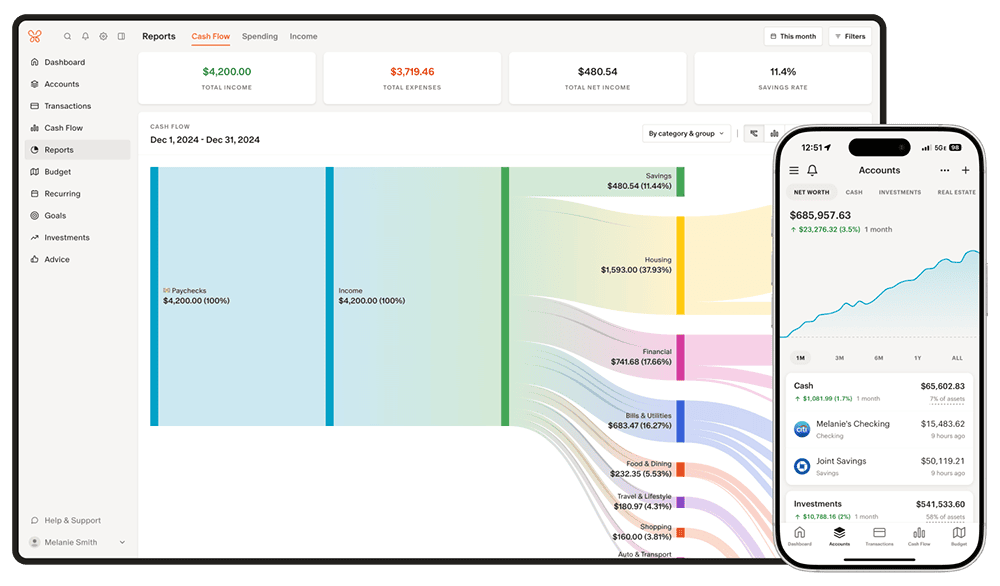
Monarch lets you quickly connect every aspect of your financial life to a single, easy-to-navigate dashboard. The program supports more than 13,000 financial institutions—that’s savings, checking, credit cards, mortgages, auto loans, even investment accounts, from 401(k)s to IRAs to even 529s. You can track your spending and saving through easy-to-read charts, and view individual transactions in case you need to inspect any specific expenditures.
One of our favorite customizations is the budgetary breakdown. If you want, you can view your spending through a traditional category lens (so, housing, utilities, food, etc.), but Monarch’s default is an even simpler “flex budget” view that splits expenses into fixed and variable costs.
Past that, Monarch has a wide features list, including …
- Credit monitoring with monthly score updates and notifications for significant changes
- Custom reports that you can save and revisit whenever you want
- Spending forecasts
- Debt paydown goals
- Bill pay reminders
- Investment and net-worth tracking
Married, have a significant other, or simply want a financial or tax advisor to be able to view your account? Monarch’s partner collaboration is at the head of its class. You can grant access to a second person with a separate login at no extra cost, and you sync two peoples’ accounts and investments into a single view, allowing couples to manage their finances together.
Monarch has a single subscription tier (Core Plan) that provides access to all features. If you use our exclusive link, you can get started with a 7-day free trial—and if you use the code listed in the box below, you can get 50% off your first year’s subscription to Core Plan. (Note: While Monarch does have a mobile app, we recommend using our link to get set up and familiar with the website before moving to the app.)
- Monarch is one of the most comprehensive personal finance apps on the market, allowing you to view, track, and control your financial life from a single, dynamic dashboard.
- Connect your bank, credit, loan, and investment accounts. Monarch supports more than 13,000 financial institutions.
- Stay on top of your credit score with monitoring, monthly score updates, trend graphs, and notifications for big changes.
- Manage your finances by yourself, with a partner, or with an advisor. Monarch's partner collaboration makes it easy to combine finances or let an expert monitor your situation.
- Special offer: Get 50% off your first year of Core Plan when you use our exclusive link, use the code YOUNG50, and pay annually.*
- Investment/net-worth tracking
- Customizable budget goals
- Best-in-class partner/advisor collaboration
- Inherent, seamless user experience
- Significant savings when you pay annually*
- No free tier (just a 7-day free trial)
- No bill-lowering service
Related: 14 Best Investing Research & Stock Analysis Websites
2. Empower (Best Free Budgeting App)

- Available: Sign up here
- Platforms: Web, mobile app (iOS, Android)
Empower is one of our top-rated financial services firms for people of any income level thanks to its suite of free-to-use tools.
The free Personal Dashboard makes it easy for people to add all their financial accounts (including credit cards, savings, checking, loans, and tax-advantaged investment accounts) in one place.
Empower offers a number of investing and personal finance tools that you’d expect from a free service, such as the Savings Planner, Retirement Planner, and Financial Calculators—all intuitive and well-built.
But where I think Empower really shines is its free Investment Checkup tool. The tool assesses your portfolio risk, analyzes past performance, and even provides a target allocation for your portfolio. Many people don’t realize how much of their varying mutual funds and ETFs overlap with one another—but the tool can actually help you identify overweight and underweight sector investments (maybe you have too many assets in utilities and not enough in health care) and assess your true diversification.
You can even compare your portfolio to both the S&P 500 and Empower’s “Smart Weighting” Recommendation, which suggests that investors more equally weight their portfolios across size, style, and sector—unlike the S&P 500, where the biggest stocks have the most effect on the portfolio, and there are huge differences in how much each sector is weighted.
Another exceedingly useful tool is the education planner. This tool calculates the estimated cost for your child’s dream schools with a clear breakdown of how much to contribute to their tuition, and it can even model different scenarios such as enrolling out-of-state or the tax implication of different 529 plans.
Use our exclusive link to sign up for the Empower Personal Dashboard. If you have $100,000 or more in investible assets, you’ll also be able to schedule a free initial 30-minute financial consultation with an Empower professional.
- Empower offers both a free set of portfolio, net worth, and cash flow tracking tools, as well as paid asset management service.
- Link Empower to your bank and investing accounts, credit cards, and more to see a single view of useful information and data, including your net worth.
- Empower Advisory Group offers a comprehensive wealth management service known as Personal Strategy. This managed account solution provides clients with discretionary investment management, personalized portfolio construction, and access to financial planning support. Accounts investing $100k to $250k receive unlimited advice and retirement planning help from financial advisors, as well as a professionally managed ETF portfolio with reviews upon request. Higher asset tiers offer access to dedicated advisors, estate planning, and tax specialists, plus additional investment options like access to private equity.**
- Special offer: If you have $100k+ in investible assets, sign up with our link to schedule a free initial 30-minute financial consultation with an Empower professional.
- Free portfolio tracker (Dashboard)
- Free net worth, cash flow, and investment reporting tools (Dashboard)
- Tax-loss harvesting (Personal Strategy)
- Dividend reinvestment (Personal Strategy)
- Automatic rebalancing (Personal Strategy)
- Low investment expense ratios (Personal Strategy)
- High number of investment accounts supported (Personal Strategy)
- Low $100k minimum for investment management (Personal Strategy) compared to traditional advisors.
- Moderately high investment management fee (0.89% AUM) compared to other online advisors (Personal Strategy)
- No dedicated advisor unless you have $250k+ in assets
Related: How to Get Free Stocks for Signing Up: 10 Apps w/Free Shares
3. Quicken Simplifi (Best Expense Tracker App)
- Available: Sign up here
- Platforms: Web, mobile app (iOS, Android)
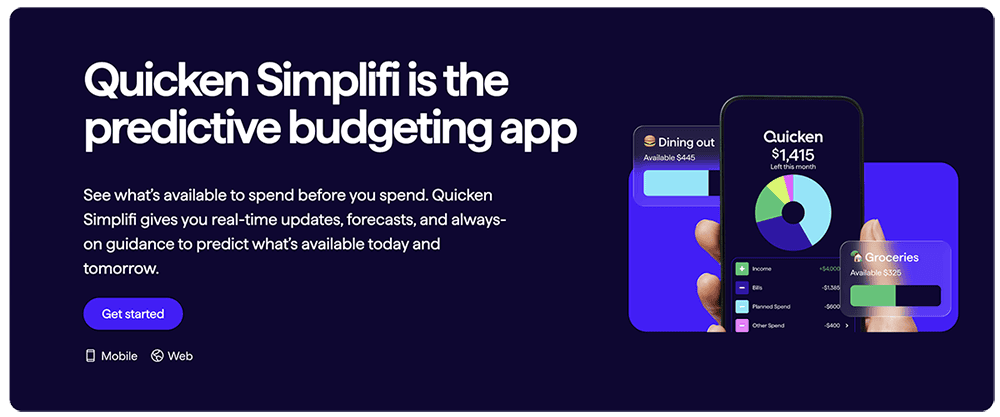
Quicken Simplifi is a useful budgeting app that can help you progress toward your financial goals with confidence.
Simplifi allows you to build monthly budgets yourself, or it will create customized budgets generated automatically based on your income, expenses, and savings. It also provides budget suggestions, and it helps you track progress toward saving goals. The app provides a comprehensive view of your finances, too, syncing up with your bank accounts, credit cards, brokerage and retirement accounts, mortgages, even private investments.
If all of this makes Simplifi seem like a lighter version of Quicken … well that’s because it pretty much is. Quicken literally markets the service right alongside Classic Deluxe, Classic Premier, and Business & Personal; Simplifi is less expensive but has fewer options than all three programs.
That said, Simplifi does have a few perks of its own that keep it from truly feeling like “Quicken Lite.” For one, it has a dedicated mobile app—one of my biggest gripes about Quicken is that it only has a “mobile companion app” that syncs up with the desktop versions. Simplifi can also automatically detect bills and identify subscriptions, and, unlike Quicken, it can separate those categories. And the “Space Sharing” feature allows you to share full data access with a partner without giving them your login credentials.
Try out Simplifi to see if it’s the budgeting app you need.
- Simplifi allows you to see all your finances in one place by connecting your bank accounts, credit cards, loans, 401(k), and other investments in a single dashboard.
- Save more money and plan better through goal setting.
- Know where your money goes through insight into spending across categories, tracking upcoming bills and building a projected cash flow.
- Get an automatically generated spending plan customizable to your needs.
- Wide range of compatible accounts
- Intuitive dashboard
- Robust budgeting tools
- Savings goals
- Comprehensive, easy-to-read reports
- No free version/free trial
- Savings goals don't link to accounts
Related: 10 Best Debit Cards for Teens [Reviewed by a Father + CPA]
4. YNAB (Best Spending Tracker)
- Available: Sign up here
- Platforms: Web, mobile app (iOS, Android), Apple Watch app
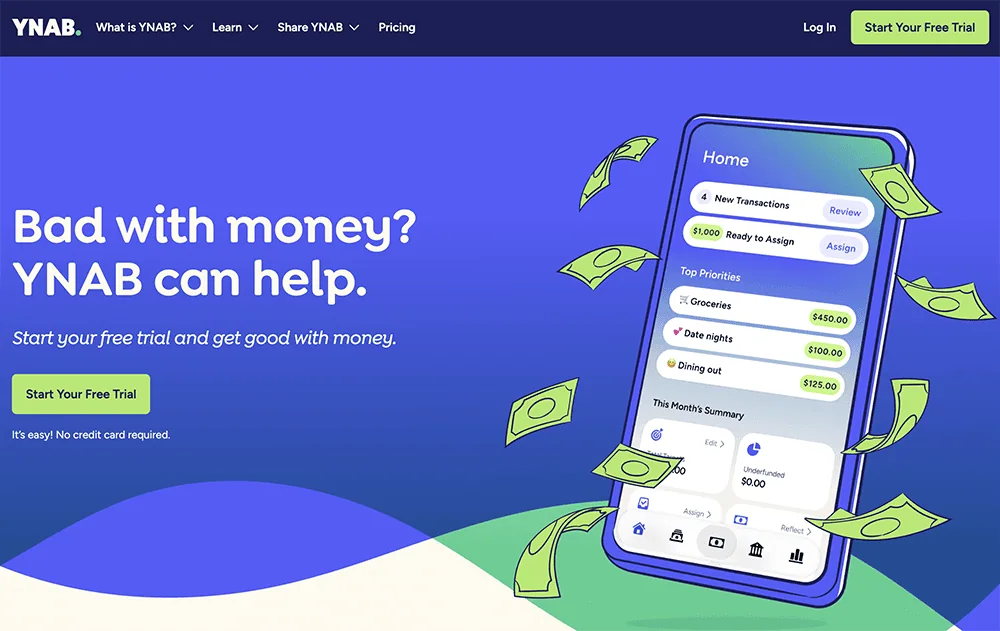
YNAB is a “zero-based” budgeting app that provides an experience similar to the envelop budget system. It determines how much money you have, what your expenses are, and when your expenses need to be paid.
It’s also something of a double-edged sword. YNAB gives users an extremely acute level of control, but initial setup and ongoing management are more involved than other apps. That said, YNAB does provide plenty of resources to help you get used to its budgeting system.
YNAB is also a rarity in that it allows for family budgeting. The YNAB Together feature allows you to invite up to five individuals to join your YNAB Together group for the price of a single subscription.
- You Need a Budget (YNAB) is an award-winning software platform which uses a proven method to teach you how to manage your money and get ahead.
- Budgets update automatically and in real time, and can be accessed on your computer, phone, or tablet.
- Customizable
- Allows for multiple budgets
- Difficult for beginners
- No bill tracking or bill pay
- No investment tracking features

Related: 10 Best Money Apps for Teens [Invest, Spend, Budget + Pay]
5. Quicken (Best Financial Management App With Business Features)
- Available: Sign up here
- Platforms: Desktop app (Windows, Mac OS), web, mobile app (iOS, Android)
Quicken has been around for several years and widely been used as a powerful personal finance solution.
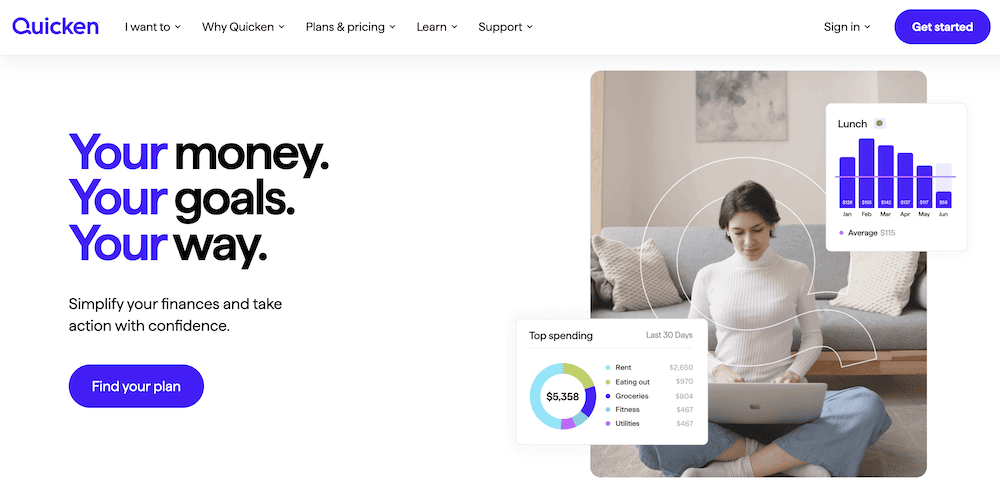
You can use the app to track expenses and make budgets, as well as handle several other personal finance management needs. Quicken provides a consolidated view of your finances in one customizable dashboard, leveraging information from your accounts and activity to understand and manage your spending better. The app also helps you keep tax information up-to-date and will even create tax reports.
Quicken’s dashboard is among the best in the industry. We found the interface intuitive, and that’s a common refrain in user reviews.
The functionality of Quicken extends beyond just personal finances, however. The app also covers useful financial management needs of your small business and rental properties. Use our link to sign up with Quicken.
- Use the Quicken family of personal finance and money management software to see your financial life in one place.
- Create a custom comprehensive budget, track your investments and plan for retirement.
- Stay on top of spending and track what's left to pay bills that you can easily view and manage.
- Review your investment portfolio and monitor performance.
- Multiple versions for differing needs
- Wide range of compatible accounts
- Bill pay reminders
- Real estate features
- Excellent customer support
- No free version or free trial
- Mobile app is only "companion" software
- Several features not available on Mac

Related: Federal Tax Brackets and Rates [2025 + 2026]
6. Acorns (Best Micro-Investing App)
- Available: Sign up here
- Platforms: Web, mobile app (iOS, Android)
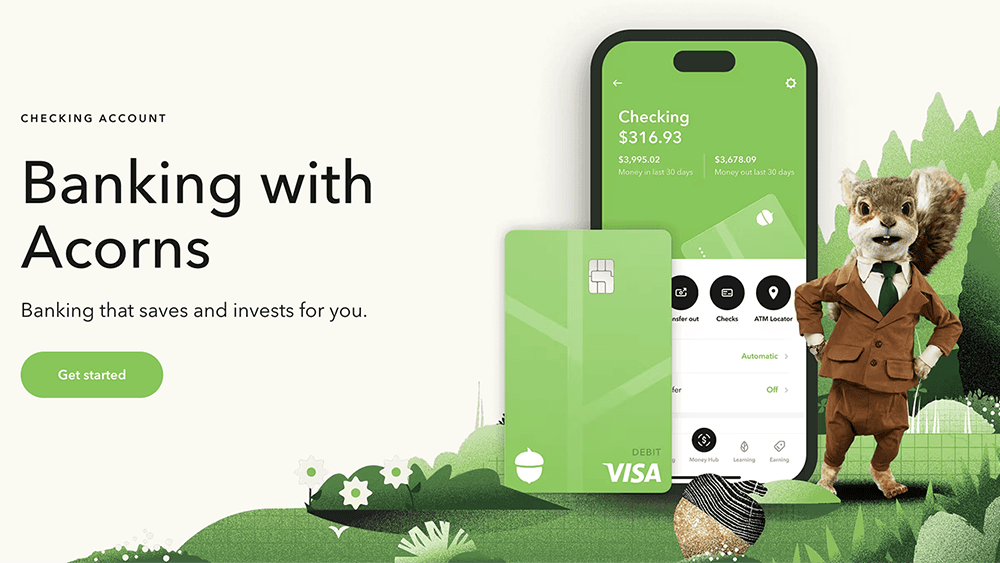
Any Acorns account allows you to invest in a diversified portfolio of funds. But it also comes with Acorns Banking: a checking account and debit card that saves, earns, and even invests for you via the company’s famous Round-Ups, which diverts spare change into your investment account.
The account includes no overdraft fees, access to more than 55,000 fee-free ATMs worldwide, and $250,000 of FDIC insurance coverage to protect your deposits against loss.
All Acorns subscription tiers come with Acorns Banking, though the Silver and Gold levels include additional perks, such as a limited-edition tungsten metal Visa card and the ability to earn on checking and emergency fund savings. And anyone with children can open a custodial account and save for their kids’ future with Acorns Early Invest, which they can open via the Acorns Gold subscription tier.
Learn more in our Acorns review or sign up for Acorns via our link.
- Acorns Banking, which comes with any Acorns subscription, offers a variety of features including online banking, a personalized debit card, mobile check deposit, contactless payments, and high-APY savings.
- This banking product also comes with Acorns' popular Round-Ups feature, which instantly invests your spare change every time you swipe your debit card.
- Pay for subscription costs only; Acorns has no minimum balance fees, overdraft fees, or hidden fees.
- Round-Ups
- FDIC/SIPC insurance
- Personalized metal debit card
- High APY
- 55,000 fee-free ATMs
- Monthly fees

Related: Best Acorns Alternatives: Micro-Investing Apps to Use
7. Oportun Set & Save (Formerly Digit)
- Available: Sign up here
- Platforms: Web, mobile app (iOS, Android)
Oportun Set & Save (formerly Digit) is an automated savings app for people who want to budget but don’t want to rely on willpower alone.
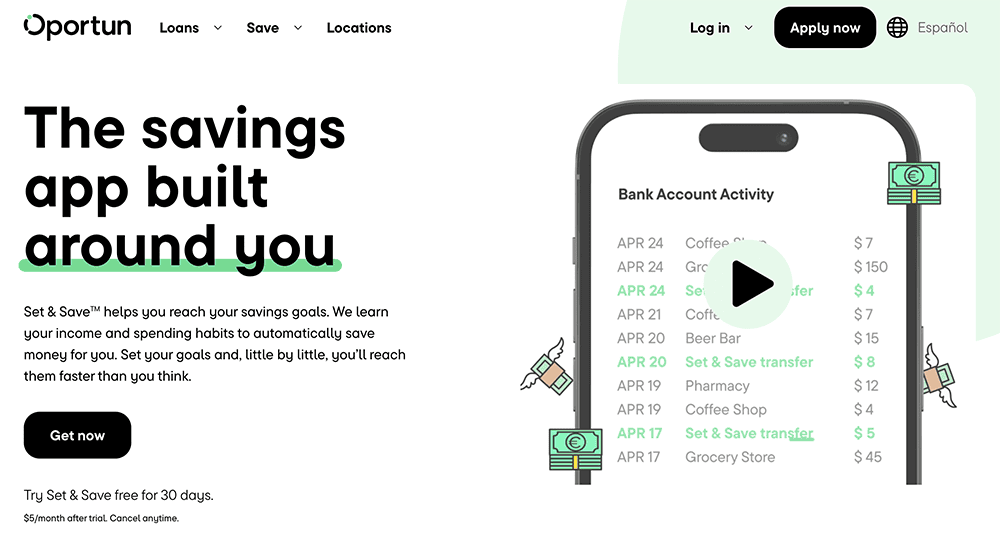
This app analyzes your spending patterns and income, then uses AI to automatically set aside small, manageable amounts of money when it determines you can afford it. This “set it and forget it” approach makes saving feel less like a chore and more like a background process quietly working in your favor.
The app also allows users to create specific savings goals—such as building an emergency fund or saving for a short-term purchase—and track progress over time. Clear visuals and simple notifications make it easy to see how small contributions add up, which can be motivating for people who struggle to save consistently.
It is a fairly spartan app, however. It’s ideal for people who simply want to automate their savings, but it’s less useful for people who want a broader suite of financial features. You can sign up for Oportun here and try it free for 30 days.
- Oportun Set & Save (formerly Digit) is an automated, AI-driven savings service that analyzes your income and spending habits, then determines how and when you can save amounts you can afford.
- Automated savings
- Extremely easy to use
- Few other budgeting features
- High price compared to features offered

Related: Best Debit Cards for Teens
8. Stash (Approachable Personal Finance App)

- Available: Sign up here
- Platforms: Web, mobile app (iOS, Android)
Stash Banking is a mobile-friendly checking account from Stash, a leading low-cost all-in-one financial platform for hands-off investors.
Stash is a subscription service, so it has no hidden banking fees, no minimum deposit or ongoing balance requirements, no overdraft fees, and no fess across a network of 55,000-plus ATMs. It offers a variety of traditional features including real-time transaction alerts, mobile check deposit, digital wallet compatibility, recurring transfers, debit card lock and unlock, and more. And if you set up direct deposit with your Stash account, you could get your paycheck up to two days early.
One feature that makes Stash Banking stand out is its Stock-Back Rewards®. When you use your debit card to shop with well-known brands such as Domino’s (DPZ), Walmart (WMT), and Starbucks (SBUX), you won’t get points—you’ll get pieces of matching stock.
Stash also offers great financial education resources to improve your financial literacy.
- Stash is a personal finance app that simplifies investing, making it easy and affordable for everyday Americans to build wealth and achieve their financial goals.
- Earn Stock-Back® rewards on every eligible debit card purchase.
- Robo-advisor with self-directed investing capability
- Fractional shares
- Offers values-based investment options
- Get paid up to two days early when you direct deposit pay into your Stash account
- FDIC/SIPC insurance
- Charges monthly fee
- Smart Portfolios don't offer tax-loss harvesting

Related: Best Kid Debit Cards
9. Wealthfront Cash
- Available: Sign up here
- Platforms: Web, mobile app (iOS, Android)
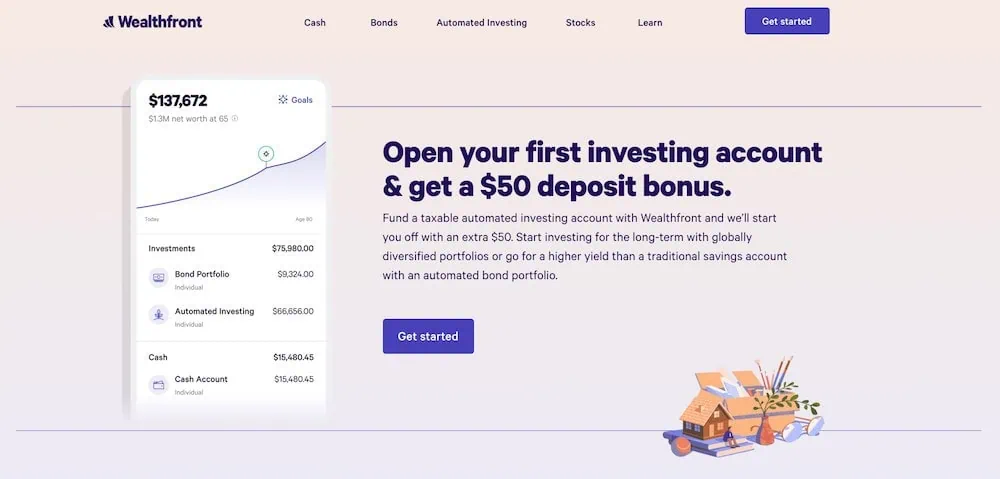
Wealthfront is perhaps best known for its robo-advisory service and investing tools. But the Wealthfront Cash Account is a digital banking and money organization app that helps users manage their everyday finances and long-term goals while paying no account fees.
Pay bills, access 19,000 no-fee ATMs, direct deposit checks, deposit checks with the mobile app, get FDIC insurance up to $8 million through Wealthfront’s program banks, and enjoy a high APY on your savings.. You can also track your net worth by linking external accounts, make customizable savings goals, and automate your savings by setting up recurring transfers into your goals or your investments.
Meanwhile, Wealthfront’s Joint Cash Accounts allow you to do all this with a partner while enjoying up to $16 million in FDIC insurance.
Wealthfront also offers either individual or joint cash accounts. And you need just $1 to get started. Sign up for Wealthfront Cash today.
- Wealthfront Cash is a digital banking app that lets you pay bills, send and deposit checks, and more with no account fees.
- Set your savings on autopilot: You can make recurring transfers into your investments or customizable savings goals. And with Cash Categories, you can easily parcel out your money while staying organized.
- Access 19,000-plus free ATMs nationwide. Wealthfront also will reimburse two out-of-network fees (up to $7.50) per month.
- Cash accounts come with a Visa debit card.

Related: 12 Best Investment Opportunities for Accredited Investors
10. Buxfer
- Available: Link here
- Platforms: Web, mobile app (iOS, Android)
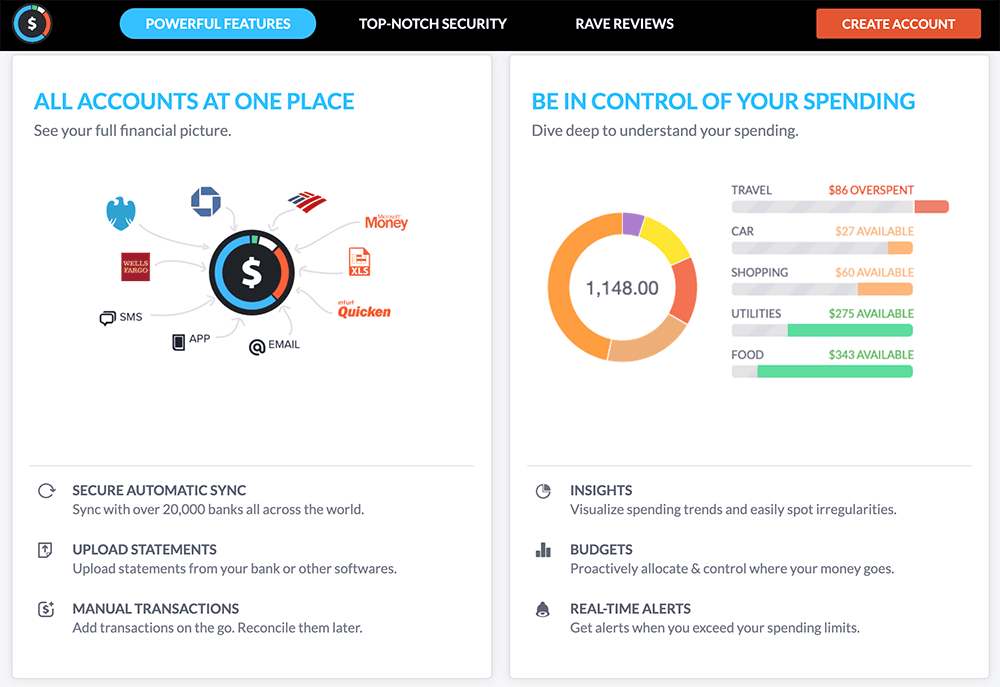
Buxfer is a personal finance and budgeting app designed to give users a comprehensive view of their money and spending habits all in one place.
The app supports for secure automatic syncing from more than 20,000 banks and financial institutions worldwide. An intuitive dashboard allows you to see balances and transactions from checking, savings, and credit accounts without juggling multiple tools.
One of Buxfer’s strongest features is its budgeting and expense tracking tools. You can set weekly, monthly, or yearly spending limits, use envelope budgeting to allocate income across categories, and get real-time alerts when you exceed your budgets. This helps you spend less on unwanted categories and save for things such as travel or big purchases. The app also lets you categorize and tag transactions with custom rules, so you get detailed insights into where your money goes. Other helpful features include multiple currency support, nested tags for organizing expenses, IOU tracking for shared costs, and mobile access with alerts.
Helpfully, Buxfer also allows users to share access with not just a partner, but other family members, and even accountants and financial advisors.
- Buxfer is a well-rounded personal finance app that includes expense tracking, budget planning, financial forecasting, bill reminders, and more.
- Securely sync with more than 20,000+ banks and financial institutions around the world.
- Features include multiple currency support, nested tags, IOU tracking, mobile access, and alerts.
- Easy expense tracking
- Detailed financial forecasting
- Allows for envelope budgeting
- Lackluster customization
- High fees
Related: Retirement Plan Contribution Limits and Deadlines for 2025 + 2026
11. PocketGuard
- Available: Sign up here
- Platforms: Web, mobile app (iOS, Android)
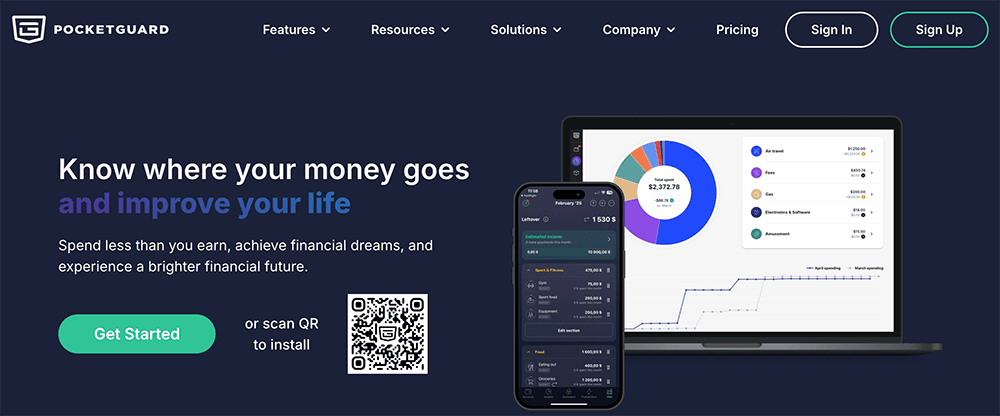
PocketGuard is a comprehensive personal finance app that helps you budget, track your net worth, achieve your financial goals, and even lower your bills.
The app can automatically pull transaction data and categorize your spending through linked checking, savings, credit, and other financial accounts. Beyond basic budgeting, you can set financial goals and track progress, while the app’s insights show spending patterns to inform better decisions.
A standout feature is its “Leftover” view, which calculates how much spendable money you have after accounting for bills, savings goals, and necessary expenses. This helps you avoid overspending and stay on track with your monthly plan. PocketGuard also can find and cancel subscriptions, and it partners with Billshark to negotiate better rates for cell, cable, WiFi and other bills (and it claims an average success rate of 80%).
Beyond basic budgeting, you can set financial goals and track progress, while the app’s insights show spending patterns to inform better decisions. With bank-level security and intuitive charts, PocketGuard is designed to make personal finance clearer and more manageable.
PocketGuard doesn’t have dedicated couples features, but it will allow multiple people to sign into the app from different devices using the same credentials, so you can use it as a joint personal finance app.
Sign up for PocketGuard and try it free for seven days.
- PocketGuard provides a secure place to get a holistic view of all your financial accounts, making it easier to budget, track your cash flow, determine your net worth, and more.
- PocketGuard's free plan includes budgeting, spending reports, cash tracking, accounts and transactions aggregation, bills and income tracking, and anti-fraud technology.
- PocketGuard plus includes everything in the free plan, plus a debt payoff planner, unlimited budgets, unlimited savings goals, data transfer, storage, and more.
- Compatible with accounts from thousands of financial institutions
- Personalized spending results
- Savings goals
- Eliminated free plan

Related: When Are Taxes Due? [2026 Tax Deadlines]
12. Trim by OneMain
- Available: Sign up here
- Platform: Web
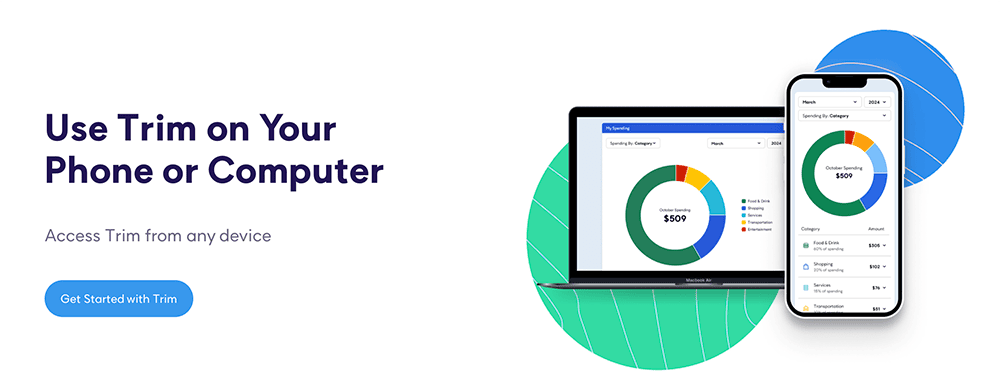
Trim is a free financial tool that does offer some money management features, but predominantly leans on subscription management.
Trim scans your accounts to detect recurring charges, highlights forgotten or unused subscriptions, then lets you cancel them with minimal effort. It also offers bill negotiation support, where it haggles with providers (such as cable or internet companies) to lower your monthly costs. This is the only part of the service that involves a fee; Trim will take a percentage of the savings of any lowered bills.
Trim’s budgeting capabilities are on the light side, however, though it does offer features such as spending insights and alerts. Trim also has an automated savings function (Simple Savings) that includes a high-yield savings account.
- Trim has saved its more than 3 million customers some $86 million over time, with customers saving an average of $213 per year.
- Trim examines and analyzes your spending patterns to determine where it can save you money.
- Trim can also go to the negotiation table for you. In addition to potentially lowering some of your bills (like internet, cable, and phone), it can also talk to banks and credit cards to get better interest rates, have fees refunded, and have other fees waived.
- Free
- Good user experience
- Bill negotiation
- No mobile app
- Thin budgeting functions