

If you’re reading this, you likely know about Acorns. It’s a micro-investing app that rounds up your purchases and invests your spare change. The app is great for beginners looking to start investing money for the first time in an easy way. But maybe you want an investing app at a lower cost point with more features.
In that case, what Acorns alternatives do you have available?
This article will answer that question by listing other investment apps like Acorns, as well as provide insight into some apps with debit card and bank account access. These accounts are ideal for beginning investors who want to invest their money but don’t have much income or savings yet!
(For reference, we include lots of useful information about Acorns after the Acorns alternatives covered next.)
Table of Contents
Best Acorns Alternatives—Our Top Picks
|
Best Stock Trading App for Beginners

|
Personal Finance-Focused Investment App

|
Best Investment App for Beginners
|
Low-Cost Robo-Advisor

|
|
Primary Rating:
4.5
|
Primary Rating:
4.4
|
Primary Rating:
4.6
|
Primary Rating:
4.0
|
|
No commissions on stock and ETF trades. Robinhood Gold: Free 30-day trial, then $5/mo.
|
No commissions on stock and ETF trades.
|
Free to use, no commissions* on stocks and ETFs.
|
No commissions on stock and ETF trades.
|
Best Investment Apps Like Acorns
| App | Apple App Store Rating / Best For | Fees | Promotions |
|---|---|---|---|
 Robinhood Robinhood | ☆ 4.3 / 5 Basic stock and ETF investing; options | No-commission stock, ETF, and options trades. Robinhood Gold: Free 30-day trial, then $5/mo. or $50/yr. | Earn $5-$200 in cash to put toward stock when you sign up and fund your account with at least $10. |
 Plynk Plynk | ☆ 4.6 / 5 Beginning and intermediate investors | Free to access, no commissions* on stocks and ETFs. | Earn up to $250 annually with a 25% cash match on your dividends. |
 SoFi Invest® SoFi Invest® | ☆ 4.8 / 5 Active trading and robo-investing | No-commission stock and ETF trades. SoFi Robo-Investing: 0.25%/yr. AUM advisory fee. SoFi Plus: $10/mo. | Fund a new account with at least $50 within 30 days of opening an account, and get up to $1,000 in stock.* |
 Betterment Betterment | ☆ 4.8 / 5 Building a globally-diversified portfolio | $5/mo. or AUM fee charged based on balance*; Premium: 0.65% annual AUM fee.** | None |
 Vanguard Vanguard | ☆ 4.7 / 5 Vanguard fund investors | No-commission stock and ETF trades | None |
 Public.com Public.com | ☆ 4.7 / 5 Investors seeking traditional and alternative investments | Public: Zero-commission U.S.-listed stock, ETF, and options trades. Premium: $96/yr., $10/mo., or free w/ balance of $50,000 or more | None |
 Webull Webull | ☆ 4.7 / 5 Self-directed investors and intermediate traders | No-commission stock, ETF, and options trades. Webull Premium: $3.99/mo. or $40/yr. | Frequently changes but typically involves free stock or deposit bonuses. See Webull box below for latest bonus. |
 Stash Stash | ☆ 4.7 / 5 Everyday people looking to start managing their finances | Starter: $3/mo. Stash+: $12/mo. | None |
| Note: Apple App Store Rating as of Sept. 9, 2026. | |||
1. Robinhood (Best Simple Stock Trading App for Beginners)
- Available: Sign up here
- Price: Zero-commission stock, ETF, and options trades. Robinhood Gold: Free 30-day trial, then $5/mo.
- Platforms: Web, mobile app (Apple iOS, Android)
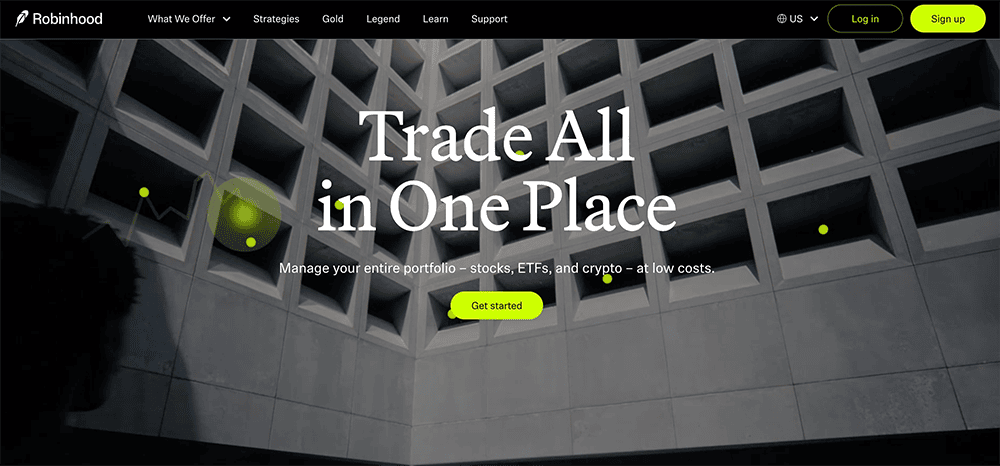
Robinhood, one of the pioneers of low-cost trading, remains one of the best places to invest if you don’t have much money to work with.
It’s not just that Robinhood is fee-friendly fee-friendliest places to invest today—though it is, offering no-commission trading on stocks, ETFs, and options. Robinhood also keeps the nominal cost of investing low, with its fractional trading feature letting investors put as little as $1 to work.
And while Robinhood has remained light on fees, it has bulked up in offerings. Today, it provides not just brokerage accounts, but IRAs and Roth IRAs (with matching funds, no less) via Robinhood Retirement, as well as features such as advanced charts, options strategy builders, 24/7 commission-free cryptocurrency trading, extended-hours trading, and stock lending.
Want more out of your Robinhood account? The Robinhood Gold subscription tier opens up a whole suite of benefits, including a high APY on uninvested brokerage cash, a 3% match on eligible IRA contributions to your Robinhood IRA, free professional research from Morningstar, lower index options trading fees, lower commissions on futures trades, reduced fees on any accounts managed by Robinhood Strategies (fees only charged on the first $100,000 of assets under management), and more.
Use our exclusive links to sign up for either a Robinhood brokerage account or Robinhood Retirement account today.
- Robinhood is a pioneer in the investing app world, offering commission-free trades on stocks, ETFs, options, and cryptocurrency, as well as one of the deepest libraries of investing educational content.
- Investing for retirement? Robinhood will match 1% of any IRA transfers or 401(k) rollovers, as well as any annual contributions*, made to your Robinhood Retirement account—and you can get a 3% match on any new contributions if you subscribe to Robinhood Gold.
- Want more advanced trading tools? Download Robinhoold Legend—a desktop trading platform with real-time data, customizable layouts, deeper asset analysis, and more—for free.
- Robinhood's robo-advisory service, Robinhood Strategies, will build you a custom portfolio of stock and bond ETFs (and individual stocks for accounts with at least $500), for a low 0.25% in AUM, which is capped at $250 annually for Robinhood Gold members.
- Robinhood Gold also includes Level II market data provided by Nasdaq, higher interest rates on uninvested brokerage cash, lower margin trading rates, bigger Instant Deposits, and access to the Robinhood Gold Card (a 3% cash-back Visa credit card).
- Special offer: Sign up for Robinhood, link a bank account, and fund your account with at least $10, and receive a randomly selected cash amount between $5 and $200 to put toward certain fractional shares.
- Very good selection of available investments in brokerage accounts
- 1% match on rollovers, IRA transfers, and new contributions to IRAs and Roth IRAs (3% new-contribution match with Robinhood Gold)
- Automated recommended portfolios
- Intuitive interface
- Robo-advisory service (Robinhood Strategies)
- Extensive educational library
- No mutual funds in brokerage or IRAs
- Match doesn't apply to Robinhood Strategies accounts
Related: 10 Best Stock Picking Services, Sites, Advisors and Subscriptions
2. Plynk (Best Investment App for Beginners)
- Available: Sign up here
- Price: Free to access, no commissions* on stocks and ETFs
- Platforms: Web, mobile app (Apple iOS, Android)
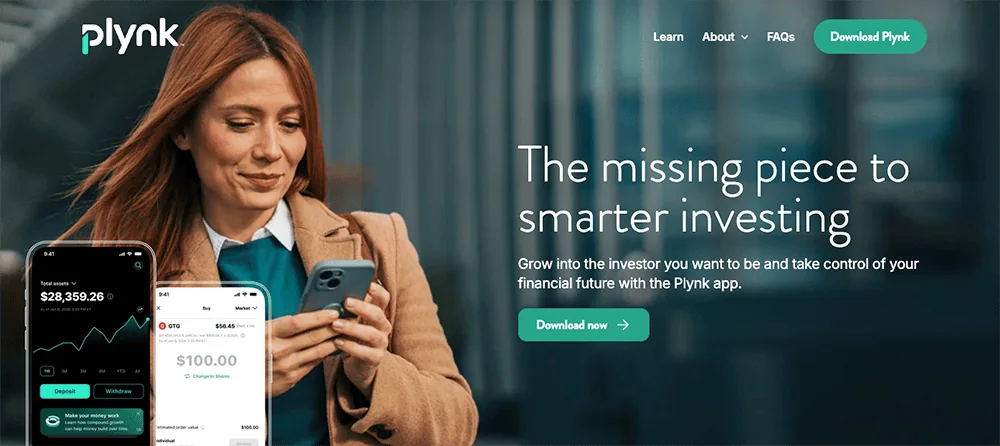
Plynk® is an investing app designed to not only help you start putting your money to work, but teach you about the markets and your money along the way—and now it will help you grow your dividend income.
The Plynk app charges no account opening fees and lets you start investing with as little as $1. It offers commission-free trades on 5,000 stocks and nearly 2,000 ETFs, and also provides access to more than 50 mutual funds and four cryptocurrencies. You can use the app as a traditional brokerage account, but if you’d prefer the potential tax advantages of retirement accounts, the Plynk app also allows you to open traditional IRAs and Roth IRAs.
One of the app’s newest features is a dividend match. Plynk will provide a cash match of 25% on dividends generated within the account, allowing you to earn up to $250 extra annually.
The app is more than appropriate for seasoned investors, but it’s also extremely friendly to beginners. It’s light on jargon and instead uses straightforward, easy-to-understand language to explain investing concepts in its tips and how-tos. The Plynk app also offers expert ratings on stocks and funds that novice and experienced investors alike can use to identify high-quality opportunities, and it allows you to browse stocks and ETFs using thematic categories, such as AI, gaming, and dividend stocks.
Want to start building good investing habits right off the bat? The Plynk app offers automatic investing—you choose how much you want to invest, in which securities, and how often, and the app processes the trading from there. Want help building a consistent habit? Plynk’s Steady Start feature is a 52-week ramp-up program that starts your contribution at $1 in the first week, then ups that contribution by a dollar each week—so by the time you’re done, you’ll have contributed $1,378 in a year. Want to see how much you’ve been paid in interest and dividends? Check out Plynk’s Income Hub.
The Plynk app’s educational tools are among the best from the apps we’ve reviewed:
- Beginners will want to check out Plynk’s simulated trading feature, which lets you use virtual money in a real-market environment as you learn how to make trades, test strategies, and gain experience.
- Curious about how certain investments would’ve worked? Plynk’s virtual portfolios let you “invest” virtual money to see how any portfolio you can think up would have performed depending on when you started investing in its underlying stocks and ETFs.
- The Plynk website’s “Learn With Plynk” section teaches investors about important basic concepts such as diversification, dividends, and dollar-cost averaging.
Plynk’s customer support is staffed by knowledgeable professionals, and your account is backed by encryption, multifactor authentication, and 24/7 fraud monitoring.
Begin today: Sign up with Plynk using our exclusive link to kick-start your investing journey. Or if you want to learn more, check out our Plynk review.
- Plynk® is an effective yet beginner-friendly way to start investing in thousands of stocks, ETFs, mutual funds, and cryptocurrencies.
- Plynk charges no account opening fees, and you can start investing for as little as $1.
- Enjoy commission-free trades* on 5,000 stocks and more than 3,400 ETFs. Plynk also supports mutual funds and cryptocurrencies.
- Boost your yield with a cash match of 25% on dividend income.**
- Earn a 3.33% APY on uninvested cash.
- Track dividends and interest with Income Hub.
- Put your investing on autopilot with automated investing or Steady Start.
- Just getting started? Simulated trading and virtual portfolios help you get your feet wet and build experience without putting any money at risk.
- No account fees
- Smart design and smooth user experience
- Fractional shares
- Designed for beginning investors
- Virtual portfolios and simulated trading
- Earn interest on uninvested cash
- One of the best automated investing programs we've seen (Steady Start)
- Elite educational resources and tools
- Lacks features such as options trading and advanced charting that more experienced traders prefer
3. SoFi Invest® (Best All-in-One Personal Finance Acorn Alternative)
- Available: iOS, Android, Web
- Price: Free; no commissions on stock and ETF trades. SoFi Robo-Investing: 0.25%/yr. AUM advisory fee. SoFi Plus: $10/mo.
- Platforms: Web, mobile app (Apple iOS, Android)
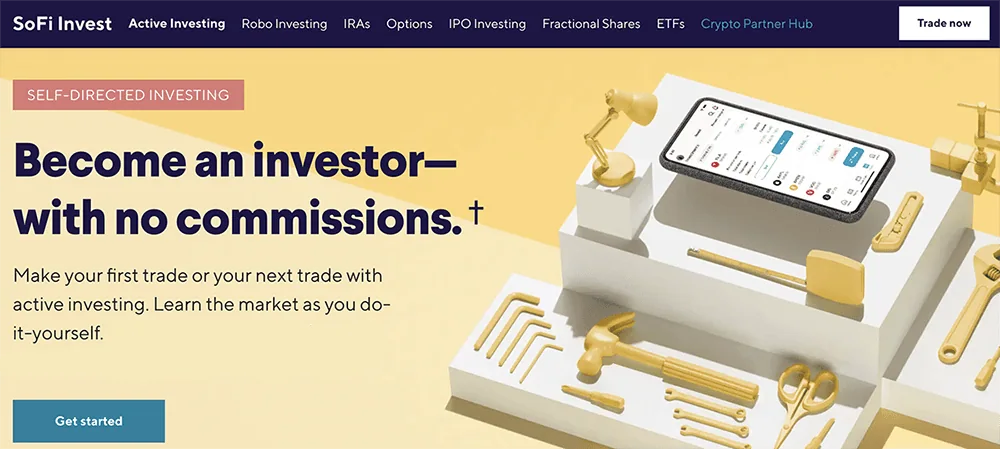
SoFi is a multi-faceted financial company that offers everything from credit cards and insurance to student loans and mortgages … and they also allow you to trade and invest through its SoFi Invest app.
With SoFi Invest, you can invest as actively or as passively as you’d like.
The SoFi Active Invest Brokerage Account has no required minimum balance, charges no commissions on stock, ETF, and options trades, and its options trading is free of contract fees, too. Want to put your portfolio on autopilot? SoFi’s robo-advisory services will create a portfolio for you for an annual 0.25% assets under management fee (that can be designed to address one or several goals) and auto-rebalance it for you as necessary over time.
SoFi Invest offers beginner-friendly features such as fractional trading, which means you can buy partial shares in more than 4,000 stocks and ETFs for as little as $5. The interface is very much geared toward younger, less experienced investors, too—everything is focused on simplicity and ease of use, rather than an expanse of sophisticated tools.
Unlike many brokerage companies that might have more limited offerings, SoFi’s app allows you to manage a much wider range of financial services and products, such as banking, student loans, insurance, and mortgages.
While SoFi Invest is free to use, you can also subscribe to SoFi Plus—a $10-per-month subscription tier that can unlock more than $1,000 per year in extra value. SoFi Plus perks include a match on recurring investment deposits, preferred access to initial public offerings, higher cash-back rewards on certain SoFi credit cards, home mortgage discounts, rate discounts on student loan refinancing and new personal loans, and a temporary boost on SoFi Savings APY, among others.
SoFi also occasionally has sign-up bonuses attached to its brokerage accounts, which you can read more about below. You can use our exclusive links to sign up with SoFi Invest, whether that’s on the web, the iOS app, or the Android app.
- SoFi Invest allows you to trade or invest in stocks, ETFs, and options with no commissions and no account minimums. You can also participate in some initial public offerings (IPOs).
- Invest for as little as $5 with fractional shares.
- Robo-advisory services, including goal planning and auto-rebalancing, available for annual 0.25% AUM fee.
- Subscribe to SoFi Plus to unlock more than $1,000 per year in extra value, including a 1% match on recurring investment deposits, preferred IPO access, higher cash-back rewards on certain SoFi credit cards, a six-month APY boost, and more.
- Special offer: Get up to $1,000 in stock when you open and fund a new Active Invest account.*
- Good selection of available investments
- No options contract fees
- DIY and robo-investing options
- Fractional shares
- Doesn't support mutual funds
- Limited trading tools
- No tax-loss harvesting
- No socially responsible robo-advisor functionality
Related: Best Banking Apps for Kids & Teens [Teen Banking]
4. Betterment (Best for Automation and Tax-Loss Harvesting)
- Available: Click the “Get Started” button below
- Price: Betterment: $4/mo. or 0.25%/yr. AUM fee*; Betterment Premium: 0.65%/yr. AUM fee**
- Platforms: Web, mobile app (Apple iOS, Android)
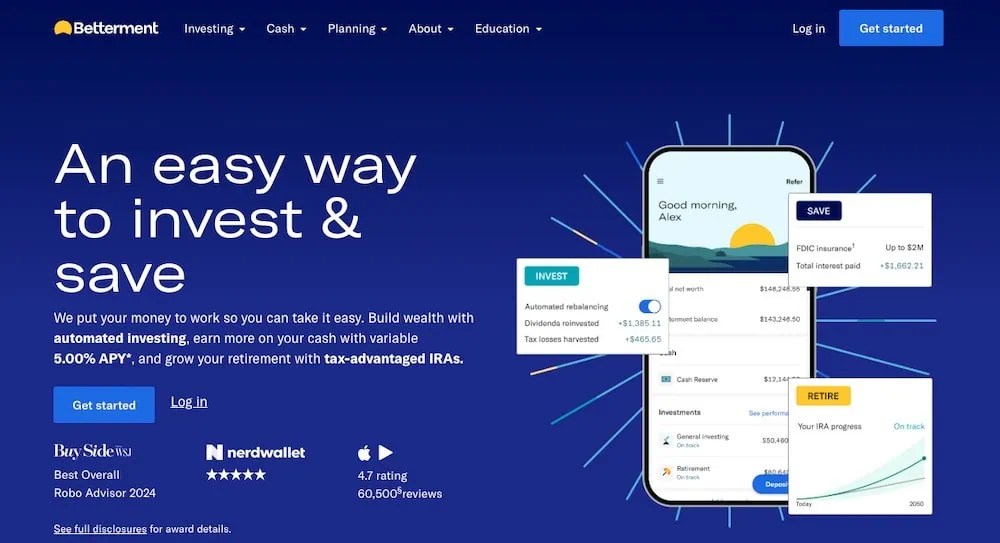
Betterment is an investing platform that was built around offering pre-built portfolios—with different themes and goals—in taxable accounts as well as individual retirement plans. But happily, it has recently loosened the reins to also empower users to buy individual stocks and ETFs.
Betterment’s primary offering is ETF-only portfolios that provide varying types of exposure depending on your risks and interest. For instance, Core is a stock-and-bond portfolio that keeps you invested in most domestic and international securities, in the ratio of stocks to bonds that’s most appropriate for you. Social Impact buys stocks and bonds of companies with “a demonstrated focus on supporting social equity and minority empowerment.”
However, Betterment recently launched self-directed trading, allowing people to invest in individual stocks and ETFs commission-free as they wish. The app has also added crypto portfolios holding digital currencies such as Bitcoin and Ethereum, but you can’t buy them individually—only through pre-built portfolios held in separate crypto accounts.
Whether you invest by yourself or automate, Betterment requires a minimum $10 ACH deposit, but after that, you’re not required to maintain a minimum account balance.
All of this makes Betterment one of the best investment apps for beginners—especially those who don’t want to be particularly active in selecting what they hold.
One interesting perk that stands out: Betterment’s tax-loss harvesting feature.
If you invest in a taxable account, and you sell an investment for a gain, you’ll owe taxes on those gains. (What you owe differs depending on whether you’ve held that investment for more than a year.) However, if you sell an investment for a loss, you can use that to offset your capital gains, and thus the taxes you’d pay on them, or if your loss is more than your gains (or you don’t have any gains at all), you can even reduce taxes owed on your personal income, subject to a $3,000 annual cap.
It can be a complicated strategy, but Betterment’s Tax Loss Harvesting+ automates the process for you. It will regularly check your portfolio for tax-loss harvesting opportunities, then take the proceeds from selling those investments and reinvest them where it makes sense for you.
Just note that Betterment is different from many traditional brokers in that it’s a subscription-based product. Betterment charges $5 per month to start, but it switches to a percentage fee based on assets under management (detailed below). Betterment Premium, which provides unlimited financial guidance from a Certified Financial Planner™, is a separate AUM fee and requires at least $100,000 in assets with Betterment.
Visit Betterment’s site by clicking “Get Started” below to see if it’s the right fit for you.
- The Betterment app gives you the tools, inspiration, and support you need to become a better investor.
- Start with as little as $10 and use the top-rated mobile app to set up automatic investing into diversified ETF portfolios. You can also purchase individual stocks or ETFs, and the platform also supports fractional shares.
- You can also invest in diversified preset cryptocurrency portfolios.
- Customize your risk tolerance and investment goals with guidance available at any time.
- By upgrading to Premium, you can unlock unlimited financial guidance from a Certified Financial Planner™.
- Betterment customers with at least $100,000 in assets may be eligible for an interest-rate discount on select mortgages, as well as hundreds of dollars in closing-cost credits.
- Hands-off investment management
- Diversified portfolio that automatically rebalances
- Low-cost investment selection
- Fractional shares
- Limited investment selections
- Limited crypto diversification in cryptocurrency portfolios

Related: Best Prepaid Debit Cards for Teens & Family [Reloadable]
5. Vanguard (Best for Vanguard Fund Investors)

- Available: Sign up here
- Price: Free trades
- Platforms: Web, mobile app (Apple iOS, Android)
Vanguard has long been regarded as the low-cost index fund investing service provider. In fact, in 1975, John Bogle launched the first U.S.-listed index fund available to retail investors. Now, Vanguard offers numerous dirt-cheap index products in both its mutual fund and exchange-traded fund lineups.
But Vanguard also offers low-cost investing, and no account minimums, through its brokerage and other accounts. That means commission-free trading not just on Vanguard products like VTI or VTSAX, but also on stocks, all other ETFs, and all no-transaction-fee mutual funds. But investors and traders still shoulder some costs. Unless you have more than $1 million in your account, transaction-fee mutual funds cost $20 per trade. And if you have a higher risk tolerance, you can trade options on Vanguard—but while commission-free, you’ll still incur a $1 contract fee on options trades.
Vanguard’s web and mobile versions are very much geared toward beginning investors, though the latter is better-designed. The web version can be downright clunky at times, and it can be difficult to access some of the features. I used to use the app to manage my work’s 401(k) plan, and I’ll admit to its bloat and lack of clarity on calculating investment returns on a percentage basis. The mobile apps run more smoothly, and I like the secure two-step login. But certain features, such as price alerts, aren’t available on mobile.
My main beef with Vanguard’s apps is that they make it difficult to measure the performance of individual holdings. All that said, Vanguard might have made this by design, incentivizing you to check your funds less often and thus living by their buy-and-hold ethos.
Still, if you’re a beginner who’s not sure if you’ll be more into trading, or more into long-term investing, a Vanguard account is a good place to start.
- Vanguard's low-cost mission continues through its commission-free brokerage and other investment accounts. Invest in stocks, ETFs, and Treasuries with zero commissions.
- Pay $0 to trade Vanguard mutual funds and no-transaction-fee mutual funds.
- Want to trade options? You can do that on Vanguard, too.
- Vanguard's mobile app is simple and easy to understand.
- Good selection of available investments
- Commission-free Treasuries
- Some commission-free mutual funds
- Can purchase fractional shares of mutual funds
- Can optimize your portfolio with Vanguard Portfolio Watch
- Limited investing and research tools
- Somewhat clunky web interface
- High options contract fees
- Limited features on mobile app
- No fractional shares of stocks or ETFs unless reinvesting through a DRIP plan
6. Public.com (Best Free Investment App for Beginners Interested in Alternatives)

- Available: Sign up here
- Price: Basic: Commission-free trading. Premium: $8/mo.*, or free with $50,000 balance at time of sign-up.
- Platforms: Web, mobile app (Apple iOS, Android)
Public.com, which is geared toward Millennials and Gen-Zers, is different from many other investing apps.
Yes, Public has the basics: Users can trade individual stocks and ETFs with no commissions. It’s also a micro-investing app thanks to its fractional shares feature, which allows users to spend as little as $5 to invest. But Public has also been widening its investment lineup—while it still doesn’t offer mutual funds, it does provide access to options, individual bonds, 40 different cryptocurrencies, and even alternative assets, from art to sneakers.
That last point really sets Public apart. Alternative assets are a relative rarity among investing apps. They can be difficult to research (and thus difficult to properly invest in), but they can provide uncorrelated returns compared to the stock and bond markets, so many savvy investors like to diversify into these assets.
The “Public” part of the name nods to the platform’s social aspect. You can make your portfolio holdings open to other users, and conversely, you can look through other Public users’ portfolios. Investors can also connect with corporate founders and CEOs through live “Town Hall” meetings.
Users can also upgrade their experience with the $10/month Public Premium subscription.
Public Premium offers some features that are included in some free brokers’ services, but other features help to justify the cost. For instance, Premium offers extended-hours trading (8 to 9:30 a.m., and 4 to 8 p.m. EST) and stock price alerts—several competitors, such as TradeStation and E*Trade, offer these services at no charge. However, Premium also provides:
- Advanced data on companies—Public.com’s examples include Tesla quarterly deliveries by model or Apple’s annual sales by continent
- Institutional-grade research provided by Morningstar
- Members-only analysis about events including major economic report releases, earnings announcements, and more
- Up to four years’ worth of companies’ earnings calls, decks, and reports
- Exclusive audio programming by Public.com’s expert analysts
You can read more in our Public.com investing app review, or sign up today using our exclusive link.
For Public.com disclaimer, please see the fine print at the bottom of this article.
- Public.com offers zero-commission trading on thousands of stocks and ETFs, available as fractional shares. The app also allows you to invest in cryptocurrency, options, and bonds as well, and it's one of the rare brokerages that allows its users to buy alternative assets.
- Lock in a 5.3% yield with Public.com's Bond Account, which allows you to invest in a diversified portfolio of investment-grade and high-yield bonds.
- Use a social feed where members can share why they believe in certain companies (or don't) and can post comments on others' trades.
- Invest in curated lists of stocks and ETFs for people to aggregate investments by interest area or values.
- Subscribe to Public Premium for features such as advanced company-level data, Morningstar insights, and exclusive audio content from Public.com's expert analysts.
- Special offer: Receive an uncapped 1% match on transfers into a Public IRA.
- Fractional shares
- Good selection of investible assets
- Allows you to trade alternative assets
- No payment for order flow (PFOF)
- Creative social investing features
- Doesn't support mutual funds
- Limited investment research and other tools

Related: Best Quicken Alternatives
7. Webull (Best Stock Trading App for Intermediate Traders)

- Available: Sign up here
- Price: Standard: Zero-commission stock, ETF, and options trades. Webull Premium: $3.99/mo. or $40/yr.
- Platforms: Desktop app (Windows, macOS, Linux), web, mobile app (Apple iOS, Android)
Webull is a wallet-friendly brokerage account that offers no-commission stocks, ETFs, and options, $0 contract fees on many options, and requires no deposit minimums.
It also offers fractional-share investing, which allows investors to start buying for as little as $1. In other words: Beginners working with small dollar amounts can still easily diversify their portfolio across numerous investments. Newer investors can also learn trading skills through the courses in Webull’s education center, and even practice their skills via Webull’s paper trading service.
Webull is available across just about every platform, allowing you to research, trade, and track your stocks on your smartphone, tablet, or desktop. Other features include charting tools, customizable screeners, free real-time stock quotes and stock alerts, preset lists, voice commands, and more. It also offers extended trading hours (pre- and after-market trading) and 24/7 online help.
You can also subscribe to the paid Webull Premium tier, which provides a higher APY on uninvested cash, IRA rollover and transfer matches, higher IRA contribution matches, better margin rates, and more.
Why choose Webull to trade stocks?
Webull provides investors with several useful features and tools, including:
- Charting tools
- Free real-time stock quotes and stock alerts
- Customizable screeners for both stocks and ETFs
- Preset lists—including Top Gainers, Top Losers, Most Active, and Best-Performing Industries—investors can use to identify opportunities
- Voice commands: Simply speak to buy, sell, or look up information about a ticker
- “Big Button Mode”: Populates giant buttons on your screen that allow you to quickly make trades with just a push
Use our exclusive link to sign up with Webull to get a special promotion.
- Webull is a low-cost trading and investing app that allows you to invest in stocks, ETFs, options, futures, commodities, and crypto, and even participate in initial public offerings (IPOs).
- No-commission stock, ETF, and option trades (and many options have $0 contract fees).
- Trading features such as charting tools, technical indicators, customizable screeners, real-time stock alerts, and group orders.
- Let Webull manage your money for you with Webull Smart Advisor, which combines Webull's in-house investment expertise and artificial intelligence to build, manage, and rebalance an ETF portfolio for you.
- Sign up for Webull Cash Management to earn up to a 4.1% APY on uninvested cash.
- New users get one free month of Nasdaq TotalView's Level 2 Quotes service. (That subscription costs $2.99/mo. thereafter.)
- Subscribe to Webull Premium and receive a premium APY on uninvested cash in individual and joint cash accounts, premium margin rates, a 3% match when you transfer or roll over your IRA, and an extra 3.5% match on qualifying IRA contributions.
- Special offer: Make an initial deposit of at least $500 and receive $20 in fractional shares and one free month of Webull Premium.
- Good selection of available investments
- Fractional shares
- Powerful technical analysis tools
- Offers robo-advisory services
- Accessible to beginning and intermediate users
- Voice commands
- Offers highly competitive APY through Webull Cash Management
- Does not support mutual funds

Related: Best Brokerage Account Sign-Up Bonuses and Promotions
8. Stash (Best for Approaching Finances for the First Time)

- Available: Sign up here
- Price: Starter: $3/mo. Stash+: $12/mo.
- Platforms: Web, mobile app (Apple iOS, Android)
Stash is a mobile-friendly personal finance app that lets you invest and bank in one place—all while providing a variety of unique benefits to users.
The Stash service allows you to open a brokerage account, IRA, or Roth IRA, where you can invest commission-free in stocks and exchange-traded funds (ETFs), and enjoy features such as dividend reinvestment and automated recurring investments. And because Stash allows for fractional shares, you literally can start investing with as little as 1¢.
Take control of your own investment future with Stash’s self-directed option, or let Stash’s Smart Portfolio select a diversified set of holdings—and let Stash’s experts manage the portfolio for you. Just starting out? You won’t be investing alone; Stash offers unlimited personalized financial advice.
Stash also comes with the Stock-Back® Card, which earns you pieces of stock every time you swipe. With Stash, you’ll get 1% back in stock on all purchases up to $1,000 each month, then 0.125% back for every swipe after you spend $1,000. Certain merchants pay up to 3% back.
Among Stash’s other features: Custodial accounts, $10,000 in life insurance through Avibra, access to 55,000-plus fee-free ATMs, and more. Sign up for Stash today.
- Stash is a personal finance app that simplifies investing, making it easy and affordable for everyday Americans to build wealth and achieve their financial goals.
- Invest in stocks and exchange-traded funds (ETFs) for as little as 1¢ thanks to fractional shares.
- Earn Stock-Back® rewards on every eligible debit card purchase.
- Get access to custodial accounts, $10,000 in life insurance, and more.
- Robo-advisor with self-directed investing capability
- Fractional shares
- Custodial accounts available
- Offers values-based investment options
- Get paid up to two days early when you direct deposit pay into your Stash account
- FDIC/SIPC insurance
- Charges monthly fee
- Smart Portfolios don't offer tax-loss harvesting

What Is Acorns?
The Acorns app first started by introducing the novel idea of “Round-ups”, which work by taking purchases you’ve made on a credit card or debit card linked to your Acorns account and topping them up to the nearest dollar.
This money then gets swept into a robo-advisor-managed investment portfolio which automatically invests them into stock market index funds on your behalf based on how much risk you feel comfortable bearing.
This useful saving feature has enabled the service’s users to save $30 extra per month on average on top of their routine contributions made into the account—something that can grow from the tiniest of acorns into the mightiest of oaks—if you keep watering it with additional contributions.
Acorns includes three membership tiers, each with a monthly management fee:
Acorns Bronze ($4 per month):
- Acorns Invest: Index fund investing capabilities through “Round-ups” and account contributions
- Acorns Later: Offers tax-advantaged investment options like individual retirement accounts (IRAs)
- Acorns Checking: This service acts as your bank account, offering free withdrawals at over 55,000 ATMs nationwide, no account fees and the ability to earn up to 10% in bonus investments
Acorns Silver ($8 per month):
- Everything in Acorns Bronze (Acorns Invest, Later, Checking, etc.), plus Premium Education, which includes live Q&As with Acorns’ expert investment team, invite-only sessions with the Acorns Support Team, access to a quarterly market report, and more; Emergency Savings with a high APY; and a 25% bonus on Acorns Earn rewards (up to $200 per month).
Acorns Gold ($12 per month):
Everything in Silver, plus custom portfolios that allow you to hold individual stocks; live Q&As with financial experts; a 50% match on Acorns Earn rewards (up to $200 per month); $10,000 in life insurance; even the ability to set up a will for free. Parents also get Acorns Early access for up to four children. And Gold is the only way to unlock Acorns Early Invest: a custodial account for your child that lets you invest for them while they’re a minor.
Silver and Gold subscribers also get access to a powerful way to accelerate their savings: Later Match. While most people are aware that employers will sometimes match funds you contribute to your 401(k), “matches” are virtually unheard of in retirement accounts like IRAs, where there’s no employer to kick in extra cash. However, Acorns itself will match 1% or 3% on new contributions to IRAs for Silver and Gold subscribers, respectively.
As a note for any Acorns investors who joined prior to a plan change made effective in May 2020, your account may still reside under the pricing structure available at the time. Unless you have changed your plan, you have been grandfathered in on your plan at that time.
The primary difference between that plan menu and the one available now is the removal of the $1 per month Acorns Lite tier (as of September 2021) and the $2 per month subscription offering fewer products at the time (only Invest and Later, not Acorns Spend or Checking).
How Does Acorns Work?
Acorns provides money tools to look after the financial best interests of up-and-coming, beginner investors through micro-investing, banking, retirement saving and investment accounts for kids. They’ve simplified many of these products to make them accessible to everyone without the intimidating task of figuring it out yourself.
The service works as a robo-advisor to place your Round-ups, recurring contributions and one-time contributions into age, income, risk tolerance and time horizon-appropriate exchanged traded funds (ETFs).
Your investment portfolio can invest in exchange traded funds, or investment vehicles which invest in multiple underlying securities as opposed to a single stock or bond, which focus on large company stocks, small company stocks, international stocks, corporate bonds and government bonds and more. You can answer basic questions about yourself and the goals you have for opening this Acorns account to put your investments into assets which align with your needs.
And not only does this robo-advisor service invest your money, this platform offers you the ability to do so in small amounts over time. Investing small amounts regularly in a diversified portfolio gives your money a chance to grow long-term. When the market is up, you get a chance to watch your money ride the high. When the market dips—and it will—you can invest at lower prices, and stick with it for potential gains over time. Set it, forget it, and let spare change change your future!
As we’ll discuss later in this Acorns alternatives article, you’ll also want to consider whether this makes the most sense for your money or if you should also consider contributing more to your account to overcome the monthly fees charged by the service. Once you open your account, you can tap into our automated tools like Round-ups and Recurring Investments to save and invest every day. To jumpstart your contributions, the service offers multiple products like Found Money, Earn, and Round-ups to build a diversified portfolio quicker.
Learn more in our Acorns review.
- Acorns allows you to sign up for investment, retirement, and checking accounts for you and your family, learn how to earn more money, and grow your investing knowledge.
- Famous for investing spare change automatically through Round-Ups, this all-in-one financial app helps younger generations start investing earlier.
- Invest in expert-built portfolios made up of diversified ETFs.
- Silver tier includes perks such as a 25% match on Acorns Earn rewards (up to $200/mo.), generous APYs on Checking and Emergency Fund, and live Q&As with investing experts.
- Gold tier includes perks such as a 50% match on Acorns Earn rewards (up to $200/mo.), $10,000 in life insurance, and picking individual stocks for your portfolio.
- Gold also comes with a free Acorns Early account for up to four children. It's also the only tier to offer Acorns Early Invest: a UGMA/UTMA custodial account where you can save toward your kids' future and get a 1% match on up to $7,000 in contributions annually.
- Earn even more with Later Match: Acorns will match up to 1% (Silver) or 3% (Gold) of all new IRA contributions in your first year.*
- Special offer: Get a free $20 bonus investment when you sign up with our link and start making recurring investments.**
- Robo-advisor with affordable fees (on larger portfolios)
- Fixed fee model
- Round-ups
- FDIC/SIPC insurance
- IRA match (Silver and Gold)
- High fixed fees for small balances
- Limited investment selections
- Must subscribe to Gold for any self-directed investing options

Related: How Does Acorns Make Money?
What Are the Best Apps Like Acorns?
In truth, no one app serves every individual person’s needs the same. Some investors choose to follow a more active approach while others would rather a set-it-and-forget style. While I espouse the latter more so on this site, I don’t necessarily think investing in individual stocks is a bad approach when using stock analysis and research to guide your decision-making.
In fact, stock picking services like the Motley Fool’s Stock Advisor and Epic have shown tremendous outperformance over the last two decades and really represent a significant value for investors looking to rely on others for making stock picks. Some stock newsletters may even want to practice a more active form of trading and get vetted stock alerts sent directly to their phones to take advantage of market movements.
As long as you account for your risk preferences and level of commitment to following the market, your investment choices will depend on you. No matter your investing style, when you want to get started investing, you want to look for micro investment apps that provide the functionality you want without feeling overwhelmed. Therefore, the best stock trading app for you depends on your experience, investing goals, and desired level of educational support.
Beginners benefit from micro investing platforms that have the least amount of fees, low-cost investment options, educational resources and the ability to build a diversified portfolio in alignment with your financial goals. They want all of this without getting lost in distraction if they can’t make sense of the information provided. The adage of “keep it simple, stupid” usually applies, especially at the start.
Apps that provide a one stop shop for managing your personal finances often act as a great starting point. This means including your banking, spending and investing needs. As you develop a better understanding of the market, you’ll want to extend your investing reach into new areas and see if other investing styles suit your needs. Your app should accommodate these growing needs.
With that in mind, this list of the best micro investing apps looks to offer simplified investing experiences at the start but ones which can still serve your needs as you grow your investing knowledge. I try to highlight free apps where possible because investing your money shouldn’t come with charges unless the service provides other value-added products for managing your money. Descriptions of each app follow the table above.
What is Micro-Investing?
It’s hard to fight the math behind investing in small amounts consistently over time. If you can start investing as little as $100 per week (or 10% of your paycheck) by your early 30s and grow these contributions over time, you’re very likely to hit the millionaire mark by retirement. Yet, not enough people do.
Over 100 million adults in the United States don’t have an investment account, leading them toward an uncertain financial future. Many choose to deposit money into a savings account instead. The interest earned in these bank accounts will not make a significant dent in your retirement preparation like investing can. Investing is more powerful than leaving cash in a savings account.
Fortunately, you don’t have to be in that number. With a simple approach you can easily get started by following these investing principles:
- keep it simple
- keep investing
- keep portfolios diversified
- commit to your financial health
What are Micro-Investing Apps?
Investing scares many when it really shouldn’t. While it might be hard to get started investing, it is tougher to retire without any money. In the last decade, many services work to make investing easy and affordable. These micro investing sites simplify your investing experience and can put you in a great position for a secure retirement.
The right time to invest is now and it all starts with a simple download of a micro investing, robo-advisor app like Acorns or its alternatives. But don’t let that investing term scare you. A robo-investing app takes your deposits and automatically invests them in a diversified portfolio. This personalized solution simplifies investing and earns you far more than you would by leaving cash in a savings account.
By investing $100 per week over 40 years, you can grow your investments to $1.5 million by retirement. Doing so requires consistent contributions into your micro stock trading robo-investor app and allowing compounding interest to do the heavy lifting. For example, the average diversified portfolio earns 8% on average. That means the 8% you might earn this year will then have 8% earned on it the next year and the next, and so on.
While your actual returns will vary year to year, this should show why getting started as early as possible makes the biggest difference. If you want to take the first step towards a secure retirement, that means taking action today. Start by downloading a micro investing app, opening an account and setting up your recurring deposits.
Is Micro Investing a Good Idea?
Plenty of people deride micro investing because they only see it as rounding up your Starbucks purchases to the nearest dollar for the rest of your life. They reason this will only get you a small amount of money over long periods of time. While not entirely untrue, especially after accounting for the fees of some investing platforms, micro investing doesn’t need to stop at Round-ups, Stock Backs or whatever the branded term is for topping up purchases on a linked debit or credit card.
Instead, as you age, you should try to aim for making recurring deposits into your account as your compensation rises. This can be from side hustles, investing in real estate, investing in the best passive income ideas, or simply building up your career. No one expects you to invest half your paycheck each pay period when you start working. It takes time to build financial security and an investment portfolio.
What micro investment apps help is to establish the habit of knowing your purchases also result in something more important: saving for your future. As your financial resources grow, you can contribute more and more to your account, building your wealth.
Enough derision about micro investing only producing micro results.
Instead, consider micro investment apps as part of your investment strategy that ties into other long haul decisions you make about saving for retirement. Investing for the long term requires dedication, persistence and work over time considerable amounts of time.
You might start small with a micro investment app while simultaneously starting to save through your employer’s retirement plan, your own individual retirement account (IRA), building an emergency fund, saving for a house down payment and paying off any costly debt you have. Combined, all of these small steps add up to something big. As is often said, “the sum is more than the whole of its parts.” In totality, all these small efforts add up and move the needle in the right direction.
Micro investing as its own shouldn’t be the sole factor driving your retirement savings or for any other goal you have. It should be a tool you add to your arsenal to accelerate your wealth building.
As a side note: If you have kids who earn income, consider helping them out now by opening a Roth IRA for kids. This will let them lock in low tax rates while they’re young and allow compounding to grow their wealth more than any major contributions later in life ever could.
Read More on Young and the Invested
- Chase First Banking Account and Debit Card for Kids Review
- Axos First Checking Account Review [Free Checking + Debit Card]
Disclosures
Plynk
All Plynk disclosures can be viewed here.
Public.com
This does not constitute investment advice. Investing involves the risk of loss, including the potential loss of principal. Brokerage services for US-listed, registered securities available on Public are offered by Open to the Public Investing, Inc. (OTTP), a member of FINRA & SIPC, and a wholly-owned subsidiary of Public Holdings, Inc. Brokerage services for alternative investments are offered by the Dalmore Group, LLC, a member of FINRA & SIPC. Alternative investments are over-the-counter equity securities that have been issued pursuant to Regulation A of the Securities Act of 1933. Cryptocurrency trading is provided by Apex Crypto LLC (NMLS ID 1828849). Apex Crypto is licensed to engage in the virtual currency business by the New York State Department of Financial Services.