


The average American, I’m sorry to say, isn’t saving enough money.
In some cases, it’s a matter of means—sadly, many adults are only able to live paycheck-to-paycheck. However, many others have the means but simply need a little help with financial structure and discipline … and that’s where automatic savings apps and savings accounts can be a difference-maker.
Americans are at least able to save more than they used to. The percentage of American adults who could cover a small $400 emergency with cash or cash equivalents is 68%—the highest it has been since the Federal Reserve began surveying adults on the matter in 2013.
However, bigger emergencies are a less inspiring story. According to a YouGov survey, roughly half of Americans have less than $5,000 in savings, 40% have less than $1,000 in savings, and 12% have no savings at all.
If you find yourself in one of these “not enough saved” boats, don’t despair. All you might need is a shove in the right direction—and a helping hand.
Today, I’m going to introduce you to several money-saving apps and accounts. These products all boast automated savings features that allow you to save without thinking about it. And in many cases, they also have features that can actually accelerate your saving.
First, I’ll dive into today’s best money-saving apps and savings accounts so you can compare and contrast their automated savings features and pick the right one for you. Then I’ll answer a number of questions related to these apps and saving in general.
Automatic Savings Tools—Our Top Picks
|
Feature-Rich App + Debit Card for Minors

|
Popular Micro-Investing and Financial App

|
Best Debit Card for Kids

|
|
4.7
|
4.2
|
4.8
|
|
No subscription fees.
|
Acorns Bronze: $3/mo. Acorns Silver: $6/mo. Acorns Gold: $12/mo.
|
Core: $5.99/mo. Max: $10.98/mo. Infinity: $15.98/mo. Family Shield: $19.98/mo. (Each account supports up to 5 children.)
|
The Best Automatic Savings Apps + Savings Accounts
Below are my top choices for apps and/or savings accounts that allow you to automatically save.
1. Cash App Families (Cash App’s Debit Card for Teens & Kids)
- Available: Teens (13-17): Sign up here | Kids (6-12): Sign up here
- Price: Free* (no subscription fees)
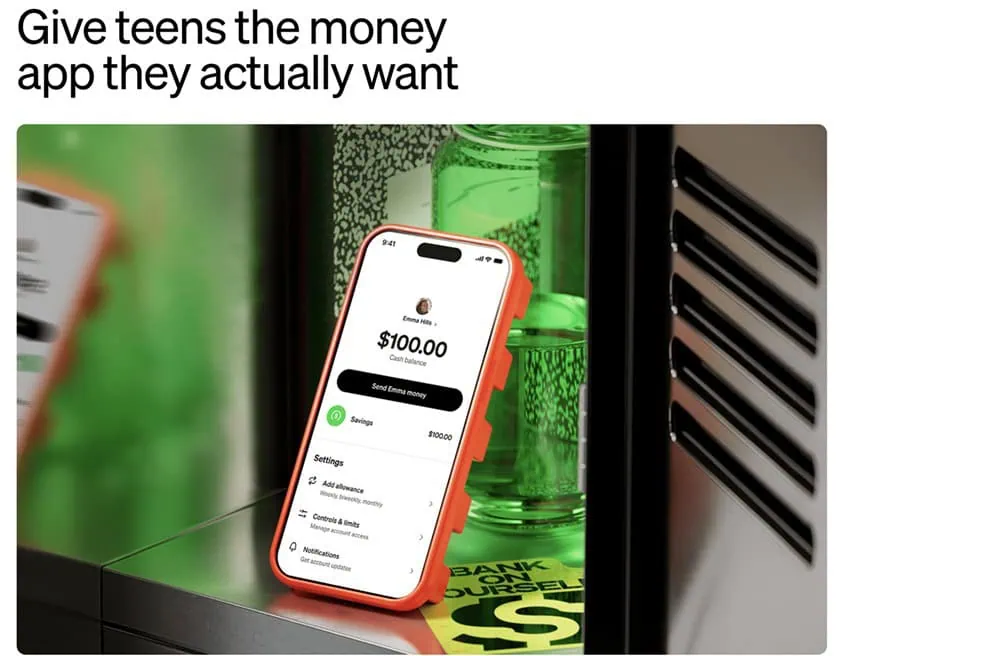
Do you want your children to start learning smart money habits? Cash App Families can accomplish that—with no subscription fees—by putting the power of Cash App into your kids’ hands while keeping their financial safety firmly in yours.
Teens can spend, save and invest with Cash App Families. A parent or guardian** sponsors the account, which comes with a designable Cash App Visa® Card they can use to spend money where Visa is accepted. Meanwhile, access to Cash App allows them to save money toward specific goals, send money to friends, accept offers for instant discounts at their favorite places, and check out securely in stores and online by using a QR code.
If your teen direct-deposits $300 or more each month, they’ll also unlock a bevy of other features, including getting paid two days earlier, no ATM fees¹ when withdrawing from more than 40,000 in-network ATMs, and one waived out-of-network ATM withdrawal per month.
Cash App Families even has an investing feature with fractional shares, allowing teens to purchase as little as $1’s worth of stocks and Bitcoin (parent permission is required).²
Younger kids, ages 6 to 12***, can learn money basics, too, through Cash App Families Managed Accounts. These provide a fully parent-managed money experience with no subscription fees, no minimum balance requirements, and no hidden charges, and they too can design their very own Cash App Visa® Card, making their first financial tool feel truly their own.
Both teens and kids can watch money grow thanks to Cash App’s high interest rates on savings balances and with the assistance of their parents/legal guardians, and they can save their spare change with Round Ups.³
Children also benefit from downright stellar parental controls and safety features. Parents can monitor activity from their own Cash App or receive real-time transaction alerts for kids’ payments and purchases. You control which features—stocks, Bitcoin², sending money, the Cash App Visa® Card—your teens can access, and certain spending categories are auto-blocked. For kids ages 6-12, all account access lives within your own Cash App—your child never logs in independently. You set the rules, and you can change them anytime.
Parents/guardians must download Cash App (also free). From there, they’ll either invite their teen to create a sponsored account, or create a managed account for children under age 13.
Use our links to sign up for Cash App, whether you need Cash App Families for teens (ages 13-17), or Cash App Families for kids (ages 6-12).
- Cash App Families now offers a free money apps and debit cards* to teens and children, allowing them to learn about, spend, save, and invest money while under the protection of a large suite of parental oversight tools.
- Pay your kids an allowance, and use Cash App's tools to save and budget together.
- Teens ages 13-17** get a customizable Cash App Visa® Card, can make and receive instant person-to-person payments, can fund their account with direct deposit, and can even buy as little as $1's worth of stocks and Bitcoin.²
- Teen features such as two-day early payment, free in-network ATM withdrawals, and a monthly reimbursement for an out-of-network ATM withdrawal are unlocked when $300+ is direct-deposited each month.¹
- Children ages 6-12*** also get a customizable Cash App Visa® Card. They can use their Cash App account to track their allowance, spending, and savings.
- Children and teens alike can earn 3.50% interest on their savings. No account minimums.³
- Safety features such as real-time transaction alerts, account monitoring (from the parent's Cash App), alerts for payments to new contacts, contact blocking, feature control, payments control, and 24/7 scam and fraud protections and monitoring. Also, Cash App auto-blocks certain spending categories to your child, and strangers can't find your kids in Cash App search.
- Parents must sign up for Cash App first, which they can do via either the Teens or Kids (Ages 6-12) links below.
- Free account and Cash App Visa® Card*
- Excellent parental controls (including feature lock and real-time transaction alerts)
- High yield on savings balances³
- Recurring allowance
- Stock and Bitcoin investing² (Teens only)
- Fractional shares² (Teens only)
- Customizable cards ($5+)
- FDIC insurance available on a pass-through basis (if certain conditions are met)****
- Certain benefits, such as free in-network ATM withdrawals¹, require direct deposit of at least $300 monthly
- No investing option in managed accounts (ages 6-12).
Related: 8 Best Round-Up Apps for Saving + Investing Money Instantly
2. Acorns (Best for Using Round-Ups to Invest)

- Function(s): Saving, spending, investing
- Available: Sign up here
Acorns is a micro-investing app geared toward minors, young adults and millennials by offering Round-Ups: The app rounds up purchases made on linked debit and credit cards to the nearest dollar, investing the difference on your behalf.
For example, if you purchase a coffee for $2.60 on a linked credit card, Acorns automatically rounds this charge up to $3.00 and puts the 40-cent difference aside. Once those Round-Ups reach at least $5, they can be transferred to your Acorns account to be invested. You can also invest your Round-Ups more quickly with the Acorns Visa debit card—any time you swipe, your spare change is immediately invested, rather than waiting for your Round-Ups to reach the $5 threshold.
You can also choose to amplify your Round-Ups with the Multiplier feature, which allows you to multiply your Round-Ups investments by 2x, 3x, or 10x. And not sure what to do if the transaction is an even dollar amount? (Say, $1.00 or $2.00.) Whole-Dollar Round-Ups let you select how much to round up whenever this happens.
The Acorns investment offering itself is a simple, automated platform that uses pre-built portfolios of ETFs to keep investors exposed to stocks and bonds. While it doesn’t have much to offer intermediate investors who want variety in their portfolios, Acorns’ basic approach makes it one of the best investment apps for beginners.
- Acorns allows you to sign up for investment, retirement, and checking accounts for you and your family, learn how to earn more money, and grow your investing knowledge.
- Famous for investing spare change automatically through Round-Ups, this all-in-one financial app helps younger generations start investing earlier.
- Invest in expert-built portfolios made up of diversified ETFs.
- Silver tier includes perks such as a 25% match on Acorns Earn rewards (up to $200/mo.), generous APYs on Checking and Emergency Fund, and live Q&As with investing experts.
- Gold tier includes perks such as a 50% match on Acorns Earn rewards (up to $200/mo.), $10,000 in life insurance, and picking individual stocks for your portfolio.
- Gold also comes with a free Acorns Early account for up to four children. It's also the only tier to offer Acorns Early Invest: a UGMA/UTMA custodial account where you can save toward your kids' future and get a 1% match on up to $7,000 in contributions annually.
- Earn even more with Later Match: Acorns will match up to 1% (Silver) or 3% (Gold) of all new IRA contributions in your first year.*
- Special offer: Get a free $20 bonus investment when you sign up with our link and start making recurring investments.**
- Robo-advisor with affordable fees (on larger portfolios)
- Fixed fee model
- Round-ups
- FDIC/SIPC insurance
- IRA match (Silver and Gold)
- High fixed fees for small balances
- Limited investment selections
- Must subscribe to Gold for any self-directed investing options
Related: How to Invest as a Teenager [Start Investing as a Minor Under 18]
3. Greenlight (Best Investment Account With Parental Controls)
- Function(s): Saving, spending, investing
- Available: Sign up here
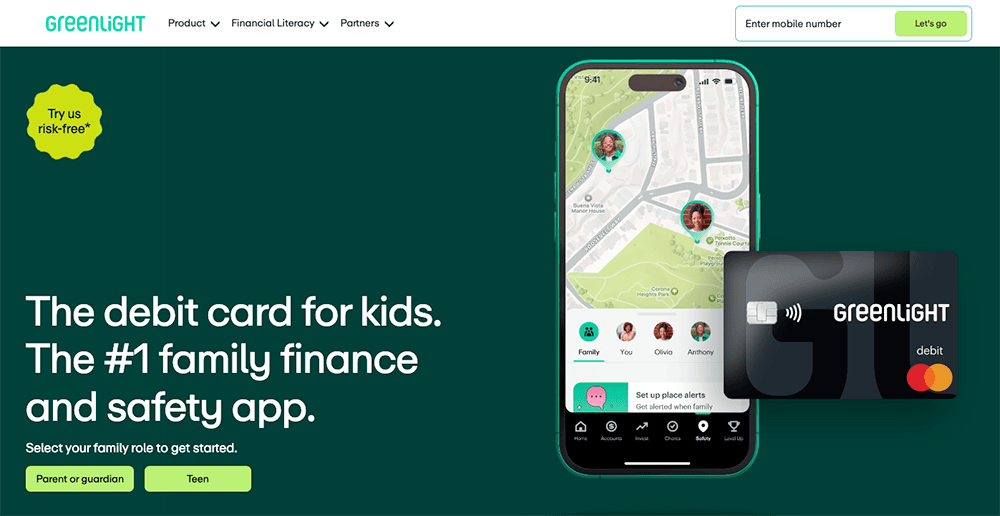
Greenlight is a premier kids’ financial app that teaches minors the ins and outs of saving, spending, and financial responsibility—and with a Max, Infinity, or Family Shield plan, they can start to invest, too!
Greenlight’s investing app will help your kid learn the basics of investing, how to invest in stocks, how exchange-traded funds (ETFs) work, and more—that’s real-life lessons made with real money and real investments, all with your direct involvement and supervision. Better still, the app doubles as a savings account and a banking app for kids and teens, too.
With Greenlight Investing, your child can:
- Buy kid-friendly stocks they admire
- Start investing with as little as $1 thanks to fractional shares
- Spread out their risk with the best ETFs
- Buy and sell without paying commissions
Parents can enjoy peace of mind knowing that Greenlight’s popular guardrails extend to its investing offering, too. While teens have access to more than 4,000 stocks and ETFs, parents must approve every trade directly in the app before it can be completed.
And, of course, you get everything else that comes along with Greenlight. That includes a prepaid debit card with strong parental controls, mobile payments, ATM access, instant money transfers, savings, and even cash-back rewards.
Read more in our Greenlight Card review, check out plan pricing below, or sign up for Greenlight Max, Infinity, or Family Shield today.
- Greenlight is a financial solution for kids that allows them to spend with a debit card, earn money on savings, and even invest their money.
- Parents can use this app to teach kids how to invest with a brokerage account through Greenlight Max, Infinity, and Family Shield plans.
- Greenlight offers flexible parental controls for each child and real-time notifications of each transaction. And it's the only debit card that lets you choose the exact stores where kids can spend on the card.
- Greenlight also provides educational materials such as "Level Up" lessons that simplify investing concepts, as well as videos about their favorite companies.
- Families can earn 2% (Core), 3% (Max), 5% (Infinity), or 6% (Family Shield) per annum on their average daily savings balance of up to $5,000 per family. Also, Max and Infinity families can earn 1% cash back on their monthly expenditures.
- Unlike many apps that simply provide features and controls, Greenlight is also designed to spark discussions with children about spending, investing, and more, fostering a better educational experience.
- Best-in-class parental controls (can prohibit specific stores)
- Can add brokerage account to invest in stocks
- Intuitive Parent and Kid apps
- Competitive cash back and interest rates
- High price points
- No cash reload options
- No parent / child lending
Related: How to Invest Money: 5 Steps to Start Investing w/Little Money
4. SoFi® Checking & Savings Account
- Function(s): Saving, spending, investing (through SoFi Invest®)
- Available: Sign up here
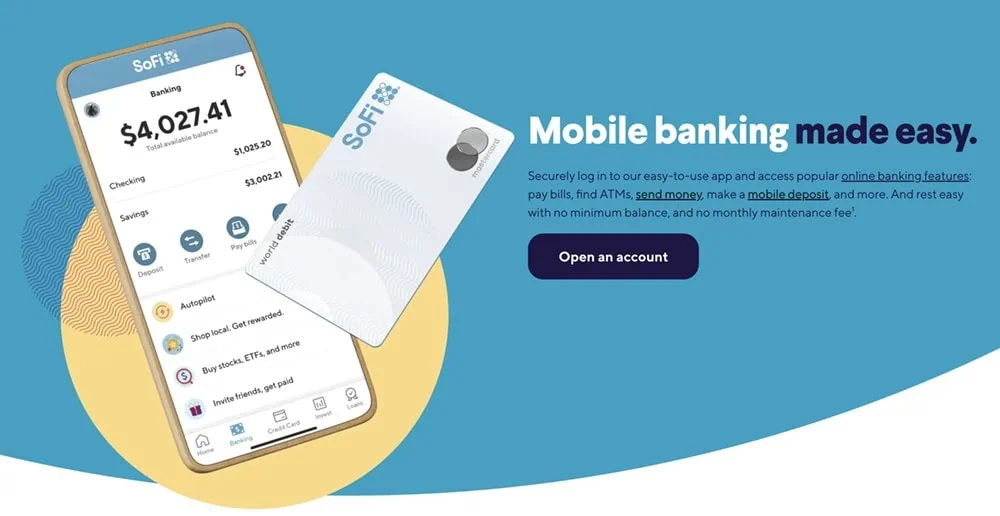
The SoFi Checking & Savings Account sounds like your run-of-the-mill bank account, but it’s more: It’s also a high-yield savings account that earns far more than the national average percentage yield (APY)2 and more than the average high-yield account. Better still, it boosts your ability to save right off the bat by rewarding you with either $50 or $300 upon sign-up.1
Sofi Checking & Savings covers all of the basics: An account with website and mobile app access with no monthly account fees, overdraft fees, and minimum balances3. Among its best perks:
- FDIC insurance of up to $250,000, and you can access additional insurance up to $3 million on deposits through a seamless network of participating banks.4
- Access to more than 55,000 fee-free ATMs within the Allpoint® Network.5
- Get your paycheck up to two days early when you set up direct deposit.6
- No-fee overdraft coverage up to $507
- Round-ups on debit card purchases, which are deposited into your savings.
You can get a head start on your savings with qualifying direct deposits. You’ll receive $50 in bonus cash if $1,000.00 to $4,999.99 is sent to your account within a 31-day period, starting from when you receive the first direct deposit. That number jumps to $300 when you receive $5,000 or more within the 31-day period. The higher cash bonus requires you to hit an admittedly high threshold, but the $50 is a reasonable bonus for a much more manageable threshold.
Want to get started on your cash bonus? Use our exclusive link to sign up with SoFi today.
- SoFi's Checking & Savings Account is an account with no monthly fees and an above-average APY on the savings side that offers a number of perks, especially if you meet certain direct deposit monthly minimums.
- Receive up to 3.30% APY² with eligible direct deposit or $5,000 or more in qualifying deposits during the 31-day evaluation period. (Members without eligible direct deposit earn 1.00% APY on savings and 0.50% APY on checking.)
- Earn up to 4.00% APY on SoFi Savings with a 0.70% APY Boost (added to 3.30% base APY as of 12/23/25) for up to 6 months.⁸
- Your money is FDIC-insured up to $250,000. You can also access additional insurance up to $3 million on deposits through a seamless network of participating banks.⁴
- Round up debit card purchases, and the excess is automatically sent to your savings.
- Special Offer: Earn $50 or $300 when you sign up and set up eligible direct deposit.¹
- Above-average yield (3.30% APY) on its high-yield savings account²
- No monthly fees, no overdraft fees³
- Up to $3 million in FDIC insurance⁴
- Round-ups
- Offers up to $50 of overdraft coverage with direct deposit of at least $1,000 monthly⁷
- Many perks tied to direct deposits
- High direct deposit threshold for maximum cash bonus

5. Current Bank (High-Powered Banking App)
- Available: Sign up here
- Price: Free (no monthly fees)
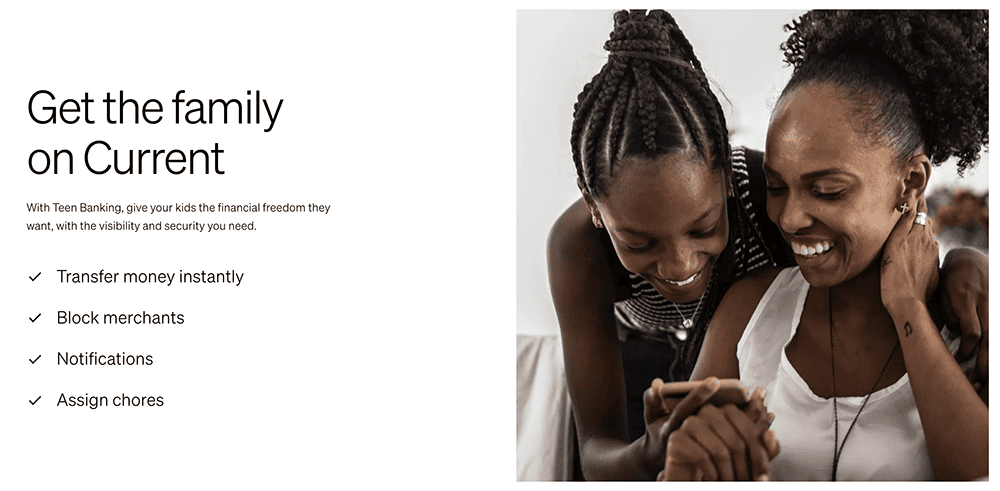
Current is a banking app designed for families; it offers both parent and teen accounts, with the latter acting like prepaid debit cards that parents load for their children. The Current app allows you to track your teen’s spending in real-time, set limits on how much your children can spend, and even block specific merchants on its Visa-enabled debit cards. You also get the peace of mind that comes with knowing your children’s money is safe because it’s not cash—no temptations, just a tool parents can use to help teach teens financial responsibility.
Among Current’s features:
- No minimum required balances, no fees on transfers to other Current accounts, and no hidden fees.
- Create Savings Pods, or Giving Pods, that allow you to save up for various goals.
- Round-Ups allow you to round up purchases to the nearest dollar amount and store the difference in Savings or Giving Pods.
- Buy and sell 27 different cryptocurrencies with zero trading fees.
Teens will love easy allowance deposits, a card they can use in stores or online, instant gas hold removals when buying gas, and access to more than 40,000 fee-free Allpoint ATMs nationwide. They’ll also have the opportunity to learn about financial responsibility and financial independence through Current’s Budgets feature, which allows them to track their spending and even receive alerts when they get too close to (or exceed) a predetermined limit.
The product has no specifically stated minimum age requirement, but the marketing suggests teens are the target audience. However, you might be able to open an account for a younger child. Read more in our Current review.
- Current is a financial technology platform that lets teens enjoy not just traditional banking basics, but numerous features meant to simplify spending, streamline saving, and set them on the path toward more organized finances.
- Teens can spend with the Current Visa debit card, which allows them to purchase in-store and online, as well as withdraw money fee-free from more than 40,000 in-network Allpoint ATMs.
- Current Teen Accounts also come with Savings Pods, which earn 0.25% APY and allow you to round up purchases (overages are funneled into your savings). Keep a qualifying direct deposit of $200 or more in your account, and you'll earn a full boosted rate of up to 4% annually.
- Parents can monitor their kids' spending, adjust maximum ATM withdrawal and spending limits, and even toggle spending categories (and the Current debit card itself) on and off.
- Parents can also automate allowance payments, pay for chores, instantly transfer money to their teens, and more.
- Free account (no monthly maintenance fees)
- Good parental controls
- Fee-free ATMs
- Cash reloads
- Gas hold deposits
- 24/7 email and live-chat support
- No direct deposit
- No paired investment account
- No card customization

Related: How to Invest Money: 5 Steps to Start Investing w/Little Money
6. Chime (Smart, Free Online Banking)
- Function(s): Saving, spending
- Available: Sign up here
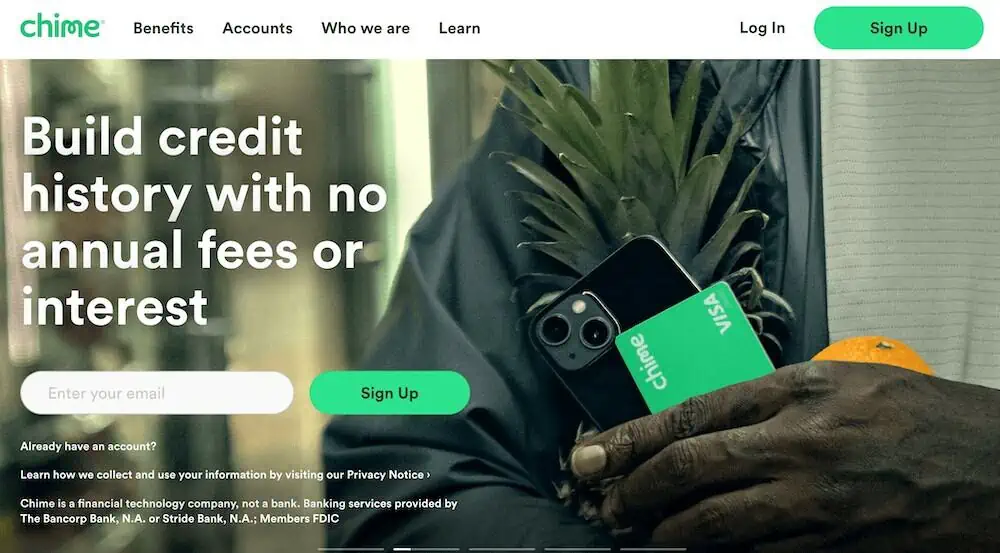
Chime was created with the idea that basic banking services should be easy and free. Thus, users aren’t charged service fees, overdraft fees, or foreign transaction fees. Chime customers also have access to more than 60,000 fee-free ATMs nationwide, enjoy 24/7 live support, and they can get paid up to two days earlier if they set up direct deposit.
When you open a Chime checking account, you can choose to enroll in savings, too. Chime’s high-yield savings account boasts an average annual percentage yield (APY) that’s several times higher than the national savings account yield.
Chime makes it easy to save by automatically depositing money from every paycheck into your savings account. Simply select the amount you want to save each month, and let Chime do the rest.
With Chime’s Save When You Spend feature, round-ups from your Chime Visa Debit Card are automatically transferred from your checking account into your savings account, helping you put that high yield to work more quickly.
- Chime banking is a financial technology platform that charges no monthly, transaction, or overdraft fees, requires no minimum balance, and offers access to more than 60,000 fee-free ATMs.
- Build your credit with Chime's no-fee Visa secured credit card.
- High-yield savings account currently offers 2.00% APY and provides automated saving services.
- Chime's Save When You Spend feature automatically rounds up transactions to the nearest dollar and funnels those round-ups into the Automatic Savings Account app.
- Age requirement: 18 or older
- Access to 60,000-plus fee-free ATMs
- Round-ups
- Get paid early on direct deposit paychecks
- FDIC insurance
- No physical branches
- Must sign up for direct deposit to use mobile check deposit service
- Savings APY lower than typical high-yield savings account

Related: 7 Best Step Alternatives [Apps Like Step Banking]
7. Qapital (Customizable Savings App With Round-Ups)
- Function(s): Saving, spending, investing
- Available: Sign up here
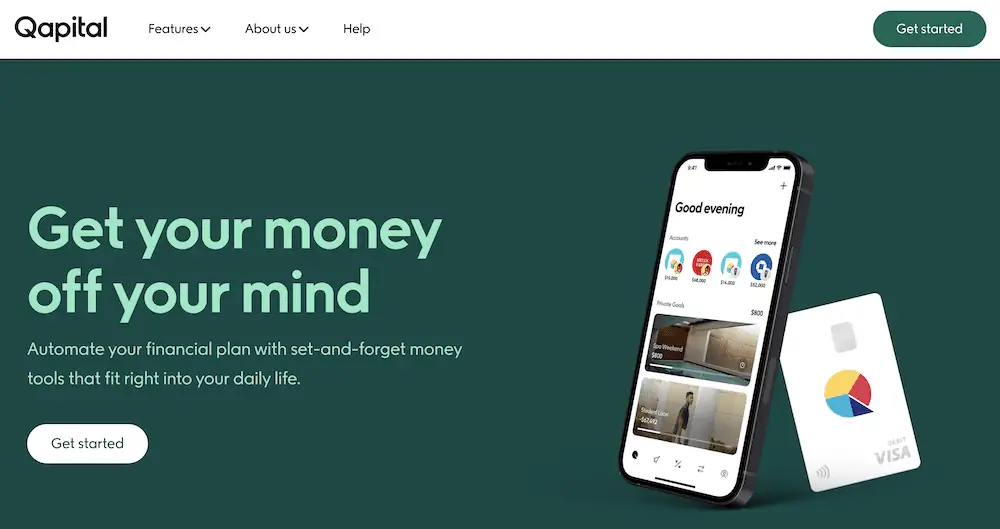
Qapital is a highly customizable savings app that pulls money from an existing checking account you connect with the app.
Qapital has one of the more flexible round-up programs. Like with most programs, when you make a purchase with an account that its “Round-Up Rule” is applied to, Qapital will deposit the spare change into one of your Goals (investment or savings).
However, unlike most programs, you don’t just have to round up to the nearest dollar—you can round up even higher. So, let’s say you selected $4 for your Round Up Rule amount: If you spent $5.50 on a coffee, the purchase wouldn’t be rounded up to $6—it would be rounded up to $9! And whole-dollar amounts are always rounded up to your Round Up Rule amount; if it’s set to $2 and you spend $1, you’ll be charged $3 and a full $2 will be saved toward your goal.
You can save in other ways, too. For instance, you can set Qapital to save a dollar every time you go for a jog, or five bucks every time you go to a baseball game.
People who want to incorporate Qapital further into their financial lives can sign up for the Qapital Visa Debit Card and spending account. The fee-free card provides no-fee access to more than 55,000 ATMs, and is compatible with Apple Pay, Google Pay, and Samsung Pay. It offers round-ups, too, as well as money management features such as Spending Sweet Spot and Money Missions.
When you’ve reached a certain savings goal, you can cash it out through the debit card, or through one of your bank accounts.
If you prefer to invest with your round-ups, you can pick from several pre-built portfolios—from very conservative (90% bonds, 10% stocks) to very aggressive (10% bonds, 90% stocks).
- Qapital is a personal finance app that automates many common decisions for individuals and couples, allowing you to focus elsewhere.
- The app provides tips rooted in behavioral psychology to supercharge your savings, reduce your debt and invest in your future.
- The service claims to help Premier users save an average of $5,000 per year.
- Automates personal finance decisions
- Can manage finances jointly with a significant other
- Offers free investment plans (no AUM fees)
- FDIC/SIPC insurance
- Can only invest with Complete or Premier
- Only receive a Visa debit card with Complete or Premier
- Low interest rate on Qapital Spending Account

Related: 8 Best Personal Capital Alternatives [Apps Like Empower]
8. Guac (Automated Savings App With “Tips”)
- Function(s): Saving, spending
- Available: Sign up here
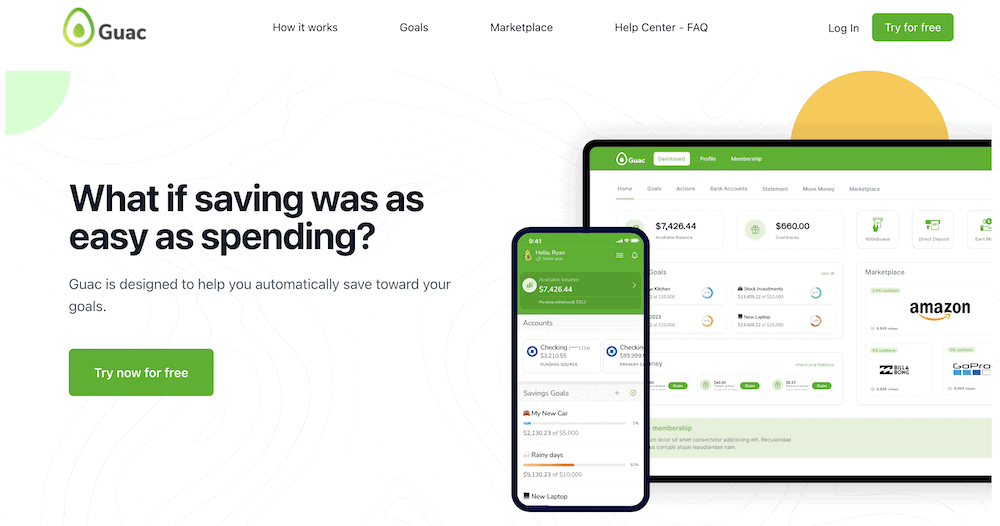
Guac is a straightforward savings app that helps you set goals, save toward them, and track your progress along the way. Simply create a goal, set the dollar amount you want to reach, even add a photo to remind yourself what you’re saving toward, and Guac will set you on the path toward achieving that goal.
Guac’s main savings feature is “tipping,” which has a similar thrust as round-ups. When you link a debit or credit card, you can determine how much you’d like to tip yourself every time you make a purchase. Then, when you buy something, Guac automatically pulls the tip from your linked account and puts it toward your Guac savings.
Users can also earn cash-back rewards when they shop through Guac’s marketplace. The “Guac Double Dip” allows you to earn double the cash-back rewards with any of Guac’s partners.
Other features include access to real-time credit scores, opportunities to improve your credit (albeit via access to personal loans), and gift cards with bonuses of up to 20%. Guac also offers protection against overdrafts and up to $250,000 in FDIC insurance.
All of the above is available in the Green plan, a no-subscription-fee tier that does charge a 1.5% transaction fee on tips. However, you can also upgrade to Gold, which costs $4.99 per month. Gold allows you to move your Guac balance back to your bank with same-day transfers for free, whereas Starter members must wait one to two business days or pay a 1.5% fee for same-day transfers. Gold also allows you to link a credit card for tips instead of linking your bank through Plaid, and it can support tips on more than one card; Starter users can only link tips to one card.
One aspect of Guac that I strongly hope they improve is the app’s frequently asked questions (FAQs) section. It’s the first time I’ve ever seen FAQs answered in video format only—no text answers! This hardly cripples the app, but it could be a source of extreme annoyance as you’re trying to get started.
- Guac helps you set goals, save toward them, and track your progress along the way.
- Put money toward savings every time you spend through Guac's "tipping" feature.
- Earn 2x cash-back rewards when you shop through Guac's marketplace.
- "Tipping" feature
- FDIC insurance
- Thin features for paid Pro tier
- Worst-in-class FAQ section

Related: The 12 Best Budgeting Apps We’ve Reviewed
What Is an Automatic Savings App?
An automated savings app, whether it’s connected to a traditional savings account or a financial technology product, helps you save without any extra effort. Once you get everything set up, you just relax and watch your savings grow.
How Do Automatic Savings Apps and Accounts Work?
The exact way you save money might differ depending on the app or savings account you’re using. For instance, you might have automatic transfers of money that flow from your checking account to a savings account. You might have money deposited in your account every time you shop thanks to round-ups, cash-back, or other rewards. The common thread here is that you go about your day as normal, but you save more than you used to save.
Should I Use an Automatic Savings App or Savings Account?
As a general rule, yes. I think most people could benefit from the savings simplicity of an automatic savings app. If you’re already a savings pro, you probably don’t need these apps, per se, but you can still benefit from high APYs, savings matches, and other perks. But the prime candidates for these products are people who aren’t saving as much money as they wish they were.
Features to Look for in Automatic Savings Apps and Accounts
Round-Ups or Tipping
Round-ups, or the ability to “tip” yourself with every purchase, are simple ways to incrementally save. Also, they have the fringe benefit of making you feel slightly less guilty about your purchases given that you’re simultaneously saving.
Recurring Transfers
One of the fastest and easiest ways to save is to set up recurring transfers. That’s when you either have your paychecks automatically transferred into a savings account (or similar account), or have money regularly transferred into savings from a linked bank account.
High APY or Savings Match
The higher the annual percentage yield (APY) of an account, the more money your savings can passively earn. You typically won’t get much of a yield from a traditional savings account, but high-yield savings accounts and some financial apps offer high APYs. Some products will instead (or also) offer a savings match, usually up to a certain dollar amount of savings, which can motivate you to save more.
Cash Back
If you’re shopping anyway, you might as well earn a little money while you’re at it. Cash-back rewards return a certain portion of your purchase price—in some cases, directly into a savings account. Cash-back rewards vary widely by size and type of expenditure, so you’ll want to look around to find the program that will benefit you the most.
Investment Options
Some automatic savings apps put your money in an interest-bearing account, but others deposit that money into an investment account. If you’re interested in investing, but have struggled to put aside money for investing or even haven’t yet opened a brokerage account, a savings account that comes with an investment account could be a great fit for you.
Low or No Fees
Try to choose money-saving apps with little to no fees. Monthly, account minimum, overdraft, and other fees can cut into your ability to save.
Multiple Accounts
Sometimes it can be tough to save when all of your money is flowing in and out of a single account, especially if it’s a checking account. It’s too easy to spend money you planned on saving when it’s coming out of the bucket you usually spend from. At a minimum, you want an app or bank that offers multiple accounts or “buckets”—preferably, at least separate spending and savings accounts so you can silo away money meant for later.
Debit Cards
So, a standard debit card won’t help you with saving money. However, some of the automatic savings apps mentioned above have feature-packed debit cards that will help with your savings efforts. Debit cards that offer round-ups, cash-back, or other rewards are a great way to save.
Automatic Savings Apps: Frequently Asked Questions (FAQs)

Can you automate savings?
Yes. You can and should automate at least some of your savings. Many financial apps and some banks often allow you to set up regular transfers of money into savings. They might also come with features such as round-ups that automatically save for you anytime you make a purchase.
What is the way to auto-save money?
You can auto-save money in a few ways.
One common way is to set up recurring transfers from a checking account to a savings account or other interest-bearing bank account.
Another way is to use a money-saving app. These apps can automatically help you save cash through round-ups, cash-back rewards, savings matches, and more. The more savings features you opt into, the more you can save.
Do savings apps work?
Savings apps are a great tool, but depending on the app and the amount of effort you put in, results will vary.
For instance, some apps save you money by rounding up your purchases and sending the spare change to a savings account. The more frequently someone makes purchases with a linked card, the more money is set aside. If you don’t use the card often, you won’t save as much.
Similarly, the more money you have in a high-interest account, the more you will save. The more often and the higher the dollar amount of automatic transfers, the faster one’s savings will accumulate.
And if the savings app is connected with a spending account, you should use the app to analyze your spending and income patterns so you can better understand when you make good (or bad) decisions.
Lastly, you have to be dedicated to saving to some degree. If you frequently pull money out of your savings account to spend on things you don’t need, you can’t blame the app.
How can I trick myself to save money?
Saving money can be difficult. Maybe you think you don’t have extra money to spare, or maybe you’re just forgetful about socking away a few dollars. The good news is, that by putting your savings on autopilot, you’re essentially “tricking” yourself into saving.
Are savings apps safe?
Some people find it comforting to handle all of their finances through banks with physical locations, such as Bank of America or JPMorgan Chase. However, fintech companies without brick-and-mortar buildings can keep your money just as safe—you just need to ensure they have the right protections in place.
For instance, you’ll want to see security features such as encryption technology, secure login, biometric authentication. You’ll also want to make sure your account is insured by the FDIC, National Credit Union Administration (NCUA) or SIPC.
Disclosures
Cash App Families for Teens + Cash App Families for Kids
Cash App is a financial services platform, not a bank. Banking services provided by Cash App’s bank partner(s). Prepaid debit cards issued by Sutton Bank, Member FDIC. Cash App Visa® Debit Flex Cards issued by Sutton Bank, Member FDIC, and The Bancorp Bank, N.A., pursuant to a license from Visa U.S.A. Inc. Offers, Instant Discounts, Savings, and Direct Deposit provided by Cash App, a Block, Inc. brand. Offers may not be affiliated with third party merchants.
* Card use fees apply. Free Cash App Cards come in black, white, pink, or glow-in-the-dark.
** Teens 13 to 17 can use Cash App with sponsorship by an eligible parent or guardian. To view the eligibility requirements for sponsoring a teen, please visit the Sponsored Accounts section of the Cash App Terms of Service.
*** Parents and legal guardians can open a managed account for kids 6-12. To view the eligibility requirements for sponsoring a teen or child, please visit the Sponsored Accounts section of the Cash App Terms of Service.
**** With a Cash App Card, your money is eligible for FDIC pass-through insurance through Wells Fargo Bank, N.A., Sutton Bank, and/or The Bancorp Bank, N.A., Members FDIC, for up to $250,000 per customer when aggregated with all other deposits held in the same legal capacity at each bank, if certain conditions are met. See the Cash App Terms of Service.
Cash App is a financial services platform, and not an FDIC-insured bank. Prepaid debit cards issued by Sutton Bank, Member FDIC. Cash App Visa® Debit Flex Cards issued by Sutton Bank, Member FDIC, and The Bancorp Bank, N.A., pursuant to a license from Visa U.S.A. Inc..
1 Cash App reimburses ATM fees for all in-network withdrawals when you deposit at least $300 monthly of Qualifying Deposits into Cash App, or spend $500 or more in Qualifying Purchases using your Cash App Card or Cash App Pay in a calendar month. Service fees may apply. See terms for more details.
2 Brokerage services provided by Cash App Investing LLC, member FINRA/SIPC, subsidiary of Block, Inc. Bitcoin services provided by Block, Inc. Bitcoin services are not licensable activity in all U.S. states and territories. Block, Inc. operates in New York as Block of Delaware and is licensed to engage in virtual currency business activity by the New York State Department of Financial Services. Investing and bitcoin are non-deposit, non-bank products that are not FDIC insured and involve risk, including monetary loss. Cash App Investing does not trade bitcoin and Block, Inc. is not a member of FINRA or SIPC. For additional information, see the Bitcoin and Cash App Investing disclosures. Additional fees for securities may apply such as regulatory fees and fees to transfer securities externally. Please see our House Rules for more information. Fractional shares investing may involve additional risks such as non-transferability. For additional information regarding the unique risks and limitations of fractional shares, please see your Investing Customer Account Agreement.
3 Cash App will pass through a portion of the interest paid on your savings balance held in an account for the benefit of Cash App customers at Wells Fargo Bank, N.A., Member FDIC. To earn interest on your Cash App savings balance, you need to have sponsor approval. Exceptions may apply. Savings yield rate is subject to change.