

Step Banking is a rarity, even for the innovative financial technology space.
Step is the provider of the Step Visa Card—a secured credit card that, among other things, helps teens build a credit history years before they’d typically be able to. That alone is a powerful and praiseworthy feature that can give teens a much-needed financial boost as they enter adulthood.
But it isn’t the only youth-minded financial product out there. Far from it. Indeed, Step Banking is just one of a growing mass of fintech firms and financial institutions providing a range of services to teens and even kids.
So while we highly rate the Step Visa Card, we still have to acknowledge: It’s not always the perfect tool for the job. Sometimes, Step alternatives provide the most suitable solution, depending on what parents want for their children (and themselves).
Let’s explore Step Banking and the features of the Step Visa Card. After that, let’s take a look at some of the most popular Step alternatives—apps that are like Step Banking, but that provide differentiated services that might be more up your alley.
By the end of this article, you should be confident that no matter what your need, you’ve found a financial or banking solution that checks off all your boxes.
Step Alternatives—Our Top Picks
|
Premium Paid Investing & Debit Card for Kids

|
Best Free Debit Card for Kids

|
Best Kids Debit Card for Customer Service

|
Kids Money App With Great Safety Features

|
|
Primary Rating:
4.8
|
Primary Rating:
4.7
|
Primary Rating:
4.4
|
Primary Rating:
4.4
|
|
Core: $5.99/mo. Max: $9.98/mo. Infinity: $14.98/mo. (Each account supports up to 5 children.)
|
Free (no monthly fees)
|
Acorns Early Lite: Free 30-day trial, then $8/mo. Acorns Gold: $12/mo.
|
No subscription fees.
|
What Is Step Banking?

Step is a financial technology (fintech) company that’s designing the next generation of banking for a new kind of customer: Teens.
Until fintech services revolutionized how parents can oversee their kids and the money they manage, many either simply added their kids on their accounts or had them go unbanked.
Things are different now.
Step stands out because it was designed by financial industry experts and includes thoughtful features that actually matter to teenagers and their parents. With a few taps on a smartphone (or computer), teens can direct deposit paychecks, send and receive money instantly, and pay for goods and services. Meanwhile, parents can transfer funds to their teen and receive real-time alerts and notifications on stuff their kids buy.
Step also adds a wrinkle not many other prepaid debit cards for teens or free debit cards for kids offer: the chance to build credit. The Step Card gets processed like a credit card but has money withdrawn directly from your Step account. The result? Parents help their teens begin building credit with the Step Card, but avoid any chance of missing payments or getting hit with interest charges.
Step also offers a high yield on money saved in the account, as well as investment accounts where your teen can invest in stocks and exchange-traded funds (ETFs), as well as a cryptocurrency wallet to buy and sell Bitcoin. Both features allow for fractional shares, so investments can be made with as little as $1.
Also, let’s make an important distinction: While we say Step wants to transform the next generation of banking, the company is actually a financial technology company, not a bank or investment services firm. The bank account and investment account products are actually provided by other financial service providers. Step is a fintech service that lays on top of other companies’ products. The company’s banking services are provided by Evolve Bank & Trust, while investment accounts and crypto exchanges are provided by DriveWealth.
Step Banking App Overview
- Available: Sign up here
- Price: Free (No monthly fees)
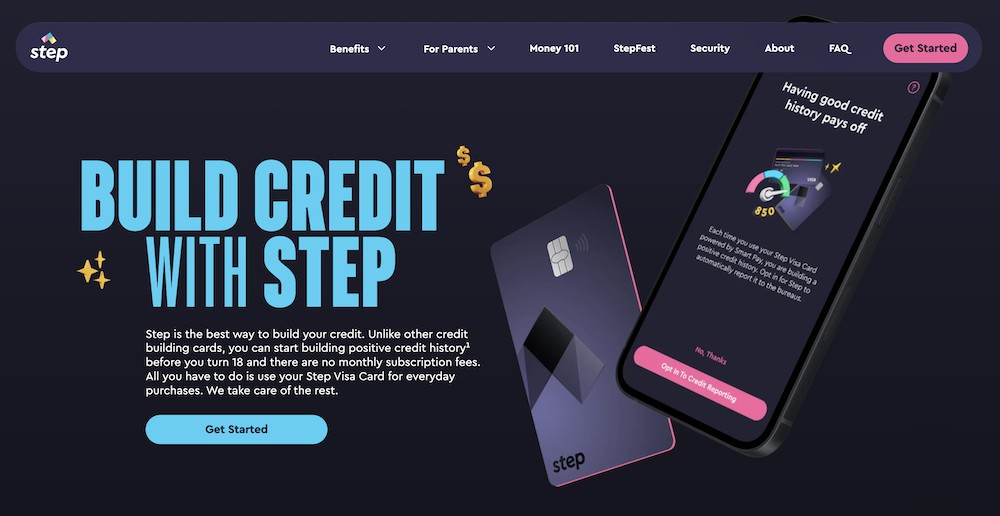
The free Step Visa Card is a unique “hybrid” spending card that functions like a debit card, but also boasts some of the features of a Visa credit card—including the ability to build your child’s credit history.
Parents add money to this FDIC-insured account and can determine how their child can spend. A regular Step account allows a child to have both a physical spending card as well as a virtual card in the Step app, while a Parent Managed Account only allows the child to spend via a physical card. Either way, they can use their card anywhere Visa is accepted. Children can also use their cards to withdraw money from more than 30,000 ATMs for free.
And parents needn’t fear that their child will overdraft—they can’t spend any money they don’t have.
Further, the Step Card comes protected by Visa’s Fraud Protection and Zero Liability guarantee. That means if your teen’s card gets lost or stolen, or misplaced and fraudulent charges crop up, you can dispute the charges within a certain time frame to avoid liability for paying.
Savings Tools for Kids and Teens
The Step Card also includes fantastic savings benefits.
Users earn 5% annually—compounded and paid monthly—on up to $250,000 saved in their Savings Goals. Like with your average savings account, Step’s savings yield can change depending on movements in the Federal Funds Rate, but if that happens, Step will give you 30 days’ notice before it happens.
To qualify, the user must have a direct deposit of at least $500 per month, and the benefit extends for as long as the direct deposits continue. So even if your teen just holds down a summer job for three months and meets the qualifying direct deposit, they can still enjoy three months of high interest. (Other perks of making a qualifying direct deposit? Bonus points on dining, food delivery, charitable donations, specific merchants—and you can get paid up to two days early.)
You can boost your savings potential even more with Savings Roundup. With this feature, small purchases are rounded up to the nearest dollar figure, and that extra money is put toward a Savings Goal. For instance: Let’s say your child buys a cup of coffee for $2.75; Step rounds up to $3.00 and puts 25 cents toward a goal.
Investing and Cryptocurrency
Step even features an “invest” function that allows children age 13 and older to buy and sell stocks, ETFs, and Bitcoin. Cryptocurrency transactions entail a small transaction fee. They can also earn Bitcoin (or cash) rewards when they opt into offers from companies like Hulu, Chick-fil-A, CVS, and The New York Times. The app is not a pure crypto wallet, however—your kids currently can’t spend Bitcoin directly at vendors.
Build Credit History
One of the most unique and powerful features of the Step card is its ability to build your child’s credit history. With this optional feature, Step will report the past two years’ worth of information—transactions, payment history, and more—to the credit bureaus when your child turns 18. That can greatly improve their chances of starting adult life with a better credit score, which can help lower the cost of things like student loans and auto insurance.
Lastly, Step is absolutely free: No monthly fees, no subscription fees, no account minimum fees, and no ATM fees within Step’s network of 30,000+ ATMs.
Read more in our Step review.
- The Step Visa Card is a one-of-a-kind "hybrid" spending card that can help you to build your credit history via everyday purchases, even before you turn 18.
- Earn a high 5% annual rate on up to $250,000 in your Savings Goals with qualifying direct deposits.*
- Earn points that you can redeem for cash when you use your Step Visa Card at participating merchants.*
- Buy and sell fractional shares of stocks, ETFs, and Bitcoin for as low as $1.
- Send and receive money instantly, spend with Apple and Google Pay.
- Pay allowance weekly, biweekly, or monthly.
- Track your card balance from the Step App.
- Banking services, provided by Evolve Bank & Trust, are FDIC-insured for up to $250,000.
- Helps build credit
- Free secured card for kids, teens, and young adults
- High yield on money held in Savings Goals
- Free investment account for stocks, ETFs, and Bitcoin
- Fractional investing for as low as $1
- FDIC insurance
- High-yield savings only available with qualifying monthly direct deposit*
- Can't directly deposit checks into a Step account

Related: Best Teen Credit Cards for Building Credit
Best Step Alternatives
1. Cash App Families (Managed Accounts for Kids)

- Available: Sign up here
- Price: Free* (no subscription fees)
Are your kids too young for Cash App Families’ teen card? No worries—parents can now help their children build good money habits through Cash App Families Managed Accounts.
Cash App managed accounts, designed for kids ages 6 to 12**, are a fully parent-managed money experience that’s designed to make learning about money fun, simple, and safe. There are no subscription fees, no minimum balance requirements, and no hidden charges.
The app enables parents to teach their kids responsibility and consistency by setting up automatic recurring allowances, while kids can track their allowance, savings, and spending in one easy view. Kids don’t just store money with Cash App, either—they can watch it grow thanks to high yields on savings balances.¹ And when they’re ready, they can design their very own customizable Cash App Visa® Card, making their first financial tool feel truly their own with the assistance of their parents/guardians.
Parents, meanwhile, will enjoy the peace of mind that comes from a truly robust set of safety features and controls. All account access lives within your own Cash App, inside the Family Applet—your child never logs in independently. You set the rules, and you can change them anytime.
Your child’s profile is private by default—discoverable only by exact $cashtag or QR code, with no photo or avatar visible in search results. But you can add up to five trusted friends or family members to your child’s approved contact list, so only the people you choose can send them money. You can also set spending limits on their debit card, block specific merchants, and instantly lock or unlock their card with a single tap.
And Cash App’s industry-leading safety features extend fully to managed accounts. Advanced fraud and scam monitoring runs 24/7, automatically flagging or blocking unsafe spending categories and notifying you of any suspicious activity.
Parents/guardians must download Cash App (also free) to create the managed account. Use our link to learn more about or sign up with Cash App today.
- Cash App Families Managed Accounts are accounts designed for kids ages 6-12** to learn about, spend, and save money while being protected by a best-in-class suite of parental controls and security features.
- Kids can earn automatic recurring allowances or receive money from close friends and family.
- Kids can spend their money with a customizable Cash App Visa® Card*, or save it and earn a high 3.50% APY on any balance.¹
- Parental controls include setting debit card spending limits, merchant-specific blocking, and instant card lock/unlock.
- Safety features include real-time transaction alerts, a tightly managed contact list, and advanced 24/7 fraud and scam monitoring. Also, strangers can't find kids in Cash App search.
- Parents must sign up for Cash App first, which they can do via the link below.
- Free account and Cash App Visa® Card*
- High yield on children's savings balances¹
- Recurring allowance
- Robust parental controls
- Outstanding security features
- Customizable cards ($5+)
- FDIC insurance available on a pass-through basis (if certain conditions are met)***
- No investing feature
Related: 26 Best Online Jobs for Teens [Make Money at Home]
2. Greenlight (Best Paid Debit Card for Kids and Teens)
- Available: Sign up here
- Price: Core: $5.99/mo. Max: $10.98/mo. Infinity: $15.98/mo. Family Shield: $19.98/mo. (All plans include cards for up to 5 children)
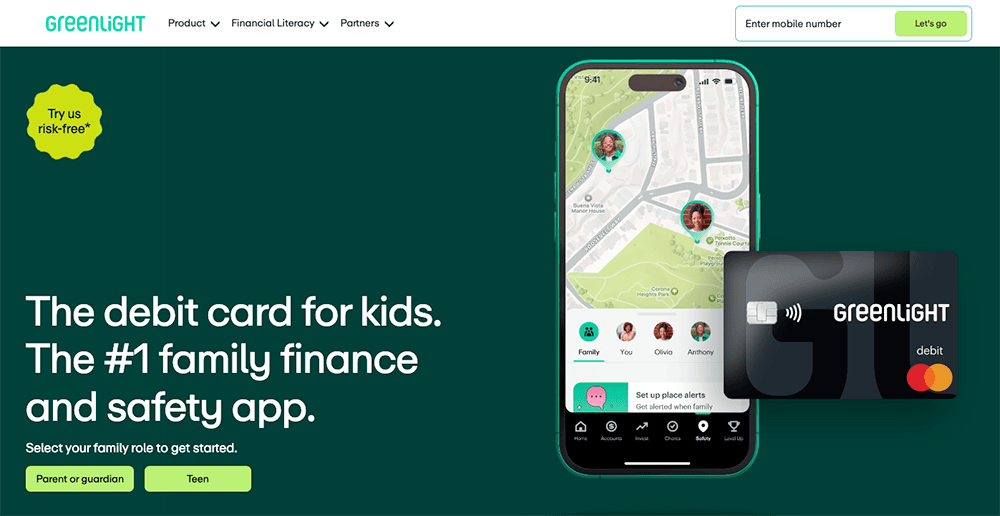
The Greenlight debit card allows kids to begin spending, but provides parents with peace of mind by giving them control over where their kids can spend money. Parents also can choose to receive alerts that tell them when, and how much, money is spent on the Greenlight debit card.
Greenlight works like a prepaid debit card, allowing you to transfer money onto the card for your child to pay for expenses at approved locations. You can choose how much money to load onto the card, and your child will be cleared to make approved purchases so long as a money balance backs up the card.
If your child asks for extra money to get added to the card, you can have them take a photo of the purchase they want to make and receive your approval. This gives you control and allows you to have discussions with your child about why a purchase might be a good or bad idea. And if your child has a job, they can add their own funds to the card via direct deposit.
Greenlight boasts numerous other features, too:
- Parents can open an investment account for kids to get their children investing in stocks and exchange-traded funds (ETFs) for the first time.
- Greenlight offers monthly savings rewards based on your tier, listed in the box below.
- Max, Infinity, and Family Shield families can also earn 1% cash back on their spending.
- You may also set up “Parent-Paid Interest” between you and your child, which allows you to foot the bill and pay interest on accounts for up to five kids.
Each monthly Greenlight subscription includes debit cards for up to five kids. Replacement cards cost $3.50 each but are free the first time. If you need to replace your card quickly, you can get express delivery for $24.99. The company also offers a personalized card, with your own photo or design, for $9.99.
Greenlight has no minimum age requirements for this card, but recommends starting at age 6 or older. Read more in our Greenlight card review or sign up today.
- Greenlight is a financial solution for kids that allows them to spend with a debit card, earn money on savings, and even invest their money.
- Greenlight offers flexible parental controls for each child and real-time notifications of each transaction. And it's the only debit card that lets you choose the exact stores where kids can spend on the card.
- Parents can use this app to teach kids how to invest with a brokerage account through Greenlight Max, Infinity, and Family Shield plans.
- Greenlight also provides educational materials such as "Level Up" lessons that simplify investing concepts, as well as videos about their favorite companies.
- Families can earn 2% (Core), 3% (Max), 5% (Infinity), or 6% (Family Shield) per annum on their average daily savings balance of up to $5,000 per family. Also, Max and Infinity families can earn 1% cash back on their monthly expenditures.
- Unlike many apps that simply provide features and controls, Greenlight is also designed to spark discussions with children about spending, investing, and more, fostering a better educational experience.
- Best-in-class parental controls (can prohibit specific stores)
- Can add brokerage account to invest in stocks
- Intuitive Parent + Kid apps
- Competitive cash back & interest rates
- Parent-Paid Interest
- High price points
- No cash reload options
- No parent / child lending
Related: 12 Best Debit Cards for Kids [2026]
3. Chase First Banking (Best Kids’ Debit Card From a Major Bank)
- Available: Sign up here
- Price: Free (no monthly fees)
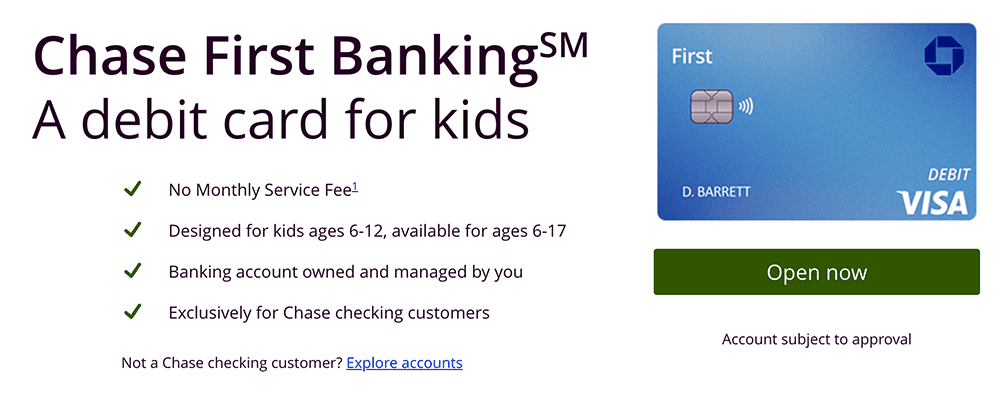
Ready to teach your little ones about earning, saving, and spending money, but not quite sure if you have the time, patience, and/or expertise? Chase First BankingSM offers simple banking for both of you in one location—the Chase Mobile® App—for free.
Chase First BankingSM helps parents teach teens and kids about money by giving parents the control they want and kids the freedom they need to learn. Among the account’s many features?
- One of the best free debit cards for kids and teens—it works anywhere Visa is accepted, and can be used to withdraw money fee-free* from more than 14,000 Chase ATMs nationwide
- Savings goals that you can track via the Chase Mobile® App
- Parental controls, such as setting limits on where and how much they can spend and withdraw from ATMs
- Account alerts that let you know where your child is spending
- Recurring chores and allowance
The account is designed with kids 6-12 in mind, and available for ages 6-17. To get started, you’ll first need to be a Chase customer with a qualifying Chase checking account. If you don’t already have one, consider opening a Chase Total Checking® or Chase Secure BankingSM account to qualify.
- Chase Total Checking® also grants access to thousands of branches and ATMs. You can pay $0 in monthly fees, subject to meeting certain conditions.** And you can collect a $400 new-customer bonus when you make total direct deposits of $1,000 or more within 90 days of coupon enrollment.
- Chase Secure BankingSM offers the same Chase ATMs and branch locations as well as a $125 sign-up bonus when you make stated qualifying activities and meet certain conditions.
Once you open a qualifying Chase Checking account, you may use our link to apply for a Chase First BankingSM account for your child.
- Chase First Banking is a free, just-for-kids banking account that teaches children and teens about their finances through the Chase Mobile® app and a Visa debit card.
- The account is designed with kids 6-12 in mind, and available for ages 6-17.
- Kids can use their debit card anywhere Visa is accepted, and withdraw money fee-free* from thousands of Chase ATMs.
- Parents can enjoy peace of mind by limiting how much and where their children can spend and withdraw money, and set up spending alerts.
- Parents can reward responsibility with allowance transfers, set to repeat on the schedule you choose.
- You must be a current Chase customer with a qualifying Chase checking account to sign up. If you don’t already have one, consider opening a Chase Total Checking or Chase Secure Banking account to qualify.
- Free account
- No monthly maintenance fees
- Chore and allowance functionality
- Parental controls on spend/ATM limit and location
- No paired investment account
- No interest
Related: 10 Best Kids Savings Accounts + Children’s Bank Accounts
4. Acorns Early (Best for Customer Service)
- Available: Acorns Early Lite | Acorns Gold
- Price: Acorns Early Lite: Free 30-day trial, then $8/mo. Acorns Early: $12/mo.
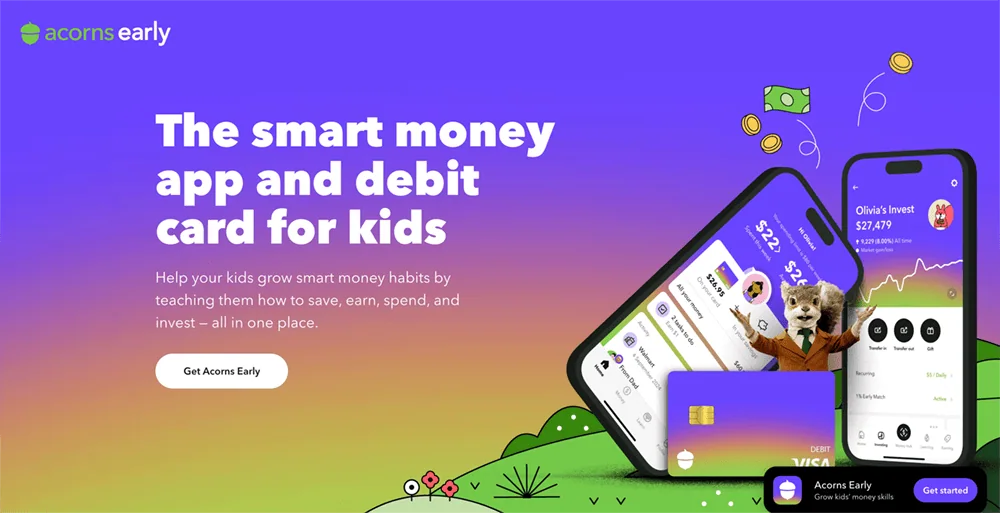
Many reviewers have long painted Acorns Early (formerly GoHenry) as just a way to spend. However, I see it as a real financial solution for minors—a debit card, yes, but also an app-based ecosphere that provides education and experience for the child, as well as ways for parents to keep their kids safe and teach them responsibility.
An Acorns Early account includes a smart money app, as well as Visa debit cards for up to four children. These debit cards can be used to spend anywhere Visa is accepted (so, millions of vendors online and in stores), as well as withdraw cash from ATMs. An Acorns Early account also allows kids to set savings goals, which they can fund manually or via autosave. And the app also hosts educational materials to help children and teens alike develop good money habits.
This FDIC-insured account also enjoys a variety of safety features, including chip and PIN protection, secure PIN recovery, and fraud protection. Acorns Early also offers parents additional peace of mind by providing a number of controls, including:
- Real-time spending notifications
- Card lock/unlock
- Savings goal lock/unlock
- Adjustable spending limits on a per-transaction and per-week basis
- Card category block/unblock for in-store purchases, online purchases, and ATM withdrawals
- Adjustable spending block/unblock at stores that sell age-restricted goods such as firearms and alcohol
Also, kids can only spend whatever money is available on the card because it’s a prepaid debit card. That means parents don’t have to worry about costly overdraft fees or their kids running up a debt.
Acorns Early also stands out to us as one of the best prepaid debit cards for kids because of its outstanding customer service, which it inherited from GoHenry. Acorns Early users enjoy seven-day-a-week phone service (9 a.m. to 8 p.m. ET Monday-Friday, 9 a.m. to 5 p.m. ET Saturday-Sunday), as well as 24/7 live chat support.
Acorns Early has no minimum age requirements but recommends starting at age 6 or older. Parents have two ways of signing up for Acorns Early:
- Sign up for Acorns Early Lite. This subscription level provides you with everything mentioned above.
- Sign up for Acorns Gold. Acorns Gold is the top Acorns subscription tier for adults, and it provides a wealth of banking, investing, and other features. However, it also includes a subscription to Acorns Early (again, good for up to four children), and it unlocks Acorns Early Invest: a UGMA/UTMA custodial account you can use to invest for your kids’ future.
Acorns frequently offers small bonuses for anyone who signs up with our links. You can check out current offers in the box below, or read more about this app in our Acorns Early review.
- Acorns Early is a debit card and financial app designed to provide education, experience, and confidence in saving, spending, and earning, to kids ages 6-18.
- Accounts come with a smart money app and up to 4 Visa debit cards, which allows your kids to spend in stores and online, and withdraw money from ATMs.
- Kids can also earn allowance, complete chores for money, set savings goals, even give to charity.
- Parents can rest easy knowing there are plenty of guardrails in place, including chip-and-PIN technology, fraud protection, and parental controls such as spending notifications, card locking, and adjustable spending limits.
- Acorns Early also provides educational resources tailored for kids of all ages, as well as sterling customer service (including everyday phone availability and 24/7 chat).
- All of the above is available via the Acorns Early Lite subscription.
- An Acorns Gold subscription delivers everything in Acorns Early Lite, as well as access to Acorns Early Invest (a UGMA/UTMA custodial account where you can save toward your kids' future and get a 1% match on up to $7,000 in contributions annually). Parents also enjoy banking and investing features such as an IRA with a 3% match for your first year, a high APY on emergency savings, Acorns' "Round-Ups," and more.
- Special offer (1): Get a free 30-day trial and $5 allowance when you sign up for Acorns Early Lite.
- Special offer (2): Get a $20 bonus investment when you sign up for Acorns Gold.
- Strong parental controls (including card-use controls and adjustable spending limits)
- Chores and allowance
- FDIC insurance
- Allows for ACH payments
- Convenient "Giftlinks" for non-accountholders to give money to kids' accounts
- Customizable cards (with fee)
- Must sign up for Acorns Gold to get investing
- No fee-free ATM network
Related: Acorns Early (Formerly GoHenry) vs. Greenlight
5. Current (Great No-Monthly-Fee Teen Card)
- Available: Sign up here
- Price: Free (no monthly fees)
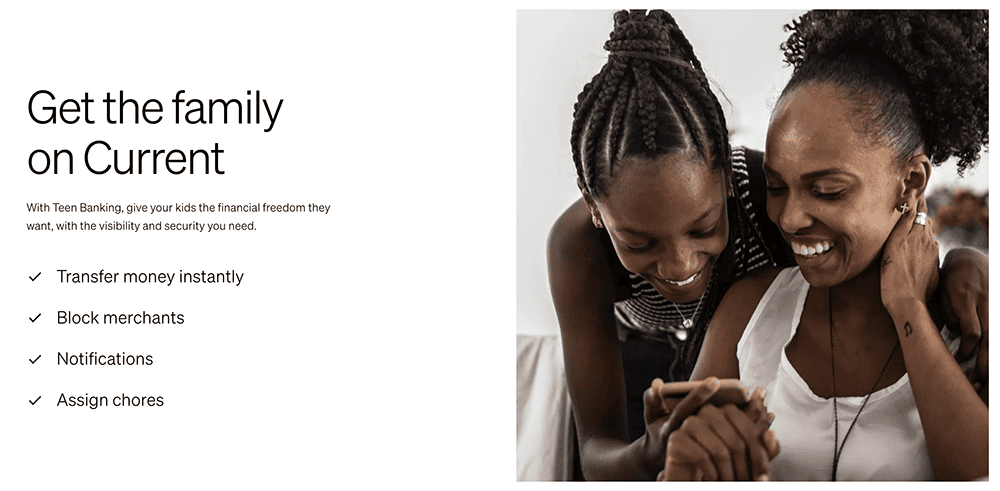
Current is a banking app designed for families; it offers both parent and teen accounts, with the latter acting like prepaid debit cards that parents load for their children. The Current app allows you to track your teen’s spending in real-time, set limits on how much your children can spend, and even block specific merchants on its Visa-enabled debit cards. You also get the peace of mind that comes with knowing your children’s money is safe because it’s not cash—no temptations, just a tool parents can use to help teach teens financial responsibility.
Among Current’s features:
- No minimum required balances, no fees on transfers to other Current accounts, and no hidden fees.
- Create Savings Pods, or Giving Pods, that allow you to save up for various goals.
- Round-Ups allow you to round up purchases to the nearest dollar amount and store the difference in Savings or Giving Pods.
- Buy and sell 27 different cryptocurrencies with zero trading fees.
Teens will love easy allowance deposits, a card they can use in stores or online, instant gas hold removals when buying gas, and access to more than 40,000 fee-free Allpoint ATMs nationwide. They’ll also have the opportunity to learn about financial responsibility and financial independence through Current’s Budgets feature, which allows them to track their spending and even receive alerts when they get too close to (or exceed) a predetermined limit.
The product has no specifically stated minimum age requirement, but the marketing suggests teens are the target audience. However, you might be able to open an account for a younger child.
Read more in our Current review.
- Current is a financial technology platform that lets teens enjoy not just traditional banking basics, but numerous features meant to simplify spending, streamline saving, and set them on the path toward more organized finances.
- Teens can spend with the Current Visa debit card, which allows them to purchase in-store and online, as well as withdraw money fee-free from more than 40,000 in-network Allpoint ATMs.
- Current Teen Accounts also come with Savings Pods, which earn 0.25% APY and allow you to round up purchases (overages are funneled into your savings). Keep a qualifying direct deposit of $200 or more in your account, and you'll earn a full boosted rate of up to 4% annually.
- Parents can monitor their kids' spending, adjust maximum ATM withdrawal and spending limits, and even toggle spending categories (and the Current debit card itself) on and off.
- Parents can also automate allowance payments, pay for chores, instantly transfer money to their teens, and more.
- Free account (no monthly maintenance fees)
- Good parental controls
- Fee-free ATMs
- Cash reloads
- Gas hold deposits
- 24/7 email and live-chat support
- No direct deposit
- No paired investment account
- No card customization

Related: 8 Best Teen Checking Accounts [Banks for Teens]
6. FamZoo (Best for Financial Education)
- Available: Sign up here
- Price: Monthly: 1-month free trial, then $5.99/mo. Annually: 2-month free trial, then $59.90/yr. (16% discount)
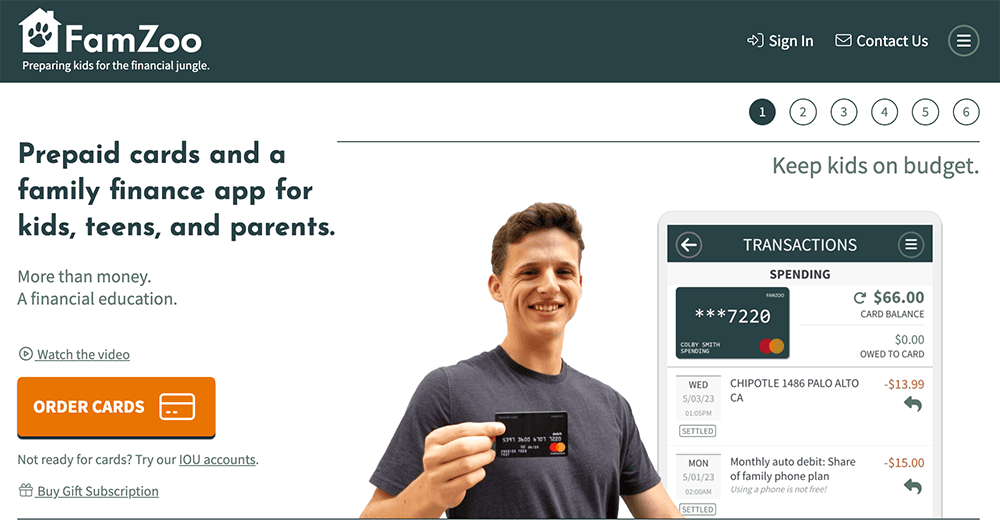
FamZoo is another service for parents interested in opening a prepaid debit card to manage their children’s spending.
FamZoo rates as our top education choice because of both its robust financial education library, and functions that have financial literacy in mind. For instance, its chore features include payment checklists that teach kids the value of a dollar by tying chores and odd jobs to rewards and even penalties. You can also teach younger children the basics of money through the automated allowance feature, which lets you set a fixed amount or even automatically raise it as they age.
Spending, Saving, and Giving accounts separate funds into different purposes. With “Parent-Paid Interest,” you can teach your kids the power of compound interest over time. Other features include direct deposit, savings goal tracking, and FDIC insurance.
Parents can fund a FamZoo account through numerous routes, including bank transfers, Direct Deposit, even cash. Typically, parents will load their primary funding card, then they will transfer those funds onto their kids’ cards. But you do have the option of directly funding kids’ cards.
There are plenty of safety features, too. And there’s no risk of having your bank account information stolen from FamZoo—because FamZoo never asks for it. Adults can monitor transactions, you can temporarily lock and unlock cards, and you can set up real-time alerts for card activity and remaining balances.
- FamZoo is the prepaid debit card used by families to teach children good financial habits from an early age.
- Many of the app's functions also have financial literacy in mind, including Parent-Paid Interest, parental loans, and reimbursements.
- Robust allowance and chore functions include features such as automatic allowance, payment checklists, even chore penalties.
- FamZoo lets you fund your account in a variety of ways, including bank account, debit card, payment app, digital wallet, and cash.
- Robust, customizable allowance and chores functions.
- Prepaid card without overdraft fees
- Highly customizable allowance and chores functions
- Strong financial education resource library
- Parent-paid interest
- No paired investment account
- Weak parental controls

Related: How to Invest as a Teenager [Start Investing as a Minor Under 18]