
The world of online brokerages has changed in the last decade. Discount brokers have become the norm with their basement busting pricing, while the full-service broker has become more of a rarity as a means for handling all your investment needs in one place.
Discount brokers offer you access to the stock market without paying trading fees, allowing you to have commission-free stock, ETF, options and cryptocurrency trading.
Learn more about the best discount brokers and brokerage accounts available online.
Best Online Discount Brokerage Firms—Our Top Picks
|
Best Investment App for Beginners
|
Best Stock Trading App for Beginners

|
Best Trading Platform for Low-Margin Rates

|
Best Trading Platform for Advanced Traders

|
|
4.6
|
4.5
|
4.6
|
4.7
|
|
Free to access, no commissions on stocks and ETFs.
|
No commissions on equity trades. Robinhood Gold: $5/mo., free 30-day trial.
|
IBKR Lite: No commissions on equity trades. IBKR Pro: Minimal commissions*.
|
Commission-free trading.
|
Best Discount Brokers and Online Brokerage Accounts
| App | Apple App Store Rating / "Best For" | Fees | Promotions |
|---|---|---|---|
 Plynk Plynk | ☆ 4.6 / 5 Beginning and intermediate investors | Free to access, no commissions* on stocks and ETFs. | Earn up to $250 annually with a 25% cash match on your dividends. |
 Robinhood | ☆ 4.3 / 5 Basic stock and ETF investing; options | No-commission stock, ETF, and options trades. Robinhood Gold: Free 30-day trial, then $5/mo. or $50/yr. | Earn $5-$200 in cash to put toward stock when you sign up and fund your account with at least $10. |
 Webull Webull | ☆ 4.7 / 5 Self-directed investors and intermediate traders | No-commission stock, ETF, and options trades. Webull Premium: $3.99/mo. or $40/yr. | Frequently changes but typically involves free stock or deposit bonuses. See Webull box below for latest bonus. |
 TradeStation | ☆ 4.6 / 5 Advanced traders, Options and Futures traders, Active stock traders | Commission-free trades | None |
 Public.com Public.com | ☆ 4.7 / 5 Investors seeking traditional and alternative investments | Public: Zero-commission U.S.-listed stock, ETF, and options trades. Premium: $8/mo. (free w/ balance of $50,000 or more) | None |
 Interactive Brokers Interactive Brokers | ☆ 4.5 / 5 Day traders | IBKR Lite: Commission-free equity and ETF trading. IBKR Pro: Minimal commissions*. | None |
 SoFi Invest® SoFi Invest® | ☆ 4.8 / 5 Active trading and robo-investing | No-commission stock and ETF trades. SoFi Robo-Investing: 0.25%/yr. AUM advisory fee. SoFi Plus: $10/mo. | Fund a new account with at least $50 within 30 days of opening an account, and get up to $1,000 in stock.* |
 M1 Finance M1 Finance | ☆ 4.7 / 5 Passive investors Fee-free active trading and automated investing | $3/mo. for account balances <$10,000.* | None |
 Firstrade | ☆ 4.5 / 5 Mutual fund and target date fund investors | Commission-free trades | Free account bonus commensurate with contributed funds |
 E*Trade E*Trade | ☆ 4.7 / 5 Options traders | No-commission stock and ETF trades | Account bonus commensurate with contributed funds |
 Vanguard Vanguard | ☆ 4.7 / 5 Basic ETF investing | No-commission stock and ETF trades | None |
| Note: Apple App Store Rating is as of Sept. 30, 2026. | |||
1. Plynk (Best Investing App for Beginners)
- Available: Sign up here
- Best for: Beginner investors
- Platforms: Web, mobile app (Apple iOS, Android)
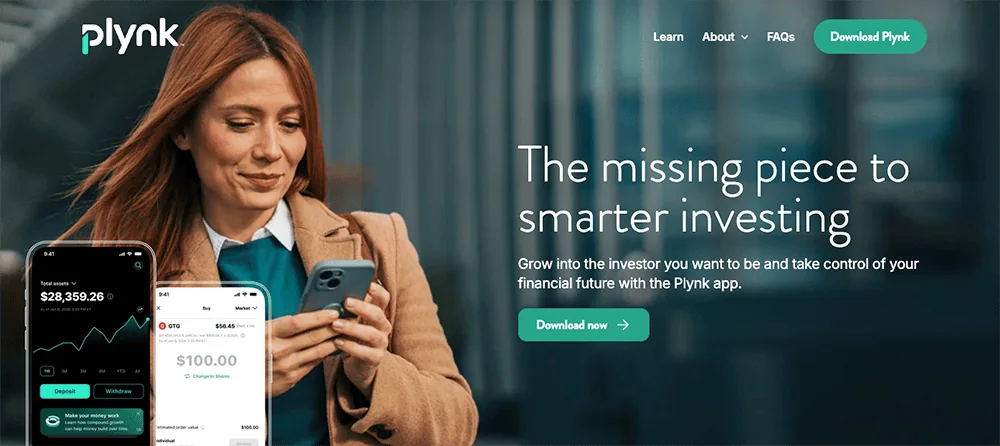
Plynk® is an investing app designed to not only help you start putting your money to work, but teach you about the markets and your money along the way—and now it will help you grow your dividend income.
The Plynk app charges no account opening fees and lets you start investing with as little as $1. It offers commission-free trades on 5,000 stocks and nearly 2,000 ETFs, and also provides access to more than 50 mutual funds and four cryptocurrencies. You can use the app as a traditional brokerage account, but if you’d prefer the potential tax advantages of retirement accounts, the Plynk app also allows you to open traditional IRAs and Roth IRAs.
One of the app’s newest features is a dividend match. Plynk will provide a cash match of 25% on dividends generated within the account, allowing you to earn up to $250 extra annually.
The app is more than appropriate for seasoned investors, but it’s also extremely friendly to beginners. It’s light on jargon and instead uses straightforward, easy-to-understand language to explain investing concepts in its tips and how-tos. The Plynk app also offers expert ratings on stocks and funds that novice and experienced investors alike can use to identify high-quality opportunities, and it allows you to browse stocks and ETFs using thematic categories, such as AI, gaming, and dividend stocks.
Want to start building good investing habits right off the bat? The Plynk app offers automatic investing—you choose how much you want to invest, in which securities, and how often, and the app processes the trading from there. Want help building a consistent habit? Plynk’s Steady Start feature is a 52-week ramp-up program that starts your contribution at $1 in the first week, then ups that contribution by a dollar each week—so by the time you’re done, you’ll have contributed $1,378 in a year. Want to see how much you’ve been paid in interest and dividends? Check out Plynk’s Income Hub.
The Plynk app’s educational tools are among the best from the apps we’ve reviewed:
- Beginners will want to check out Plynk’s simulated trading feature, which lets you use virtual money in a real-market environment as you learn how to make trades, test strategies, and gain experience.
- Curious about how certain investments would’ve worked? Plynk’s virtual portfolios let you “invest” virtual money to see how any portfolio you can think up would have performed depending on when you started investing in its underlying stocks and ETFs.
- The Plynk website’s “Learn With Plynk” section teaches investors about important basic concepts such as diversification, dividends, and dollar-cost averaging.
Plynk’s customer support is staffed by knowledgeable professionals, and your account is backed by encryption, multifactor authentication, and 24/7 fraud monitoring.
Begin today: Sign up with Plynk using our exclusive link to kick-start your investing journey. Or if you want to learn more, check out our Plynk review.
- Plynk® is an effective yet beginner-friendly way to start investing in thousands of stocks, ETFs, mutual funds, and cryptocurrencies.
- Plynk charges no account opening fees, and you can start investing for as little as $1.
- Enjoy commission-free trades* on 5,000 stocks and more than 3,400 ETFs. Plynk also supports mutual funds and cryptocurrencies.
- Boost your yield with a cash match of 25% on dividend income.**
- Earn a 3.48% APY on uninvested cash.
- Track dividends and interest with Income Hub.
- Put your investing on autopilot with automated investing or Steady Start.
- Just getting started? Simulated trading and virtual portfolios help you get your feet wet and build experience without putting any money at risk.
- No account fees
- Smart design and smooth user experience
- Fractional shares
- Designed for beginning investors
- Virtual portfolios and simulated trading
- Earn interest on uninvested cash
- One of the best automated investing programs we've seen (Steady Start)
- Elite educational resources and tools
- Lacks features such as options trading and advanced charting that more experienced traders prefer
Related: 11 Best Stock Trading Apps & Platforms [Free + Paid]
2. Robinhood (Best Simple Stock Trading App for Beginners)
- Available: Sign up here
- Platforms: Web, mobile app (Apple iOS, Android)
Robinhood jumped into the investing public’s consciousness in 2013 when they rolled out commission-free trading. They remain a standout option for cost-minded investors thanks to their continued $0 commissions on stocks, ETFs, options, and cryptocurrency; 24/7 trading; and the use of fractional shares, which allow people to invest with as little as $1.
More importantly, Robinhood has evolved from a bare-bones app appealing to mostly beginner investors to a fuller-featured account suitable for a wider range of experience levels.
Most recently, the broker has rolled out Robinhood Legend—a desktop trading platform featuring a suite of advanced trading tools designed to attract the active trader community. Legend includes features such as 8-chart windows, custom and preset layouts, technical indicators, real-time data, and deeper asset analysis. Alongside the launch, Robinhood is adding futures and index options to their list of available investments.
Robinhood still has plenty of firepower for its mobile users, too. Advanced Charts, for instance, provides simple and customizable charts with a variety of technical features. Robinhood’s Options Strategy Builder simplifies the options-trading process by helping you build a strategy based on what you expect your target stock or ETF will do in the future. Robinhood also offers 24/7 commission-free cryptocurrency trading with Robinhood Crypto (though you’ll still have to pay a spread), allows extended-hours trading, and lets users earn interest through stock lending.
For longer-term investors, Robinhood also offers traditional individual retirement accounts (IRAs) and Roth IRAs via Robinhood Retirement. We love that investors have the option of self-selecting all their investments, having Robinhood recommend a portfolio (made up of five to eight ETFs), or mixing the two by starting with Robinhood’s recs and tweaking to your own preferences. IRA investors can choose from stocks, ETFs, and options—enough for many retirement savers, but it does lack mutual funds and individual bonds, which some investors prefer.
But Robinhood Retirement has really made a name for itself by offering matching funds. If you open up an IRA with Robinhood Retirement, Robinhood will match 1% of any IRA transfers, 401(k) rollovers, and annual contributions to your account—typically almost immediately after you make your contribution. Robinhood Gold subscribers get a 3% match on new contributions, though rollovers and transfers are still 1%.
Better still: Any matches made on annual contributions don’t count toward your contribution limit. (Friendly message from your Young and the Invested tax expert: The reason the IRA match doesn’t count toward your annual IRA contribution limit is because Robinhood treats it as interest income in your IRA.)
Want more? Robinhood Gold, which I mentioned above, is a monthly subscription service that offers several more features mostly geared toward advanced traders. Benefits include Level II market data provided by Nasdaq, a lower charged rate on margin investing than regular accounts, higher interest on uninvested brokerage cash via the cash sweep program, and bigger Instant Deposits.
Sign up for a Robinhood brokerage account or Robinhood retirement account today.
- Robinhood is a pioneer in the investing app world, offering commission-free trades on stocks, ETFs, options, and cryptocurrency, as well as one of the deepest libraries of investing educational content.
- Investing for retirement? Robinhood will match 1% of any IRA transfers or 401(k) rollovers, as well as any annual contributions*, made to your Robinhood Retirement account—and you can get a 3% match on any new contributions if you subscribe to Robinhood Gold.
- Want more advanced trading tools? Download Robinhoold Legend—a desktop trading platform with real-time data, customizable layouts, deeper asset analysis, and more—for free.
- Robinhood's robo-advisory service, Robinhood Strategies, will build you a custom portfolio of stock and bond ETFs (and individual stocks for accounts with at least $500), for a low 0.25% in AUM, which is capped at $250 annually for Robinhood Gold members.
- Robinhood Gold also includes Level II market data provided by Nasdaq, higher interest rates on uninvested brokerage cash, lower margin trading rates, bigger Instant Deposits, and access to the Robinhood Gold Card (a 3% cash-back Visa credit card).
- Special offer: Sign up for Robinhood, link a bank account, and fund your account with at least $10, and receive a randomly selected cash amount between $5 and $200 to put toward certain fractional shares.
- Very good selection of available investments in brokerage accounts
- 1% match on rollovers, IRA transfers, and new contributions to IRAs and Roth IRAs (3% new-contribution match with Robinhood Gold)
- Automated recommended portfolios
- Intuitive interface
- Robo-advisory service (Robinhood Strategies)
- Extensive educational library
- No mutual funds in brokerage or IRAs
- Match doesn't apply to Robinhood Strategies accounts
Related: Empower Personal Strategy Review: Wealth Management More People Can Afford
3. Webull (Best Stock Trading App for Intermediate Traders)

- Available: Sign up here
- Platforms: Desktop app (Windows, Mac, Linux), web, mobile app (Apple iOS, Android)
Webull first hit the investing world in 2018 and made a splash by offering free stock trading, as well as commission-free trading of exchange-traded funds (ETFs) and options. And since then, it has become one of the best stock trading apps for intermediate traders, though many of its features are helpful to beginner investors as well.
For one, Webull remains friendly to wallet-conscious traders today. It costs nothing to open a Webull account. Stocks, ETFs, and options still trade commission-free. Many options have $0 contract fees. And Webull has no deposit minimums. On top of that, it offers fractional shares, which allows investors to start buying for as little as $1.
Webull also is available across just about every platform, allowing you to research, trade, and track your stocks on your smartphone, tablet, or desktop.
Why choose Webull to trade stocks?
Webull provides traders with a number of useful features and tools, including:
- Customizable screeners for both stocks and ETFs
- Preset lists–including Top Gainers, Top Losers, Most Active, and Best-Performing Industries—traders can use to identify opportunities
- Free real-time stock quotes
- 12 charting tools and more than 50 technical indicators
- Real-time stock alerts you can set to notify you of events such as significant price action or certain technical conditions
- Numerous order types—simple orders such as limit and market orders, sure, but also group orders such as bracket, OTO, and OCO orders
- Quant ratings that help you to evaluate stocks through numerous lenses, such as growth, value, income, quality, and momentum
These tools make Webull one of the best stock research and analysis apps for traders.
Also noteworthy: Webull provides one month of free Level 2 Quotes powered by Nasdaq TotalView. Per Webull: “It provides the best 50 levels of bids and asks for all NASDAQ-, NYSE- and regional-listed stocks on NASDAQ Market Center. It includes the prices and quantities of displayed quotes and orders, allowing investors to better determine the availability or demand for a stock at a certain price.” Experienced day traders can use these quotes to try to determine where the stock market is headed in the very short term. (Note: Level 2 Quotes cost $2.99 per month after the free trial.)
And traders can even get paid for stocks they’re sitting on. Webull’s Stock Lending Income Program allows you to receive interest, accrued daily and paid monthly, for allowing Webull to borrow certain stocks. The interest rate varies widely depending on demand for a particular stock.
Webull also has a couple other fun (and still useful!) features. For instance, you can set up voice commands that will allow you to simply speak to buy, sell, or look up information on a ticker. There’s also “Big Button Mode,” which, as you’d guess by the name, populates giant buttons on your screen that allow you to quickly make trades with just a push.
We’ll point out that while Webull allows for many types of commission-free trades, other costs will still apply to a few transactions. For instance, a 55-cent contract fee applies to certain options trades. Webull doesn’t directly charge fees for trading cryptocurrencies, but it does build a 1-percentage-point markup into the price of cryptocurrency when you buy or sell crypto. And Webull’s margin rates, which are variable depending on the debit balance, are currently roughly middle-of-the-road.
You should also know that you can’t buy mutual funds on Webull, though that’s more of a concern for long-term investors and less so for traders.
Regardless, Webull remains one of the best, and most cost-friendly, trading platforms you can come across. And on top of all the free features mentioned above, Webull also runs frequent promotions that allow investors to collect free stocks.
Read more in our Webull review, or sign up at Webull today.
- Webull is a low-cost trading and investing app that allows you to invest in stocks, ETFs, options, futures, commodities, and crypto, and even participate in initial public offerings (IPOs).
- No-commission stock, ETF, and option trades (and many options have $0 contract fees).
- Trading features such as charting tools, technical indicators, customizable screeners, real-time stock alerts, and group orders.
- Let Webull manage your money for you with Webull Smart Advisor, which combines Webull's in-house investment expertise and artificial intelligence to build, manage, and rebalance an ETF portfolio for you.
- Sign up for Webull Cash Management to earn up to a 3.6% APY on uninvested cash.*
- New users get one free month of Nasdaq TotalView's Level 2 Quotes service. (That subscription costs $2.99/mo. thereafter.)
- Subscribe to Webull Premium and receive a premium APY on uninvested cash in individual and joint cash accounts, premium margin rates, a 3% match when you transfer or roll over your IRA, and an extra 3.5% match on qualifying IRA contributions.
- Special offer: Open an account and get one free month of Premium, make an initial deposit of at least 1¢ to unlock a one-month 1.4% APY boost*, and deposit $100 to receive 10 free fractional shares worth between $3 and $300.**
- Good selection of available investments
- Fractional shares
- Powerful technical analysis tools
- Offers robo-advisory services
- Accessible to beginning and intermediate users
- Voice commands
- Offers highly competitive APY through Webull Cash Management
- Does not support mutual funds

Related: 11 Best Day Trading Platforms [Apps + Software]
4. TradeStation (Best for Intermediate to Advanced Traders)

- Available: Sign up here
- Platforms: Desktop (Windows, Mac), web, mobile app (Apple iOS, Android)
TradeStation Select is a powerful trading system that includes a full-featured desktop app, a robust web trading platform, and a highly rated stock trading app—all of which include numerous tools for trading stocks that are useful to seasoned professionals. Advanced traders especially will find TradeStation a more suitable fit than Webull; less experienced traders, however, might not need all of TradeStation’s horsepower.
Much like every other online discount broker found on this list, this free stock trading app helps traders avoid commissions. Specifically, TradeStation offers zero commissions on stocks, exchange-traded funds, options, futures, micro futures, and futures options.
But the reason traders opt for TradeStation isn’t just the cost—well, lack of it—but its advanced trading features and services.
What makes TradeStation different?
TradeStation is one of the most high-powered stock trading platforms on this list. That’s because opening a TradeStation brokerage account provides you with free access to the TradeStation Analytics platform, which includes tools such as:
- Matrix: TradeStation packs market depth, advanced order entry, and order tracking all in a single window, then combines it with one-click trading and extremely fast order execution. TradeStation calls it the “Swiss Army Knife of trading tools,” and it’s an apt description.
- RadarScreen: Identify trading opportunities with RadarScreen, a real-time screener that can monitor as many as 1,000 tickers. You can also use RadarScreen to rank those stocks based on your own custom criteria, or based on more than 180 preset (but customizable) fundamental and technical indicators.
- OptionStation Pro: This app provides a more visually appealing, and easier-to-understand, method of exploring the options markets. You can build option chains, model options positions with 3D graphics, and quickly place your trades.
- EasyLanguage: Want to take your trading to the next level? Create your own tools, indicators, even applications to execute smart trading strategies with this trading-focused programming language—a language TradeStation already uses in every one of its indicators, strategies, and user functions.
(Note: Even if you don’t use TradeStation as your trading platform, you can still access TradeStation Analytics for $99 per month if you’re a non-professional trader, or $199 per month if you’re a professional trader.)
Other trading features include a simulated trading mode that allows you to test out trading plans without putting your funds at risk, backtesting, and customizable charting.
A passive feature of note is the Fully Paid Stock Lending Program. Through the program, you can allow TradeStation to lend out fully paid or excess margin securities, and in exchange, they’ll pay you a portion of the interest TS earns each day.
Other considerations
While TradeStation is commission-free, it’s hardly cost-free. For instance, all stock options trades still require a 60-cent contract fee. Futures trades are charged $1.50 per contract per side, micro futures trades are charged 50 cents per contract per side, and futures options are charged $1.50 per contract per side. Margin rates, currently in the double digits, are high compared to peers. And mutual fund fees are a steep $14.95 per trade—no big deal for traders, who likely would avoid them anyways, but a hurdle for anyone looking to buy and hold mutual funds in their TS account.
And let’s be clear: Beginning traders could be overwhelmed by this service, which caters to extremely active and experienced traders.
Regardless, TradeStation’s top-of-class trading tools (and a wide variety of ways to access them) makes it one of the best stock trading platforms for advanced traders on this list. Intermediate users should be able to make plenty of hay on this platform, too. So if you’re interested, visit TradeStation to sign up for an account or get more information.
- TradeStation is a powerful trading platform that allows you to invest in a wide array of products, including stocks, ETFs, mutual funds, options, bonds, forex, futures, micro futures, single-stock futures (SSFs), and futures options. You can also participate in IPOs through TradeStation.
- The platform comes equipped with trading and investing tools that are useful to seasoned professionals and new traders alike. Identify trading opportunities, explore option markets visually, even create your own trading tools with TradeStation's proprietary programming language.
- TradeStation's brokerage services and trading education resources are recognized by respected industry reviewers.
- Excellent selection of available investments
- Professional trading features and capabilities
- Intuitive trading interfaces and tools
- Competitive pricing for trading volume
- Varied and confusing fees for specific actions/events
- Mac users can only run TradeStation desktop platform through a Windows emulator
Related: 16 Best Stock Research + Analysis Apps, Tools and Software
5. Public.com (Best Stock App With Alternative Assets)
- Available: Sign up here
- Platforms: Web, mobile app (Apple iOS, Android)
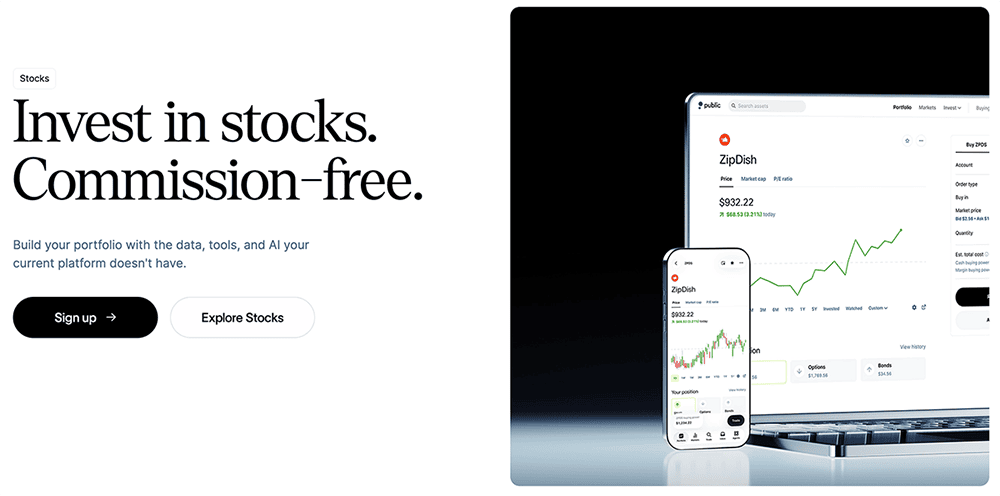
Public.com, which is geared toward Millennials and Gen-Zers, is different from many other investing apps.
Yes, Public has the basics: Users can trade individual stocks and ETFs with no commissions. It’s also a micro-investing app thanks to its fractional shares feature, which allows users to spend as little as $5 to invest. But Public has also been widening its investment lineup—while it still doesn’t offer mutual funds, it does provide access to options, individual bonds, 40 different cryptocurrencies, and even alternative assets, from art to sneakers.
That last point really sets Public apart. Alternative assets are a relative rarity among investing apps. They can be difficult to research (and thus difficult to properly invest in), but they can provide uncorrelated returns compared to the stock and bond markets, so many savvy investors like to diversify into these assets.
The “Public” part of the name nods to the platform’s social aspect. You can make your portfolio holdings open to other users, and conversely, you can look through other Public users’ portfolios. Investors can also connect with corporate founders and CEOs through live “Town Hall” meetings.
Users can also upgrade their experience with the $10/month Public Premium subscription.
Public Premium offers some features that are included in some free brokers’ services, but other features help to justify the cost. For instance, Premium offers extended-hours trading (8 to 9:30 a.m., and 4 to 8 p.m. EST) and stock price alerts—several competitors, such as TradeStation and E*Trade, offer these services at no charge. However, Premium also provides:
- Advanced data on companies—Public.com’s examples include Tesla quarterly deliveries by model or Apple’s annual sales by continent
- Institutional-grade research provided by Morningstar
- Members-only analysis about events including major economic report releases, earnings announcements, and more
- Up to four years’ worth of companies’ earnings calls, decks, and reports
- Exclusive audio programming by Public.com’s expert analysts
You can read more in our Public.com investing app review, or sign up today using our exclusive link.
For Public.com disclaimer, please see the fine print at the bottom of this article.
- Public.com offers zero-commission trading on thousands of stocks and ETFs, available as fractional shares. The app also allows you to invest in cryptocurrency, options, and bonds as well, and it's one of the rare brokerages that allows its users to buy alternative assets.
- Lock in a 5.3% yield with Public.com's Bond Account, which allows you to invest in a diversified portfolio of investment-grade and high-yield bonds.
- Use a social feed where members can share why they believe in certain companies (or don't) and can post comments on others' trades.
- Invest in curated lists of stocks and ETFs for people to aggregate investments by interest area or values.
- Subscribe to Public Premium for features such as advanced company-level data, Morningstar insights, and exclusive audio content from Public.com's expert analysts.
- Special offer: Receive an uncapped 1% match on transfers into a Public IRA.
- Fractional shares
- Good selection of investible assets
- Allows you to trade alternative assets
- No payment for order flow (PFOF)
- Creative social investing features
- Doesn't support mutual funds
- Limited investment research and other tools

Related: 8 Best Stock Picking Services, Subscriptions & Sites
6. Interactive Brokers (Best Online Trading Platform for Professionals and Low Margin Rates)
- Available: Sign up here
- Platforms: Desktop (Windows, Mac), web, mobile app (iOS, Android)
Interactive Brokers, founded in 1978, is the largest U.S. electronic trading platform, offering traders access to stocks, bonds, funds, options, cryptocurrencies, foreign exchange, and more.
IBKR’s Trader Workstation (TWS) is Interactive Brokers’ flagship desktop program—a trading platform with roots back to 1995. But since then, the company has launched a number of other access points for brokerage accounts, including:
- IBKR Desktop: This desktop trading platform combines the most popular tools from its flagship Trader Workstation (TWS) with new tools such as a powerful MultiSort screener and Options Lattice, as well as a growing suite of original features suggested by IBKR clients.
- IBKR Mobile: A powerful app for iOS and Android that allows people to trade on the go
- IBKR GlobalTrader: A simplified app for iOS and Android that targets global traders, allowing deposits in up to 23 different currencies
- Client Portal: A lighter web-based platform allowing clients to manage their account, evaluate performance, and read market news
- IBKR EventTrader: A web-based platform allowing investors to trade “event” contracts (yes-or-no questions like “Will the S&P 500 Index close above 3,900 today?”)
- IBKR Impact: A mobile app that helps investors select holdings most in line with their values.
But Workstation remains the workhorse. The platform supports investments across 150 global markets, and offers a wide variety of features, including real-time monitoring, risk management tools, paper trading—all packaged under a heavily customizable layout.
While TWS users can still select the original view, they can build their own bespoke view through Mosaic. Functions such as stock monitoring, order entry, charts, and more appear as “tiles,” sized and arranged however you want them, and you can save custom layouts designed for one or more monitors.
Trader Workstation also lets investors:
- Create example watchlists
- Use preset scans or build your own
- Create real-time trading alerts using price, time, margin, and volume
- Access more than 100 order types and algorithms to execute better trades
- Read breaking news from Reuters, Dow Jones, and other news outlets
- Access research from Morningstar, Zacks, and other firms
IBKR Lite/IBKR Pro
Interactive Brokers offers two primary plans—IBKR Lite and IBKR Pro—and both have no account minimums and zero maintenance fees. They also provide investors with access to many of the same features, including the Client Portal, Trader Workstation, and IBKR Mobile platforms; advanced order types; fractional shares of U.S. and European stocks and ETFs; paper trading; and Risk Navigator, which evaluates your risk in single positions or across your entire portfolio.
IBKR Lite is most suitable for beginner and intermediate investors, offering unlimited commission-free U.S.-listed stock and ETF trading, and fixed pricing for non-U.S.-listed stocks and ETFs, mutual funds, options, and futures.
IBKR Pro, meanwhile, is meant for advanced investors and active traders. While it does charge commissions on even U.S.-listed stocks and ETFs, it provides better execution for trades via its IB SmartRouting, which seeks out the best available prices for stocks and options across exchanges and dark pools.
Pro also offers some features not available on IBKR Lite, including higher interest paid on idle cash balances, lower interest charged on margin loans, backtesting, and access to IBKR APIs, which allow you to build your own custom trading applications and even develop commercial trading software—features often used by hedge funds, Registered Investment Advisors (RIAs), and proprietary trading firms.
You can visit Interactive Brokers to sign up or learn more.
- Trade stocks, bonds, ETFs, mutual funds, options, cryptocurrencies, foreign exchange, futures, micro futures, and futures options using the powerful legacy Trader Workstation desktop software or IBKR's web and mobile platforms.
- No account minimums, no maintenance fees with both IBKR Lite and IBKR Pro.
- Commission-free stock and ETF trading with IBKR Lite.
- Optimized trade execution and higher interest on cash balances with IBKR Pro.
- Earn interest rates of up to 3.14% on instantly available cash.
- Earn extra income on your lendable shares with IBKR's Stock Yield Enhancement program.
- Access features including watchlists, preset or customized stock scans, real-time trading alerts, advanced order types, and news and research from numerous leading providers.
- Excellent selection of available investments
- Extremely feature-rich desktop (Trader Workstation) and app (IBKR Mobile) platforms to satisfy even the most advanced traders
- Below-average options contract fees
- Trader Workstation Mosaic view is versatile and highly customizable
- Fractional shares available (U.S.- and European-listed stocks and ETFs)
- Share lending program
- Robo-advisory services are available through Interactive Advisors
- Mobile app can be slightly buggy at times (but has improved significantly in recent years)
Related: 15 Best Investment Apps and Platforms [Free + Paid]
7. SoFi Invest® (Best for Personal Finance-Focused Investors)
- Available: Click “Start Today” below.
- Platforms: Web, mobile app (Apple iOS, Android)
SoFi is a multi-faceted financial company that offers everything from credit cards and insurance to student loans and mortgages … and they also allow you to trade and invest through its SoFi Invest app.
With SoFi Invest, you can invest as actively or as passively as you’d like.
The SoFi Active Invest Brokerage Account has no required minimum balance, charges no commissions on stock, ETF, and options trades, and its options trading is free of contract fees, too. Want to put your portfolio on autopilot? SoFi’s robo-advisory services will create a portfolio for you for an annual 0.25% assets under management fee (that can be designed to address one or several goals) and auto-rebalance it for you as necessary over time.
The interface is still very much geared toward younger, less experienced investors—everything is focused on simplicity and ease of use, rather than an expanse of sophisticated tools. SoFi also offers budget-friendly features such as fractional shares, which allow you to invest for as little as $5. And SoFi even provides a social element, such as bringing SoFi members together at exclusive events.
Unlike many brokerage companies that might have more limited offerings, SoFi’s app allows you to manage a much wider range of financial services and products, such as banking, student loans, insurance, and mortgages.
Want to put your portfolio on autopilot? SoFi’s robo-advisory services will create a portfolio for you for an annual 0.25% assets under management fee (that can be designed to address one or several goals) and auto-rebalance it for you as necessary over time.
While SoFi Invest is free to use, you can also subscribe to SoFi Plus—a $10-per-month subscription tier that can unlock more than $1,000 per year in extra value. SoFi Plus perks include a match on recurring investment deposits, preferred access to initial public offerings, higher cash-back rewards on certain SoFi credit cards, home mortgage discounts, rate discounts on student loan refinancing and new personal loans, and a temporary boost on SoFi Savings APY, among others.
SoFi also occasionally has sign-up bonuses attached to its brokerage accounts, which you can read about in the box below. Want to open an account? Click “Start today.”
- SoFi Invest allows you to trade or invest in stocks, ETFs, and options with no commissions and no account minimums. You can also participate in some initial public offerings (IPOs).
- Invest for as little as $5 with fractional shares.
- Robo-advisory services, including goal planning and auto-rebalancing, available for annual 0.25% AUM fee.
- Subscribe to SoFi Plus to unlock more than $1,000 per year in extra value, including a 1% match on recurring investment deposits, preferred IPO access, higher cash-back rewards on certain SoFi credit cards, a six-month APY boost, and more.
- Special offer: Get up to $1,000 in stock when you open and fund a new Active Invest account.*
- Good selection of available investments
- No options contract fees
- DIY and robo-investing options
- Fractional shares
- Doesn't support mutual funds
- Limited trading tools
- No tax-loss harvesting
- No socially responsible robo-advisor functionality

Related: 7 Best Stock & Portfolio Trackers [Investment Tracker Software]
8. M1 (Customizable Robo-Advisor for Passive Investors)
- Available: Sign up here
- Platforms: Web, mobile app (Apple iOS, Android)
Automated investing is one of the best solutions for beginner investors because it’s a way that people with very little financial knowledge can still put their money to work effectively and efficiently. Thus, several of our favorite investment apps for beginners have some sort of robo-advisory feature.
M1 provides something similar. We consider it a hybrid between self-directed (you manually choose what to invest in, and determine when to buy and sell) and automated investing (AI helps make decisions for you and manages your account). The result is effectively a highly customizable robo-advisory service—one executed so well that it’s our favorite robo-advisor service.
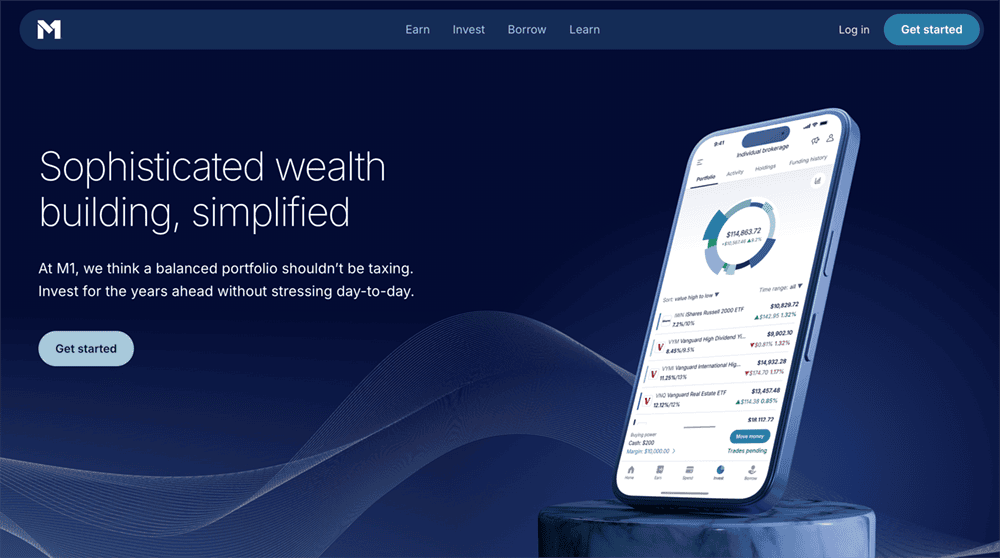
M1’s investing platform is based around Pies. Your portfolio is represented as a Pie (a pie chart); every stock and ETF you decide to buy becomes a slice of that pie—and because M1 supports fractional shares, you can add virtually any stock or ETF to your portfolio. From there, you set each holding’s “weight”—what percent of your Pie each slice should account for, so, say ETF X will always be 25% of your portfolio, while Stock X should always be just 5%.
After that, whenever you fund your M1 account, it will automatically invest your money based on these targets. And you can take automated investing even further by setting up recurring deposits into your M1 account.
From there, M1 can automatically rebalance your portfolio for you, or you can go in and manually change how small and large each Pie slice is. If you really want to put it on autopilot, you can invest in M1’s Expert Pies—professionally pre-built portfolios designed for different investment goals. (And if you want something in the middle, you can even combine Expert Pies with your own custom choices.)
Just understand that while M1 offers premade portfolios aligned to several investing goals, it’s technically not an advisory service.
Also worth noting is that, unlike traditional online brokers, you cannot trade stocks and ETFs throughout the trading day. M1 has two trading windows—at 9:30 a.m. and 3:30 p.m. every day the New York Stock Exchange is open—during which it processes all of the orders it has received before then.
That’s something of a blessing and a curse. On the one hand, on the rare occasion you would need to jettison a position immediately during the trading day, you couldn’t do that with M1. And that single window is an extreme hindrance to people who want to trade stocks. But for beginner investors who want to avoid trading stocks and prefer to simply buy and hold, that single window won’t stop you from achieving your goals—and it could actually prevent you from panic-selling in the middle of the day.
Consider opening an investment account with M1, or read more in our M1 review.
- The M1 investing app is a basic robo-advisory system that acts almost like a 401(k). You build a "Pie" by choosing the stocks and ETFs you want to invest in, as well as the percentage of your portfolio that should be invested in each "Slice," and M1 uses that information to allocate your money each time you contribute.
- If you want help putting together a list of stocks and funds, you can use M1's model portfolios, which cover goals such as general investing, planning for retirement, income earners, and more.
- Enjoy a 4.00% APY on uninvested cash.
- Get a line of credit against your brokerage's account value at low fees (currently 6.40%) compared to other brokerage lines of credit.
- M1 lets you open individual, joint, and custodial brokerage accounts; traditional, Roth, and SEP IRAs; trusts; and cryptocurrency** accounts.
- Robo-advisor with self-directed investing elements
- Attractive APY on uninvested cash
- Borrow against your assets
- Limited selection of investible assets
- Doesn't allow trading throughout the trading day
- Monthly fees for account balances <$10,000

Related: 9 Apps With Free Stocks for Signing Up [Get Free Shares]
9. Firstrade (A Strong Alternative for Beginner Investors)
- Available: Sign up here
- Platforms: Web, mobile app (Apple iOS, Android)
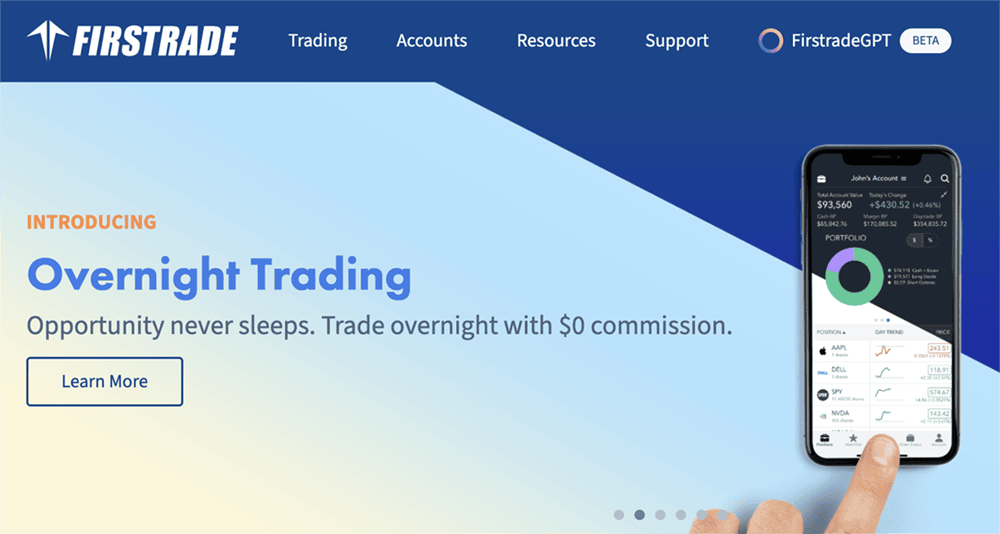
Firstrade might not have the same name recognition among younger investors as platforms such as Robinhood and Acorns. But it’s easily one of the best investment apps for beginners.
For starters, Firstrade has some of the best trading fees among all investing apps.
On the investing front: $0 commissions on stock and ETF trades are par for the course. But where Firstrade stands out is mutual funds, offering free trading of no-load mutual funds, load mutual funds, and no-transaction-fee (NTF) mutual funds. It’s also pretty friendly to beginner traders: Firstrade goes a step above the zero-commission options trading offered at other apps by also not charging contract fees nor assignment fees.
Firstrade also allows investors to buy and sell roughly 40 digital currencies—a better selection than some other beginner investing apps, though not as robust as some higher-powered platforms. Crypto trading is technically commission-free, too. But like other brokers, it adds a markup (Firstrade charges 1%) on both sides of each crypto trade.
The mobile apps, for iOS and Android, are user-friendly; features include Face ID login, charting, and real-time streaming quotes. Users should know that the mobile experience is pared down compared to the primary web experience, but we view that as a plus for when you start investing.
Meanwhile, Firstrade’s educational resources include primers on many basic investment types, explanatory videos, and an A-to-Z glossary to help you become more familiar with vital investing terms.
Firstrade also frequently offers matching bonuses on account fundings, IRA transfers, 401(k) rollovers, and new contributions. You can check out the current offer in the box below. Use our link to sign up with Firstrade today.
- Firstrade is a low-cost leader in trading stocks, ETFs, mutual funds, and options. In addition to standard commission-free offerings of stocks, ETFs, and options, Firstrade charges no options contract fees, and offers free trading of mutual funds as well.
- Also trade cryptocurrency and bonds on Firstrade.
- Beginners can get up to speed with Firstrade's robust education center, which offers written and video lessons covering everything from the basics of stocks to advanced options concepts.
- Special offer: FirstTrade is offering a 3% matching bonus on net new contributions, and a 2% match bonus on net IRA transfers and 401(k) rollovers.
- Very good selection of available investments
- Commission-free mutual funds
- No options contract fees
- High margin rates
- Below-average customer support

Related: 9 Best Online Stock Brokers for Beginners
10. E*Trade (Best Online Brokerage Account for Options)
- Available: Click “Open Account” below
- Platforms: Desktop (Windows, Mac), web, mobile app (iOS, Android)
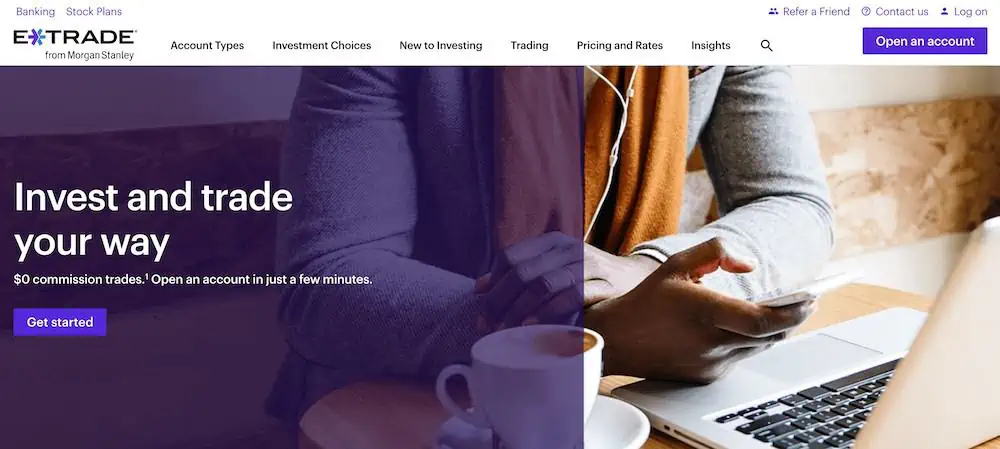
E*Trade has long been seen as a leading stock trading app for retail investors. It allows you to invest in a wide array of assets, and it provides educational resources that will help you with investment research, portfolio analysis, and building a diversified set of holdings.
E*Trade, like most of the best stock investing apps, offers zero-commission stock, ETF, and options trading. It also has a leg up on some platforms by offering $0 commissions on mutual fund, Treasury, and new-issue bond trading. Investors also have access to futures, micro futures, and futures options, among other investment types.
Like with many zero-commission options trading platforms, though, options still have contract fees. Equity and index options are 65¢ regularly, though they’re reduced to 50¢ if you place more than 30 stock, ETF, or options trades per quarter. (E*Trade also has an options program called the “Dime Buyback Program.” If you close an equity option priced at 10¢ or less, E*Trade won’t charge you a per-contract fee.) A couple other fees worth noting are futures ($1.50 per contract) and secondary bond market trades ($1 each).
If you use E*Trade, you’ll do so via one of two platforms—both of which are free, and both of which have web and mobile versions:
Power E*Trade
Power E*Trade is designated for more intermediate-to-advanced traders. Features include:
- Advanced charting that includes intraday and historical options; more than 100 studies; over 100 drawing tools; and the ability to automatically identify technical patterns
- Snapshot Analysis, which lays out risk-reward probabilities in your options trading
- Powerful stock and trade scanner; use preset filters or customize as you wish
- Paper trading to test out strategies without putting your money at risk
- Ability to design exit strategies
Like with the Power E*Trade web platform, the Power E*Trade app is a more powerful version of its basic counterpart. This app allows you to use preset scans, work with interactive charts, place complex options trades, and more.
E*Trade
The “basic” E*Trade web platform might be more suitable for beginning-to-intermediate traders and investors, but that doesn’t mean it’s short on features.
E*Trade’s main web platform includes everything you need to keep up to date on your portfolio, including real-time quotes, charts, market commentary, and stock news. The latter includes free access to Bloomberg TV, Thomson Reuters, and TipRanks research. Meanwhile, you’ll have ample research tools at your disposal, including stock, mutual fund, bond, and ETF screeners; trade optimizers; backtesters; and more.
Read our review to learn more, or visit E*Trade and sign up by clicking “Open Account” below.
- E*Trade is one of the best online and mobile trading platforms among discount brokers, offering a full range of investments (including professionally managed accounts). It allows you to invest in stocks, ETFs, mutual funds, options, bonds, futures, micro futures, and futures options.
- $0 commission trading for online U.S.-listed stocks, ETFs, options, mutual funds, Treasuries, and new-issue bonds. (Options have a 65¢ contract fee, or 50¢ at certain volume thresholds.)
- Opening an account is easy and only takes a couple of minutes.
- Bonus: Get between $50 and $10,000* when you click the box below, then open and fund a new investment account using promo code "OFFER26."
- Excellent selection of available investments
- Commission-free mutual funds and Treasuries
- Automated portfolio builders and prebuilt mutual fund and ETF portfolios
- Separate apps for power users and casual users
- Limited availability of fractional shares (only in DRIP plans or robo-created portfolio)
- No direct cryptocurrency trading
Related: 8 Swing Trade Alerts Services [Apps for Profitable Trades in 2026]
11. Vanguard (Best Discount Broker for Vanguard ETF Trades)

- Available via desktop, Apple iOS and Android App on Google Play
- Best For: Investors looking for a simple index fund investing app
- Account Minimum: $0
- Sign up here
Vanguard has long been regarded as the low-cost index fund investing service provider. John Bogle originated the idea of index fund investing and first offered them to retail investors as mutual funds and eventually exchange-traded funds (ETFs). The company has slashed fees over the years in a bid to outcompete other companies in the space and will always advocate for a low-fee index fund approach to investing.
Vanguard excels as a free stock trading platform when you wish to buy and sell Vanguard securities like index fund ETFs. You pay no commissions on their products like VTI or VTSAX, or VFIAX.
Vanguard recently announced it would no longer charge trading fees on competitors’ ETFs, a departure from a long-standing position. Vanguard also carries no account minimums.
What Vanguard lacks compared to some of these other apps is its clunky nature. I use the app to manage my old work’s 401k plan and admit to its bloat and lack of clarity on calculating investment returns on a percentage basis. My main beef with their interface is my performance statistics will not save after I add them to assess how my funds have performed. All that said, Vanguard might have made this by design, incentivizing you to check your funds less often and thus living by their index fund ethos.
- Vanguard's low-cost mission continues through its commission-free brokerage and other investment accounts. Invest in stocks, ETFs, and Treasuries with zero commissions.
- Pay $0 to trade Vanguard mutual funds and no-transaction-fee mutual funds.
- Want to trade options? You can do that on Vanguard, too.
- Vanguard's mobile app is simple and easy to understand.
- Good selection of available investments
- Commission-free Treasuries
- Some commission-free mutual funds
- Can purchase fractional shares of mutual funds
- Can optimize your portfolio with Vanguard Portfolio Watch
- Limited investing and research tools
- Somewhat clunky web interface
- High options contract fees
- Limited features on mobile app
- No fractional shares of stocks or ETFs unless reinvesting through a DRIP plan

Related: 12 Best Vanguard ETFs You Can Buy [Build a Low-Cost Portfolio]
FAQs: Best Online Brokerage Accounts and Discount Brokers

What Does a Discount Broker Charge?
An online stock broker, usually a discount broker, sometimes charges trading commissions on stock and ETF trades, though many brokers have adopted the commission-free trading model. These brokerage firms no longer earn money on trading commissions, instead opting for other avenues of earning revenue, discussed more below.
The best online stock broker for you will depend on the style of investing you prefer, your needs for advanced tools and educational materials, the ability to place mutual fund trades, cryptocurrency trades, or trades on more exotic assets like options, futures, forwards and more.
The best discount brokers charge low fees (or none) for standard stock and ETF needs and low fees on these other assets.
Some will also avoid any commissions and instead rely on account fees like a fixed monthly charge or a percentage of assets under management approach like robo-advisors use.
Related: 13 Best Stock & Investment Newsletters for Inbox Alpha
What is the Difference Between a Full-Service Broker and a Discount Broker?
Full-service brokers offer many services to clients, such as investment advice, research and management, retirement planning, tax planning, insurance assistance and more. They tend to charge commissions or a percentage of the assets they manage on your behalf in exchange for these tailored services.
Many refer to full-service brokers as financial advisors or investment advisors because they buy and sell stocks on your behalf, handle your investment strategy, and act as your customer support. They can directly handle your customer service needs by maintaining the entire relationship with you and explaining the financial products used to prepare for your financial needs.
They offer all of this either for commissions on trades or financial products you purchase through them or through a management fee on the assets you hold with them on account. Discount brokers, on the other hand, compare favorably on the cost to full-service brokers. Discount brokers don’t offer all of the value-added services full-service brokers do, and they reflect this pared-down offering through low-cost or commission-free stock and ETF trades.
Frequent traders, self-directed investors or people who wish to engage with financial markets themselves tend to use online brokers and discount brokers to do so, sidestepping trading fees (or paying low fees in some cases) and choosing to execute their trades. This can also include mutual funds, options, cryptocurrencies, and other financial assets or securities regulated by the Commodity Futures Trading Commission (CFTC) or Securities and Exchange Commission (SEC).
These accounts carry Securities Investor Protection Corporation insurance for up to $250,000 in cash account value. Many brokers offer similarly to how the Federal Deposit Insurance Corporation (FDIC) offers insurance on cash held in a bank account.
How Does a Discount Brokerage Make Money?
Payment for Order Flow
In the ordinary business of buying and selling stocks, options and index funds through online brokers, they send your orders to market makers for execution. Market makers act as individual market participants or member firms of an exchange to buy and sell securities for their accounts. They do so at the prices displayed on the exchanges’ trading systems to profit from the difference between bids and asks (bid-ask spread).
Effectively, the quoted price differs from the ultimate settle price, with the difference going to the market maker for providing market liquidity. This bid-ask spread capture allows market makers to receive compensation for holding assets if they deviate significantly in value over time. In other words, if they must hold a substantial position in the security to create liquidity for the market, they must have some form of compensation to offset the risk of a significant decline in the security’s value, thereby causing a substantial loss on their books.
When you trade securities in many discount brokers’ brokerage accounts, they route these orders through a market maker for execution.
To compete with exchanges, market makers must offer rebates or discounts to brokers to use their service and not the exchange. These discounts go to discount brokers while you pay the quoted amount. To maintain this profit opportunity, discount brokers maintain relationships with numerous market makers and send your orders to the ones they believe will have the best likelihood to execute your trade at an optimum price. This lets you trade everything on these stock trading apps for beginners like stocks (including penny stocks), ETFs, options and cryptocurrencies commission-free.
Many discount brokers state they do not consider rebates when routing your brokerage orders and merely profit from the difference after the fact.
Interest on Cash Account Balances
Not all money in accounts held with online brokers gets invested, and some remain in cash. This cash can be deposited into a bank and earn interest when left idle in your account. Most brokers earn money this way, supplementing other earnings they made on their trading platforms through online stock activities.
Other Brokerage Services and Subscriptions
Online brokers can also offer other services or subscriptions to supplement their income. This can include research tools, real-time data feeds, access to financial advisors, investment advice or priority customer support, and more.
Debit Card Interchange Fees
Some online brokers offer banking services attached to their online stock trading activities, and they may also offer debit card access. By providing debit cards to their customers, they can tap into revenue from the debit card interchange network.
Securities Lending
Suppose you decide to hold a position in your brokerage account. In that case, your discount broker may choose to lend these securities to other investors interested in shorting stocks, using your lent securities to sell stocks short in the hopes of profiting off the downward movement of a stock. The borrower returns the lent securities once they close their short position. The discount broker earns interest on these lent securities.
Margin Lending
When you want additional capital to invest and are willing to pay interest to get it, the best discount brokers may have access to margin loans. These loans use the account balance as collateral and may require the borrower to make a bigger deposit or face a margin call if account activity works against them.
Options Trading
Some of the best discount brokers offer options trading functionality and many charge commissions for facilitating this type of trading activity.
Monthly Account Fees
Some online brokers avoid commissions and instead use monthly account fees to earn money from their customers. This can be a fixed monthly account fee like those charged by Acorns or apps like it.
Assets Under Management Account Fees
Some brokers also choose to use the assets under management account fee approach. This sidesteps trading fees on stocks, ETFs, mutual funds and more and instead chooses to charge a percentage fee on the total assets invested on the platform. This approach is a standard way a full-service broker charges their clients by taking a percentage of how much money you have invested with them.
Do Online Brokers Have Account Minimums?
Some online brokers have account minimums, though many do not. Most target no account minimums for their customers so more people can trade on their platforms.
Should Experienced Traders Use the Best Online Discount Brokerage Accounts for Trading Stocks, ETFs and Mutual Funds?
Experienced traders likely have a sense of where they should invest in getting the most from their money. This doesn’t mean they need to employ highfalutin trading strategies, use sophisticated investment products or research tools.
This can mean investing in online platforms that don’t charge trading fees and use their accounts to buy diversified investments like ETFs or mutual funds. These products are suitable for all investors because they tend to provide instant diversification.
Mutual funds also tend to be the mainstay of 401k plans, an investment vehicle many use to prepare for retirement.
Disclosures
Plynk
All Plynk disclosures can be viewed here.
Public.com
This does not constitute investment advice. Investing involves the risk of loss, including the potential loss of principal. Brokerage services for US-listed, registered securities available on Public are offered by Open to the Public Investing, Inc. (OTTP), a member of FINRA & SIPC, and a wholly-owned subsidiary of Public Holdings, Inc. Brokerage services for alternative investments are offered by the Dalmore Group, LLC, a member of FINRA & SIPC. Alternative investments are over-the-counter equity securities that have been issued pursuant to Regulation A of the Securities Act of 1933. Cryptocurrency trading is provided by Apex Crypto LLC (NMLS ID 1828849). Apex Crypto is licensed to engage in the virtual currency business by the New York State Department of Financial Services.