

College can be a stressful time for students, but investing your money shouldn’t add to the stress. College is typically when people start investing their money and it’s important to find an investing platform that grows with you as your financial needs change.
The best investing apps for college students offer this flexibility, making them powerful enough for long-term use while still simple enough to understand at first glance.
These platforms will also make transitioning from college life easier by providing all of the personal finance tools in one place. Investing doesn’t have to be complicated or scary—these are some of the best investing apps out there!
Best Investment Platforms and Apps for College Students—Top Picks
|
Best Investment App for Beginners
|
Best Stock Trading App for Beginners

|
Popular Micro-Investing and Financial App

|
Best Investing App for Alts

|
|
Primary Rating:
4.6
|
Primary Rating:
4.7
|
Primary Rating:
3.9
|
Primary Rating:
4.2
|
|
Free to use, no commissions* on stocks and ETFs.
|
No-commission equity trading. Robinhood Gold: Free 30-day trial, then $5/mo.
|
Acorns Bronze: $3/mo. Acorns Silver: $6/mo. Acorns Gold: $12/mo.
|
Free Stock w/Deposit ($3 - $300 value)
|
What Are the Best Investment Apps for College Students?
When looking for the best investment apps for beginners, you will want to consider apps that offer a variety of investment options and allow you to track your stocks as you wish, research and read stock news and grow with your needs.
Investing apps for beginners should also be easy-to-use, mobile-friendly and provide useful features such as automatic rebalancing or the ability to set up recurring investments with just one swipe.
The following list represents the best investing apps for college students starting to invest for the first time.
Related: Best Brokerage Account Bonuses, Promotions and Deals
1. Plynk (Best Investment App for Beginner and Intermediate Investors)
- Available: Sign up here
- Platforms: Web, mobile app (Apple iOS, Android)
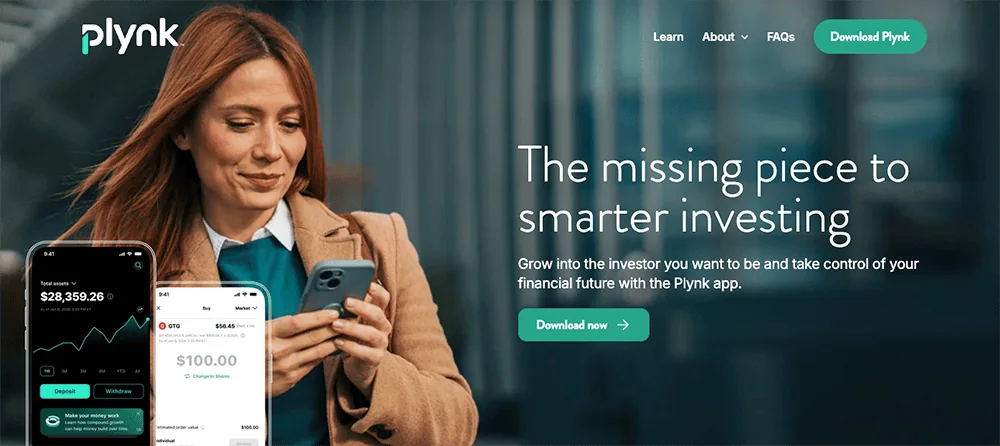
Plynk® is an investing app designed to not only help you start putting your money to work, but teach you about the markets and your money along the way—and now it will help you grow your dividend income.
The Plynk app charges no account opening fees and lets you start investing with as little as $1. It offers commission-free trades on 5,000 stocks and nearly 2,000 ETFs, and also provides access to more than 50 mutual funds and four cryptocurrencies. You can use the app as a traditional brokerage account, but if you’d prefer the potential tax advantages of retirement accounts, the Plynk app also allows you to open traditional IRAs and Roth IRAs.
One of the app’s newest features is a dividend match. Plynk will provide a cash match of 25% on dividends generated within the account, allowing you to earn up to $250 extra annually.
The app is more than appropriate for seasoned investors, but it’s also extremely friendly to beginners. It’s light on jargon and instead uses straightforward, easy-to-understand language to explain investing concepts in its tips and how-tos. The Plynk app also offers expert ratings on stocks and funds that novice and experienced investors alike can use to identify high-quality opportunities, and it allows you to browse stocks and ETFs using thematic categories, such as AI, gaming, and dividend stocks.
Want to start building good investing habits right off the bat? The Plynk app offers automatic investing—you choose how much you want to invest, in which securities, and how often, and the app processes the trading from there. Want help building a consistent habit? Plynk’s Steady Start feature is a 52-week ramp-up program that starts your contribution at $1 in the first week, then ups that contribution by a dollar each week—so by the time you’re done, you’ll have contributed $1,378 in a year. Want to see how much you’ve been paid in interest and dividends? Check out Plynk’s Income Hub.
The Plynk app’s educational tools are among the best from the apps we’ve reviewed:
- Beginners will want to check out Plynk’s simulated trading feature, which lets you use virtual money in a real-market environment as you learn how to make trades, test strategies, and gain experience.
- Curious about how certain investments would’ve worked? Plynk’s virtual portfolios let you “invest” virtual money to see how any portfolio you can think up would have performed depending on when you started investing in its underlying stocks and ETFs.
- The Plynk website’s “Learn With Plynk” section teaches investors about important basic concepts such as diversification, dividends, and dollar-cost averaging.
Plynk’s customer support is staffed by knowledgeable professionals, and your account is backed by encryption, multifactor authentication, and 24/7 fraud monitoring.
Begin today: Sign up with Plynk using our exclusive link to kick-start your investing journey. Or if you want to learn more, check out our Plynk review.
- Plynk® is an effective yet beginner-friendly way to start investing in thousands of stocks, ETFs, mutual funds, and cryptocurrencies.
- Plynk charges no account opening fees, and you can start investing for as little as $1.
- Enjoy commission-free trades* on 5,000 stocks and more than 3,400 ETFs. Plynk also supports mutual funds and cryptocurrencies.
- Boost your yield with a cash match of 25% on dividend income.**
- Earn a 3.48% APY on uninvested cash.
- Track dividends and interest with Income Hub.
- Put your investing on autopilot with automated investing or Steady Start.
- Just getting started? Simulated trading and virtual portfolios help you get your feet wet and build experience without putting any money at risk.
- No account fees
- Smart design and smooth user experience
- Fractional shares
- Designed for beginning investors
- Virtual portfolios and simulated trading
- Earn interest on uninvested cash
- One of the best automated investing programs we've seen (Steady Start)
- Elite educational resources and tools
- Lacks features such as options trading and advanced charting that more experienced traders prefer
Related: 15 Best Investment Apps and Platforms [Free + Paid]
2. Robinhood (Best Trading App for Beginners)
- Available: Sign up here
- Platforms: Web, mobile app (Apple iOS, Android)
Robinhood jumped into the investing public’s consciousness in 2013 when they rolled out commission-free trading. They remain a standout option for cost-minded investors thanks to their continued $0 commissions on stocks, ETFs, options, and cryptocurrency; 24/7 trading; and the use of fractional shares, which allow people to invest with as little as $1.
Robinhood has long catered to beginner investors with its gamified interface and growing library of educational content. But Robinhood has grown up, too—from a bare-bones app to a full-featured platform, chock full of tools and capabilities designed to both build up notice investors, and help beginners get the most out of their accounts from the get-go.
For instance, Robinhood now offers traditional individual retirement accounts (IRAs) and Roth IRAs via Robinhood Retirement. We love that investors have the option of self-selecting all their investments, having Robinhood recommend a portfolio (made up of five to eight ETFs), or mixing the two by starting with Robinhood’s recs and tweaking to your own preferences. IRA investors can choose from stocks, ETFs, and options, but not crypto.
But Robinhood Retirement has really made a name for itself by offering matching funds. If you open up an IRA with Robinhood Retirement, Robinhood will match 1% of any IRA transfers, 401(k) rollovers, and annual contributions to your account—typically almost immediately after you make your contribution. (Robinhood Gold subscribers get a 3% match on new contributions, though rollovers and transfers are still 1%.)
Robinhood also has tools for budding traders. Advanced Charts, for instance, provides simple and customizable charts with a variety of technical features. Robinhood’s Options Strategy Builder simplifies the options-trading process by helping you build a strategy based on what you expect your target stock or ETF will do in the future. Robinhood also offers 24/7 commission-free cryptocurrency trading with Robinhood Crypto (though you’ll still have to pay a spread), allows extended-hours trading, and lets users earn interest through stock lending.
Sign up for a Robinhood brokerage account or Robinhood Retirement account today.
- Robinhood is a pioneer in the investing app world, offering commission-free trades on stocks, ETFs, options, and cryptocurrency, as well as one of the deepest libraries of investing educational content.
- Investing for retirement? Robinhood will match 1% of any IRA transfers or 401(k) rollovers, as well as any annual contributions*, made to your Robinhood Retirement account—and you can get a 3% match on any new contributions if you subscribe to Robinhood Gold.
- Want more advanced trading tools? Download Robinhoold Legend—a desktop trading platform with real-time data, customizable layouts, deeper asset analysis, and more—for free.
- Robinhood's robo-advisory service, Robinhood Strategies, will build you a custom portfolio of stock and bond ETFs (and individual stocks for accounts with at least $500), for a low 0.25% in AUM, which is capped at $250 annually for Robinhood Gold members.
- Robinhood Gold also includes Level II market data provided by Nasdaq, higher interest rates on uninvested brokerage cash, lower margin trading rates, bigger Instant Deposits, and access to the Robinhood Gold Card (a 3% cash-back Visa credit card).
- Special offer: Sign up for Robinhood, link a bank account, and fund your account with at least $10, and receive a randomly selected cash amount between $5 and $200 to put toward certain fractional shares.
- Very good selection of available investments in brokerage accounts
- 1% match on rollovers, IRA transfers, and new contributions to IRAs and Roth IRAs (3% new-contribution match with Robinhood Gold)
- Automated recommended portfolios
- Intuitive interface
- Robo-advisory service (Robinhood Strategies)
- Extensive educational library
- No mutual funds in brokerage or IRAs
- Match doesn't apply to Robinhood Strategies accounts
Related: 9 Best Free Investing Apps [No Fees to Start Saving]
3. Acorns (Best Micro-Investing App for Beginners)

- Available: Sign up here
- Platforms: Web, mobile app (Apple iOS, Android)
Acorns is a micro-investing app geared toward young adults and millennials that’s perhaps best-known for its “Round-Ups” program.
With Acorns Round-Ups, the app rounds up purchases made on linked debit and credit cards to the nearest dollar, investing the difference on your behalf. For example, if you purchase a coffee for $2.60 on a linked credit card, Acorns automatically rounds this charge up to $3.00 and puts the 40-cent difference aside. Once those Round-Ups reach at least $5, they can be transferred to your Acorns account to be invested.
The Acorns investment offering itself is a simple, automated platform that uses pre-built portfolios of ETFs to keep investors exposed to stocks and bonds, which is similar to many robo-investing offerings. Acorns’ basic approach makes it one of the best investment apps for beginners.
Here’s more about what you can expect from Acorns’ varying subscription options:
- Acorns Bronze: Includes an Acorns Invest investment account, as well as Acorns Later for tax-advantaged investment options such as Roth IRAs. Also includes Acorns Checking, a bank account that has no account fees, lets you withdraw fee-free from more than 55,000 ATMs nationwide, and is paired with a debit card that can go into your digital wallet; Smart Deposit, which allows you to automatically invest a bit of each paycheck into your Acorns accounts; and, of course, Round-Ups.
- Acorns Silver: Everything in Acorns Bronze (Acorns Invest, Later, Checking, etc.), plus Premium Education, which includes live Q&As with Acorns’ expert investment team, invite-only sessions with the Acorns Support Team, access to a quarterly market report, and more; Emergency Savings with a high APY; and a 25% bonus on Acorns Earn rewards (up to $200 per month).
- Acorns Gold: Everything in Silver, plus custom portfolios that allow you to hold individual stocks; live Q&As with financial experts; a 50% match on Acorns Earn rewards (up to $200 per month); $10,000 in life insurance; even the ability to set up a will for free. Parents also get Acorns Early access for up to four children. And Gold is the only way to unlock Acorns Early Invest: a custodial account for your child that lets you invest for them while they’re a minor.
Silver and Gold also feature a powerful way to accelerate your savings: Later Match. While most people are aware that employers will sometimes match funds you contribute to your 401(k), “matches” are virtually unheard of in retirement accounts like IRAs, where there’s no employer to kick in extra cash. However, Acorns itself will match 1% or 3% on new contributions to IRAs for Silver and Gold subscribers, respectively.
Learn more in our Acorns review, or use our link to sign up with Acorns today.
- Acorns allows you to sign up for investment, retirement, and checking accounts for you and your family, learn how to earn more money, and grow your investing knowledge.
- Famous for investing spare change automatically through Round-Ups, this all-in-one financial app helps younger generations start investing earlier.
- Invest in expert-built portfolios made up of diversified ETFs.
- Silver tier includes perks such as a 25% match on Acorns Earn rewards (up to $200/mo.), generous APYs on Checking and Emergency Fund, and live Q&As with investing experts.
- Gold tier includes perks such as a 50% match on Acorns Earn rewards (up to $200/mo.), $10,000 in life insurance, and picking individual stocks for your portfolio.
- Gold also comes with a free Acorns Early account for up to four children. It's also the only tier to offer Acorns Early Invest: a UGMA/UTMA custodial account where you can save toward your kids' future and get a 1% match on up to $7,000 in contributions annually.
- Earn even more with Later Match: Acorns will match up to 1% (Silver) or 3% (Gold) of all new IRA contributions in your first year.*
- Special offer: Get a free $20 bonus investment when you sign up with our link and start making recurring investments.**
- Robo-advisor with affordable fees (on larger portfolios)
- Fixed fee model
- Round-ups
- FDIC/SIPC insurance
- IRA match (Silver and Gold)
- High fixed fees for small balances
- Limited investment selections
- Must subscribe to Gold for any self-directed investing options
Related: Best Acorns Alternatives: Micro-Investing Apps to Use
4. Public.com (Best Investment App for Alternatives)

- Available: Sign up here
- Platforms: Web, mobile app (Apple iOS, Android)
Public.com, which is geared toward Millennials and Gen-Zers, is different from many other investing apps.
Yes, Public has the basics: Users can trade individual stocks and ETFs with no commissions. It’s also a micro-investing app thanks to its fractional shares feature, which allows users to spend as little as $5 to invest. But Public has also been widening its investment lineup—while it still doesn’t offer mutual funds, it does provide access to options, individual bonds, 40 different cryptocurrencies, and even alternative assets, from art to sneakers.
That last point really sets Public apart. Alternative assets are a relative rarity among investing apps. They can be difficult to research (and thus difficult to properly invest in), but they can provide uncorrelated returns compared to the stock and bond markets, so many savvy investors like to diversify into these assets.
The “Public” part of the name nods to the platform’s social aspect. You can make your portfolio holdings open to other users, and conversely, you can look through other Public users’ portfolios. Investors can also connect with corporate founders and CEOs through live “Town Hall” meetings.
Users can also upgrade their experience with the $10/month Public Premium subscription.
Public Premium offers some features that are included in some free brokers’ services, but other features help to justify the cost. For instance, Premium offers extended-hours trading (8 to 9:30 a.m., and 4 to 8 p.m. EST) and stock price alerts—several competitors, such as TradeStation and E*Trade, offer these services at no charge. However, Premium also provides:
- Advanced data on companies—Public.com’s examples include Tesla quarterly deliveries by model or Apple’s annual sales by continent
- Institutional-grade research provided by Morningstar
- Members-only analysis about events including major economic report releases, earnings announcements, and more
- Up to four years’ worth of companies’ earnings calls, decks, and reports
- Exclusive audio programming by Public.com’s expert analysts
You can read more in our Public.com investing app review, or sign up today using our exclusive link.
- Public.com offers zero-commission trading on thousands of stocks and ETFs, available as fractional shares. The app also allows you to invest in cryptocurrency, options, and bonds as well, and it's one of the rare brokerages that allows its users to buy alternative assets.
- Lock in a 5.3% yield with Public.com's Bond Account, which allows you to invest in a diversified portfolio of investment-grade and high-yield bonds.
- Use a social feed where members can share why they believe in certain companies (or don't) and can post comments on others' trades.
- Invest in curated lists of stocks and ETFs for people to aggregate investments by interest area or values.
- Subscribe to Public Premium for features such as advanced company-level data, Morningstar insights, and exclusive audio content from Public.com's expert analysts.
- Special offer: Receive an uncapped 1% match on transfers into a Public IRA.
- Fractional shares
- Good selection of investible assets
- Allows you to trade alternative assets
- No payment for order flow (PFOF)
- Creative social investing features
- Doesn't support mutual funds
- Limited investment research and other tools
5. Webull (Best Stock Trading App for Intermediate Investors)

- Available: Sign up here
- Platforms: Desktop app (Windows, Mac, Linux), web, mobile app (Apple iOS, Android)
Webull first hit the investing world in 2018 and made a splash by offering free stock trading, as well as commission-free trading of exchange-traded funds (ETFs) and options. And since then, it has become one of the best stock trading apps for intermediate traders, though many of its features are helpful to beginner investors as well.
For one, Webull remains friendly to wallet-conscious traders today. It costs nothing to open a Webull account. Stocks, ETFs, and options still trade commission-free. Many options have $0 contract fees. And Webull has no deposit minimums. On top of that, it offers fractional shares, which allows investors to start buying for as little as $1.
Webull also is available across just about every platform, allowing you to research, trade, and track your stocks on your smartphone, tablet, or desktop.
Why choose Webull to trade stocks?
Webull provides traders with a number of useful features and tools, including:
- Customizable screeners for both stocks and ETFs
- Preset lists–including Top Gainers, Top Losers, Most Active, and Best-Performing Industries—traders can use to identify opportunities
- Free real-time stock quotes
- 12 charting tools and more than 50 technical indicators
- Real-time stock alerts you can set to notify you of events such as significant price action or certain technical conditions
- Numerous order types—simple orders such as limit and market orders, sure, but also group orders such as bracket, OTO, and OCO orders
- Quant ratings that help you to evaluate stocks through numerous lenses, such as growth, value, income, quality, and momentum
These tools make Webull one of the best stock research and analysis apps for traders.
We’ll point out that while Webull allows for many types of commission-free trades, other costs will still apply to a few transactions. For instance, a 55-cent contract fee applies to certain options trades. Webull doesn’t directly charge fees for trading cryptocurrencies, but it does build a 1-percentage-point markup into the price of cryptocurrency when you buy or sell crypto. And Webull’s margin rates, which are variable depending on the debit balance, are currently roughly middle-of-the-road.
You should also know that you can’t buy mutual funds on Webull, though that’s more of a concern for long-term investors and less so for traders.
Regardless, Webull remains one of the best, and most cost-friendly, trading platforms you can come across. And on top of all the free features mentioned above, Webull also runs frequent promotions that allow investors to collect free stocks.
Read more in our Webull review, or sign up at Webull today.
- Webull is a low-cost trading and investing app that allows you to invest in stocks, ETFs, options, futures, commodities, and crypto, and even participate in initial public offerings (IPOs).
- No-commission stock, ETF, and option trades (and many options have $0 contract fees).
- Trading features such as charting tools, technical indicators, customizable screeners, real-time stock alerts, and group orders.
- Let Webull manage your money for you with Webull Smart Advisor, which combines Webull's in-house investment expertise and artificial intelligence to build, manage, and rebalance an ETF portfolio for you.
- Sign up for Webull Cash Management to earn up to a 3.6% APY on uninvested cash.*
- New users get one free month of Nasdaq TotalView's Level 2 Quotes service. (That subscription costs $2.99/mo. thereafter.)
- Subscribe to Webull Premium and receive a premium APY on uninvested cash in individual and joint cash accounts, premium margin rates, a 3% match when you transfer or roll over your IRA, and an extra 3.5% match on qualifying IRA contributions.
- Special offer: Open an account and get one free month of Premium, make an initial deposit of at least 1¢ to unlock a one-month 1.4% APY boost*, and deposit $100 to receive 10 free fractional shares worth between $3 and $300.**
- Good selection of available investments
- Fractional shares
- Powerful technical analysis tools
- Offers robo-advisory services
- Accessible to beginning and intermediate users
- Voice commands
- Offers highly competitive APY through Webull Cash Management
- Does not support mutual funds

6. Vanguard (Best Fund Company Offering an Investment App)

- Available: Sign up here
- Best for: Basic trading options with cheap mutual fund investing
- Platforms: Web, mobile app (Apple iOS, Android)
Vanguard has long been regarded as the low-cost index fund investing service provider. In fact, in 1975, John Bogle launched the first U.S.-listed index fund available to retail investors. Now, Vanguard offers numerous dirt-cheap index products in both its mutual fund and exchange-traded fund lineups.
But Vanguard also offers low-cost investing, and no account minimums, through its brokerage and other accounts. That means commission-free trading not just on Vanguard products like VTI or VTSAX, but also on stocks, all other ETFs, and all no-transaction-fee mutual funds. But investors and traders still shoulder some costs. Unless you have more than $1 million in your account, transaction-fee mutual funds cost $20 per trade. And if you have a higher risk tolerance, you can trade options on Vanguard—but while commission-free, you’ll still incur a $1 contract fee on options trades.
Vanguard’s web and mobile versions are very much geared toward beginning investors, though the latter is better-designed. The web version can be downright clunky at times, and it can be difficult to access some of the features. I used to use the app to manage my work’s 401(k) plan, and I’ll admit to its bloat and lack of clarity on calculating investment returns on a percentage basis. The mobile apps run more smoothly, and I like the secure two-step login. But certain features, such as price alerts, aren’t available on mobile.
My main beef with Vanguard’s apps is that they make it difficult to measure the performance of individual holdings. All that said, Vanguard might have made this by design, incentivizing you to check your funds less often and thus living by their buy-and-hold ethos.
Still, if you’re a beginner who’s not sure if you’ll be more into trading, or more into long-term investing, a Vanguard account is a good place to start.
- Vanguard's low-cost mission continues through its commission-free brokerage and other investment accounts. Invest in stocks, ETFs, and Treasuries with zero commissions.
- Pay $0 to trade Vanguard mutual funds and no-transaction-fee mutual funds.
- Want to trade options? You can do that on Vanguard, too.
- Vanguard's mobile app is simple and easy to understand.
- Good selection of available investments
- Commission-free Treasuries
- Some commission-free mutual funds
- Can purchase fractional shares of mutual funds
- Can optimize your portfolio with Vanguard Portfolio Watch
- Limited investing and research tools
- Somewhat clunky web interface
- High options contract fees
- Limited features on mobile app
- No fractional shares of stocks or ETFs unless reinvesting through a DRIP plan

7. M1 Finance (Best DIY Robo-Advisor)
- Available: Sign up here
- Platforms: Web, mobile app (Apple iOS, Android)
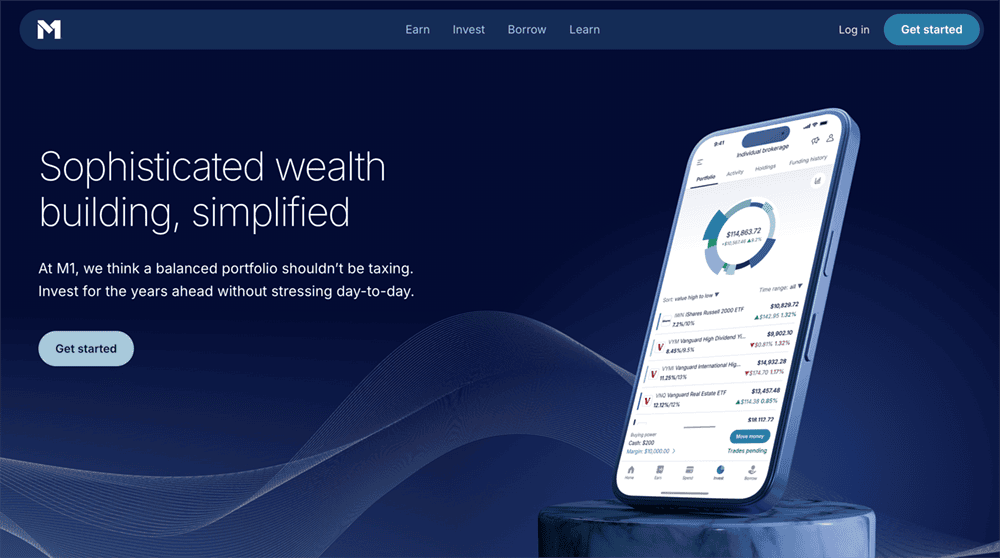
M1 Finance is an investing app that acts like a hybrid between self-directed investing (you manually choose what to invest in, and determine when to buy and sell) and automated investing (AI helps make decisions for you and manages your account). The result is effectively a highly customizable robo-advisory service that functions like a 401(k).
M1’s investing platform is based around Pies. Your portfolio is represented as a Pie (a pie chart); every stock and ETF you decide to buy becomes a slice of that pie. Like a 401(k), M1 uses fractional shares; unlike a 401(k), it uses stocks and ETFs. Each investment is a “Slice,” and you choose what percent of your Pie each Slice should account for—so, you might set Stock X at 5% of your portfolio, and ETF Y at 25%. After that, whenever you fund your M1 account, it will automatically invest your money based on these targets.
From there, M1 can automatically rebalance your portfolio for you, or you can go in and manually change how small and large each Pie slice is. If you really want to put it on autopilot, you can invest in M1’s model portfolios—professionally pre-built portfolios designed for different investment goals. (And if you want something in the middle, you can even combine Expert Pies with your own custom choices.)
Just understand that while M1 offers premade portfolios aligned to several investing goals, it’s technically not an advisory service.
Also worth noting is that, unlike traditional online brokers, you cannot trade stocks and ETFs throughout the trading day. M1 has two trading windows—at 9:30 a.m. and 3:30 p.m. every day the New York Stock Exchange is open—during which it processes all of the orders it has received before then.
That’s something of a blessing and a curse. On the one hand, if you wanted to jettison a position immediately during the trading day, you couldn’t do that with M1, and you certainly can’t trade stocks like you can with a traditional brokerage. On the other hand, this trading window system won’t stop you from achieving your goals—and it could actually stay your hand from panic-selling in the middle of the day.
M1 offers individual, joint, and custodial brokerage accounts, as well as traditional, Roth, and SEP IRAs. They even have offer a Roth IRA for kids. You can also participate in 24/7 crypto trading, take out margin loans, earn a high APY on M1’s high-yield cash account, and more.
You can read more in our M1 Finance review, or you can use our exclusive link to open an M1 account today.
- The M1 investing app is a basic robo-advisory system that acts almost like a 401(k). You build a "Pie" by choosing the stocks and ETFs you want to invest in, as well as the percentage of your portfolio that should be invested in each "Slice," and M1 uses that information to allocate your money each time you contribute.
- If you want help putting together a list of stocks and funds, you can use M1's model portfolios, which cover goals such as general investing, planning for retirement, income earners, and more.
- Enjoy a 4.00% APY on uninvested cash.
- Get a line of credit against your brokerage's account value at low fees (currently 6.40%) compared to other brokerage lines of credit.
- M1 lets you open individual, joint, and custodial brokerage accounts; traditional, Roth, and SEP IRAs; trusts; and cryptocurrency** accounts.
- Robo-advisor with self-directed investing elements
- Attractive APY on uninvested cash
- Borrow against your assets
- Limited selection of investible assets
- Doesn't allow trading throughout the trading day
- Monthly fees for account balances <$10,000

8. Stash (Best for Approaching Finances for the First Time)

- Available: Sign up here
- Price: Starter: $3/mo. Stash+: $12/mo.
Stash is an all-in-one personal finance app that comes with a checking account and an investment platform.
While the app primarily caters to hands-off investors looking to automate their investing through exchange-traded funds (ETFs), you can also actively select stocks to trade. You can do all of this as you spend money and make recurring deposits into your account.
Stash also makes saving easier with the Stock-Back® rewards program2, which allows users to earn stock on qualifying purchases made on their linked Stock-Back® Card1. Over time, these additional stock contributions can build your portfolio.
Many parents love Stash as an investing app for kids because they can use it to open a custodial account and save for their children’s educations. However, many teenagers and young adults like the app for the control it offers them over their money and investments.
Prospective users should note that while Stash does charge a monthly account service fee for its full suite of products, it does not charge trading commissions for your investment holdings, nor does it have an account minimum.
Sign up for Stash if you’re looking for a simple investing and banking solution.
- Stash is a personal finance app that simplifies investing, making it easy and affordable for everyday Americans to build wealth and achieve their financial goals.
- Invest in stocks and exchange-traded funds (ETFs) for as little as 1¢ thanks to fractional shares.
- Earn Stock-Back® rewards on every eligible debit card purchase.
- Get access to custodial accounts, $10,000 in life insurance, and more.
- Robo-advisor with self-directed investing capability
- Fractional shares
- Custodial accounts available
- Offers values-based investment options
- Get paid up to two days early when you direct deposit pay into your Stash account
- FDIC/SIPC insurance
- Charges monthly fee
- Smart Portfolios don't offer tax-loss harvesting

How to Start Investing in College
When starting your college career, you’re likely more focused on your course load, making friends and getting adjusted to a new environment than investing.
However, it’s important not to neglect your financial future and start investing in college (even including building credit as a college student) so that you have an even stronger footing when starting the rest of your life!
Investing doesn’t need to be complicated or scary – here are some tips on how you can best get started as a student:
- Start with small amounts of money: Building up your investments with small amounts of money is a smart idea when you’re starting out. You can then build it up over time and turn investing into an automatic habit
- Pick a simple investing platform: There are lots of different platforms to choose from, but what’s important is that the one you pick should be simple enough for you – and have all the features you need to make investing an easy process.
- Have the platform grow with you: You can set up automatic investments, choose how much risk you’re comfortable taking on (and what percentage of your budget to put towards it), and even see where all of your money is invested – so that managing everything as a student becomes easier with time
What Should College Students Invest In?
When you just start investing with little amounts of money, you should consider investing in lower-risk investments. This will help you get used to the investing process without risking too much of your money if something goes wrong with it.
By this, I don’t mean certificates of deposit or short-term bonds, but rather investments that don’t carry risk tied to a specific company or sector.
Because traditional students begin college as teenagers and can start investing young, they should favor riskier asset types like stocks rather than bonds.
When you are investing at 18, these will have the greatest overall upside potential and take advantage of college students’ greatest asset: youth.
In general, college students should focus on what they are best at learning and enjoy before looking into investing in anything else. For example, the best investments for young adults is an investment in themselves by attending college.
As for how to invest their money in the stock market, they should likely start with investing in index funds. Index funds are investments that mimic the performance of a market index like the S&P 500 or Nasdaq and do not require any active trading on your part.
So, if you’re just beginning to invest, it’s a good place to start.
These low-cost, diversified investment options allow you to buy stocks but don’t require you to do any of the research into what those stocks are.
When selecting an investing platforms for beginners, they should grow with the user and make their money work for them.
For example, if a college student starts with index funds as an investment, when they graduate from college they’ll be able to invest in other more complex or riskier investments like individual companies.
For the more engaged investor, you can identify these individual stock opportunities with the best stock picking services, stock advisor services or through stock investment newsletters.
Likewise, you can conduct your own stock research and analysis with apps and find undervalued stocks before the market has caught on. At the same time, if you’re not sure what to invest in, index funds are a good place to start. They’re also a good place to invest for your entire life.
They require no active trading and provide diversification for even just $500 or less with very little effort involved from you. They do the heavy lifting for your portfolio automatically.
Best Investment Apps for College Students Beginning to Invest
These apps help college students begin to invest and grow their money.
The investing platforms grow with the user and make their money work for them, teaching students how to invest in stocks, bonds, ETFs – even how to start a Roth IRA account!
These apps are designed from the ground up to be easy-to-understand but still powerful enough to handle college students’ long term investing needs. Hopefully, college students choose to invest in appreciating assets over the long-term.
Consider opening an account with one of the above online discount brokers and see if it works for you.
Related: 12 Best Stock Trading Apps + Platforms for Beginners
Disclosures
Plynk
All Plynk disclosures can be viewed here.
Stash
* Paid non-client endorsement. See Apple App Store and Google Play reviews. View important disclosures.
Nothing in this material should be construed as an offer, recommendation, or solicitation to buy or sell any security. All investments are subject to risk and may lose value.
1 Stash Banking services provided by Stride Bank, N.A., Member FDIC. The Stash Stock-Back® Debit Mastercard® is issued by Stride Bank pursuant to license from Mastercard International. Mastercard and the circles design are registered trademarks of Mastercard International Incorporated. Any earned stock rewards will be held in your Stash Invest account. Investment products and services provided by Stash Investments LLC and are Not FDIC Insured, Not Bank Guaranteed, and May Lose Value.
1 All rewards earned through use of the Stash Stock-Back® Debit Mastercard® will be fulfilled by Stash Investments LLC and are subject to Terms and Conditions. You will bear the standard fees and expenses reflected in the pricing of the investments that you earn, plus fees for various ancillary services charged by Stash. In order to earn stock in the program, the Stash Stock-Back® Debit Mastercard must be used to make a qualifying purchase. Stock rewards that are paid to participating customers via the Stash Stock Back program, are Not FDIC Insured, Not Bank Guaranteed, and May Lose Value.
Stash has full authority to manage a “Smart Portfolio,” a discretionary managed account.
* Offer is subject to T&Cs.